Ocean glare
- Model
- GPT Image 2
- Image
- 1024 × 1024 px
Prompt
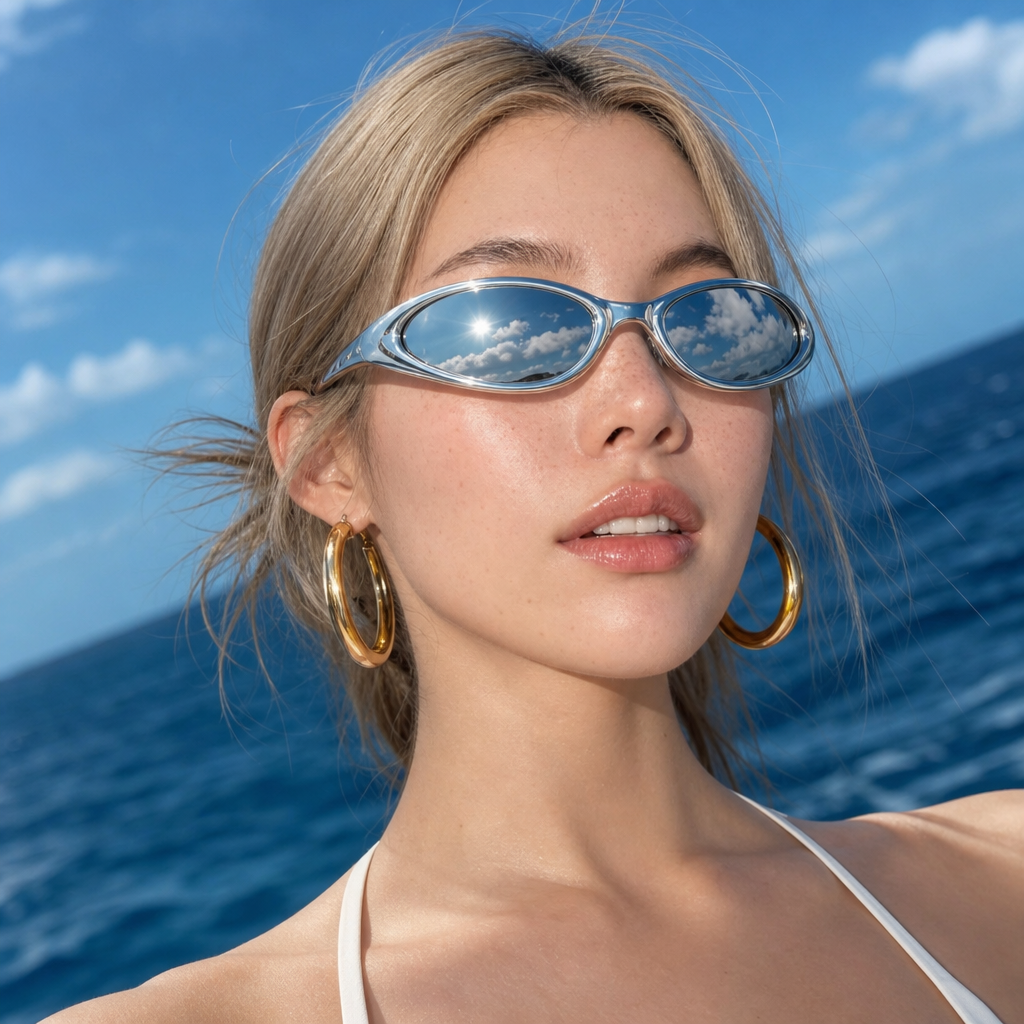
A close-up, low-angle shot captures a young woman with blonde hair, wearing futuristic silver sunglasses and large gold hoop earrings. Her mouth is slightly open, revealing her teeth, and her face is dotted with freckles. The background is a blurred expanse of deep blue ocean under a bright sky, with the reflection of the sky and clouds visible in her sunglasses. The lighting is bright and natural, suggesting an outdoor, sunny environment.
Any aspect ratio
Overview
The Ocean Glare template in our AI Image Editor is designed to bring an ambient, maritime aesthetic to your projects. Utilizing the gpt-image-2 model, this template captures the essence of oceanic beauty through stunning imagery and creative filters.
What It Does
This template allows you to transform ordinary images into captivating seaside visuals. It seamlessly integrates elements like shimmering oceanic reflections and bright sky overlays. The result is a dynamic and aesthetically pleasing image that suggests an outdoor, sunny environment. For those interested in more transformative changes, explore our Face Swap and Image to Video tools.
Who It's For
The Ocean Glare template is perfect for content creators, photographers, and marketers with a focus on beach and sea-themed projects. Whether you're working on a travel blog, lifestyle photography, or a commercial, this template provides the right visual warmth and energy. Additionally, our AI Background Changer offers more background modification choices for your projects.
Summary
Leverage the power of the Ocean Glare template to impose a narrative of freedom and exploration onto your imagery, making it ideal for engaging a wide range of audiences. Its blend of natural lighting and oceanic elements can set the tone for albums, promotional materials, or editorial spreads.
How to Use
Choose the Template

Customize Your Image

Generate and Download

Use Cases
Travel Blogs
- Incorporate natural sea visuals
- Add depth with sky reflections
Lifestyle Photography
- Highlight jewelry with oceanic reflections
- Use bright lighting for effect
Marketing Campaigns
- Attract beach lifestyle enthusiasts
- Boost engagement with serene visuals
Best Practices
Use Complementary Colors
Pair oceanic blues with vibrant accessory colors like gold or silver to make features pop.Focus on Lighting
Ensure the lighting in your source image complements the bright outdoor theme of the template.Test Different Angles
Experiment with different angles and poses to maximize the reflective properties in the sunglasses.