ryan-gosling-in-sunglasses
Overview
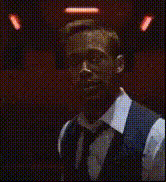
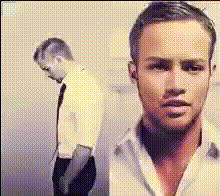
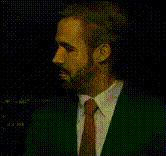
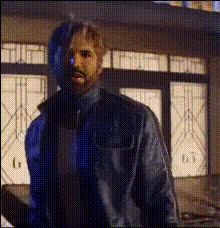
Inject a touch of Hollywood into your projects with the Ryan Gosling in Sunglasses Video Face Swap template. This tool allows you to overlay Ryan Gosling's face, complete with his iconic sunglasses, onto any video. Perfect for creators looking to add a familiar star quality to their content.
What It Does
This template enables you to perform a face swap on your video content, placing Ryan Gosling's recognizable features over any face in your footage. Utilizing advanced AI algorithms, it retains facial expressions and lighting to create a convincing transformation.
Combine this template with others, such as the AI Video Generator, to expand the possibilities of your video projects. The output can be easily edited further in our AI Image Editor for maximum customization.
Who It's For
This template is ideal for video content creators, digital marketers, and social media influencers who want to add celebrity flair to their projects. It suits anyone interested in exploring creative transformations, whether for viral content or personal projects.
Educational creators can use it in conjunction with the Text-to-Video tool to make engaging instructional videos, while meme creators will find it invaluable for generating humorous content.
Summary
The Ryan Gosling in Sunglasses template offers an effective way to incorporate a celebrity element into your video content. Easy to use and adaptable, this template will enhance your video’s appeal and engagement on platforms like Instagram, TikTok, and YouTube Shorts. Explore similar features with products like the Video Face Swap for more transformation possibilities.
How-To Guide
Choose Your Template

Customize Your Input

Generate Your Video

Use Cases
Social Media Content
- Create funny sketches featuring a celebrity.
- Add star power to product promotions.
Marketing Campaigns
- Use in <a href="/use-cases/ecommerce-ads">eCommerce Ads</a> to catch attention.
- Boost campaign visibility.
Educational Videos
- Use in historical or biographical lessons.
- Enhance course appeal.
Best Practices
Optimize Video Quality
Ensure your original video file is of high resolution and good lighting to allow for a seamless face swap.Contour Matching
Align the contours of the faces for a more natural appearance, which enhances realism and expression retention.Engage with Accessories
Make use of sunglasses and other accessories to capably blend the face swap with existing themes in your content.