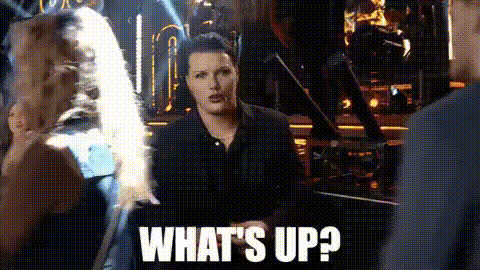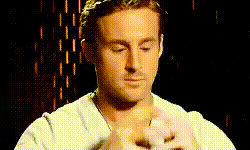
ryan-gosling-smiling
Overview
Spice up your video projects by swapping in Ryan Gosling's smile with our easy-to-use Video Face Swap template. Whether you're looking to create funny clips for social media or send personalized messages, this template helps you catch attention with a celebrity twist. Explore a new level of video crafting by accessing this fun transformation tool on Magic Hour.
What It Does
The Ryan Gosling Smiling Template allows you to replace a person's face in your video with Ryan Gosling's iconic smile. Incorporating advanced Video Face Swap technology, the template precisely maps Gosling's face to the existing subject, maintaining realistic facial movements and expressions. This results in hilarious and remarkable videos suitable for various creative projects.
Who It's For
This template is perfect for content creators, social media influencers, and anyone eager to entertain their audience with humorous video transformations. If you're selling video creation services or managing multiple brand accounts, this template can swiftly elevate your content strategy. Marketers aiming to generate buzz for campaigns may also find it useful for creative promotions.
Summary
The Ryan Gosling Smiling template is an innovative tool for crafting engaging videos by swapping in a celebrity smile. By leveraging its easy interface, users can quickly create videos that capture attention and bring joy to viewers. This template belongs to the Video Face Swap family, known for its reliability and fantastic visual output.
How To
Choose the Ryan Gosling Smiling Template

Customize Your Video

Generate and Share Your Video

Use Cases
Social Media Engagement
- Comedic video posts
- Promotional campaigns
- Viral challenges
Marketing Campaigns
- Brand collaborations
- Product launches
- Event promotions
Personal Entertainment
- Birthday messages
- Holiday greetings
- Friendly roasts
Best Practices
Select the Right Video Subject
For best results, choose videos where the subject's face is clearly visible and well-lit to ensure proper alignment with Gosling's face.Use High-Quality Source Footage
Greater video quality ensures the overlay looks smooth and believable, enhancing the overall effect.Experiment with Different Angles
Try swapping faces in various scenes to understand how different angles impact the final outcome.