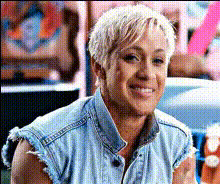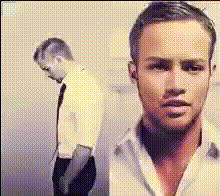
Template preview

ryan-gosling-faces

Video Face Swap
1 clip
0 uses

Any aspect ratio

Tags

transformations

Overview

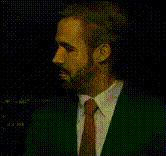
This Ryan Gosling Face Swap template offers a dynamic way to create video content by swapping your face with the renowned actor, providing endless fun for personal projects. Within just a few clicks, transform any video into one featuring your favorite Hollywood star.

What It Does

The template utilizes advanced Video Face Swap technology to seamlessly overlay Ryan Gosling’s face onto any chosen subject in a video clip. Ensuring high quality and vivid detail, it produces realistic and engaging results. Export formats typically include MP4 and MOV, suitable for sharing across various platforms.

Who It’s For

Designed for content creators, social media enthusiasts, and digital marketers, this template is ideal for those looking to add a layer of humor or intrigue to their videos. Whether you're making parody clips or crafting creative advertising, this tool caters to anyone seeking to enrich their video storytelling.

Summary

By opting for the Ryan Gosling Face Swap template, you can elevate your video creativity to new heights, capturing audience attention and broadening your digital entertainments. Explore more possibilities with our suite of tools like the AI Talking Photo and AI Image Editor, which complement face swapping with further fine-tuned controls over your media projects.

How To

Follow these steps to use the Ryan Gosling Face Swap template effectively.
    01

    Choose Your Template

    Access the Ryan Gosling Face Swap template in the Video Face Swap section from the dashboard.
    02

    Customize Your Swap

    Upload your video and adjust the face swap settings to fit Ryan Gosling's face seamlessly onto your chosen subject.
    03

    Generate Your Video

    Click 'Generate' to process the video. Once complete, download it in your preferred format, ready for sharing.

Use Cases

Explore the potential of the Ryan Gosling Face Swap in diverse scenarios.
📱

Social Media Content

Stand out on platforms like Instagram or TikTok by incorporating a celebrity face.
  • Instagram Reels
  • TikTok trends
🎬

Entertainment Videos

Create humorous or parody content for YouTube to capture more views.
  • Parody clips
  • Humor-driven content
📢

Marketing Campaigns

Engage your audience with unique video ads featuring a popular face.
  • Attention-grabbing ads
  • Cultural impact campaigns

Best Practices

Enhance your face swap projects with these expert tips.
  • Choose High-Quality Videos

    Ensure that the original video is in high resolution to achieve maximum clarity and detail in the face swap.
  • Adjust Lighting Settings

    Match the lighting and color tone of Ryan Gosling's face with the video's environment to enhance realism.
  • Check and Double Check

    Review the face alignment settings to avoid distortion and ensure seamless integration.
FAQs

The template typically supports popular formats such as MP4, AVI, and MOV for uploads.

Yes, you can tweak the swap intensity in the video settings for a more subtle or dramatic effect.

While great for entertainment, it can also be used in professional settings where humor and creativity are prioritized.

Using high-quality source videos and ensuring proper alignment of the face are key to achieving natural results.

Currently, face swaps are processed one video at a time; batch processing is not available.

More Like This

ryan-gosling-acting
ryan-gosling-acting
ryan-gosling-close-up
ryan-gosling-face-closeup
1
ryan-gosling-face-closeup
ryan-gosling-frustrated-face
ryan-gosling-smiling-1
ryan-reynolds-face
ryan-reynolds-face
ryan-gosling-closeup-1
ryan-gosling-closeup
ryan-gosling-face-swap
ryan-gosling-gesture
ryan-gosling-smiling
the-nice-guys-ryan-gosling
2
the-nice-guys-ryan-gosling

Face Swap Video