On the Move
- Model
- Nano Banana 2
- Image
- 800 × 1333 px
Prompt
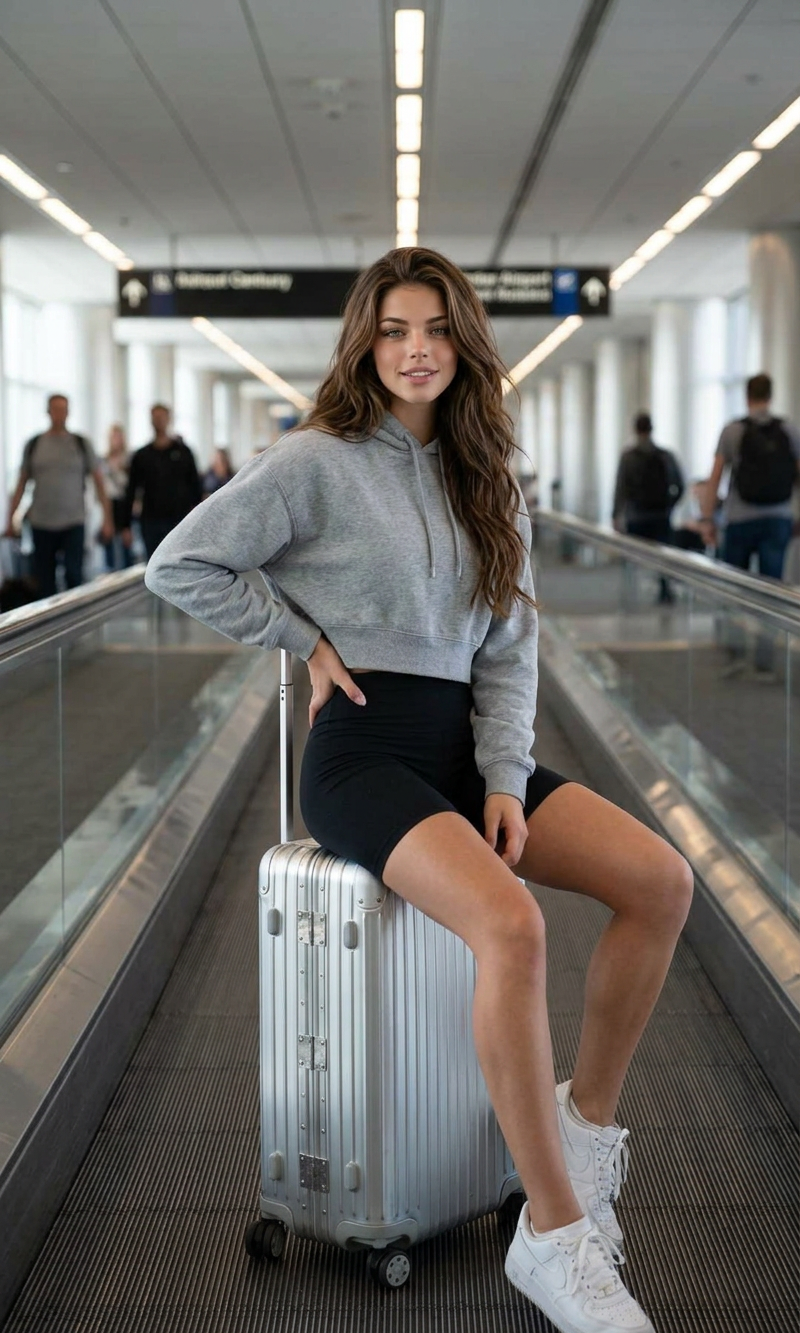
A cinematic, full-length portrait capturing a subject sitting casually on a silver metallic rolling suitcase. The subject is positioned on a moving walkway inside a bright, modern airport terminal corridor. The subject has long, flowing red hair and is wearing a grey cropped hoodie, high-waisted black biker shorts, and white sneakers. The subject has one hand resting on the hip and the other on the handle of the suitcase, looking directly at the camera with a calm expression. In the background, the long perspective of the terminal features blurred figures of other travelers and overhead lighting. Realistic, soft indoor daylight, high detail, travel lifestyle photography style.
Any aspect ratio
Overview
The 'On the Move' template in the AI Image Editor suite seamlessly combines travel and lifestyle photography with advanced image generation. Using the nano-banana-2 model, this template captures the vibrant energy of travel scenes with a focus on human-centered storytelling. Ideal for users looking to breathe life into travel narratives, this template turns static concepts into striking visual stories.
What It Does
This template allows you to create a cinematic, full-length travel portrait with detailed settings that suggest movement and modernity. It places your subject in a realistic airport setting, balancing style with action and capturing the essence of a traveler's journey. Ideal for creating content that communicates a sense of adventure and exploration, the 'On the Move' template uses travel lifestyle photography, incorporating realistic lighting and detailed backgrounds.
Who It's For
The 'On the Move' template is perfect for travel enthusiasts, lifestyle bloggers, and social media influencers who wish to amplify their visual content. It's also a valuable tool for content creators working on Instagram Reels and other social media channels, providing a dynamic way to showcase travel experiences and stories. Whether you are making a personal travel diary or professional vlog content, this template offers the tools you need to engage your audience.
Summary
The 'On the Move' template, as part of the AI Image Editor, offers an innovative way to blend technology with creativity. Utilizing the nano-banana-2 model, it enables users to transform simple travel concept images into captivating visual narratives that are both realistic and stylistic. Designed for those who value detail and creativity, this tool significantly enhances how travel storytelling is presented.
How to Use
Choose Your Template

Customize Your Inputs

Generate Your Image

Use Cases
Social Media Content
- Instagram updates
- Facebook travel diaries
- Twitter travel stories
Travel Blogs
- Full-length blog narratives
- Visual travel guides
Marketing Materials
- Tourism campaigns
- Travel agency promotions
Best Practices
Focus on Authenticity
Ensure the elements in your image, like the travel setting and subject's attire, accurately align with current trends and your audience's expectations.Optimize for Platforms
Consider the output format requirements of your target platform to maintain image quality upon upload. Platforms like Instagram and Facebook have specific size and quality criteria.Enhance with Editing
Fine-tune your generated images with AI Image Editor adjustments for saturation, contrast, and sharpness to suit your creative vision.