Private Arrival
- Model
- Nano Banana 2
- Image
- 800 × 1333 px
Prompt
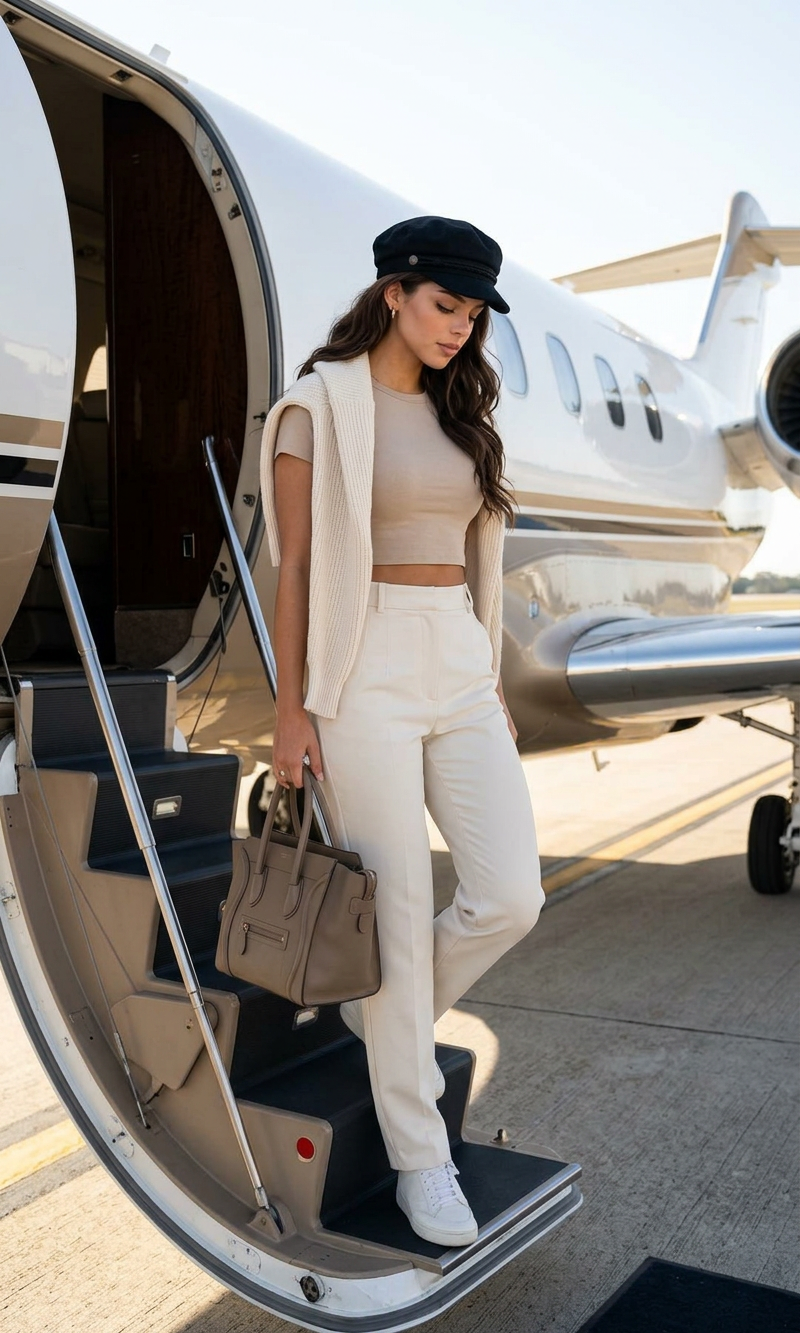
A cinematic, full-length shot of a stylish subject disembarking from a private jet. The subject has long, wavy dark hair and is wearing a black newsboy cap, a beige cropped t-shirt, high-waisted off-white trousers, and a cream-colored sweater draped over the shoulders. The subject is carrying a taupe leather handbag while walking down the aircraft's stairs onto the tarmac. The background prominently features the white fuselage and open door of the private luxury airplane. Bright, natural outdoor daylight, high-fashion travel editorial style, photorealistic, high detail.
Any aspect ratio
Overview
The Private Arrival template by Magic Hour is part of our sophisticated AI Image Editor suite. It allows creators to fashion an impressive scene of a subject stepping off a private jet, capturing a high-fashion, photorealistic image.
What It Does
This template brilliantly combines AI technology with editorial aesthetics. Imagine a luxurious scene where your subject, with precisely styled clothing and accessories, emerges from a private jet. The backdrop of a luxury aircraft and natural daylight enhances the high-fashion travel narrative, making your images stand out.
Who It's For
Whether you are a fashion photographer, a travel influencer, or a brand marketer, this template is tailored for those seeking to elevate their visual content. It is particularly beneficial for users involved in creating promotional materials or enhancing personal brand imagery.
Summary
The Private Arrival template enhances your creative projects with its photorealistic features and style-centric details. It's a perfect choice for those looking to craft high-resolution images that captivate and inspire, especially when used alongside tools like the AI Clothes Changer or Photo Colorizer for added visual transformation.
How to Use
Choose the Template

Customize Your Scene

Generate Your Image

Use Cases
Fashion Photography
- Exhibit stunning travel fashion looks
- Enhance brand stories with luxurious settings
Travel and Lifestyle Blogging
- Create captivating feature images
- Boost social media engagement with glamorous content
Brand Marketing Visuals
- Highlight high-end products in a travel context
- Craft compelling brand narratives
Best Practices
Focus on Details
Pay attention to clothing textures and accessory placement to ensure they contribute to the overall visual appeal.Experiment with Lighting
Adjust the lighting settings in post-processing to achieve an authentic outdoor daylight effect.Pair with Other Tools
Consider using the AI Image Generator for creating complementary backgrounds or additional elements.