Screen Break Illusion
- Model
- Nano Banana 2
- Image
- 843 × 1264 px
Prompt
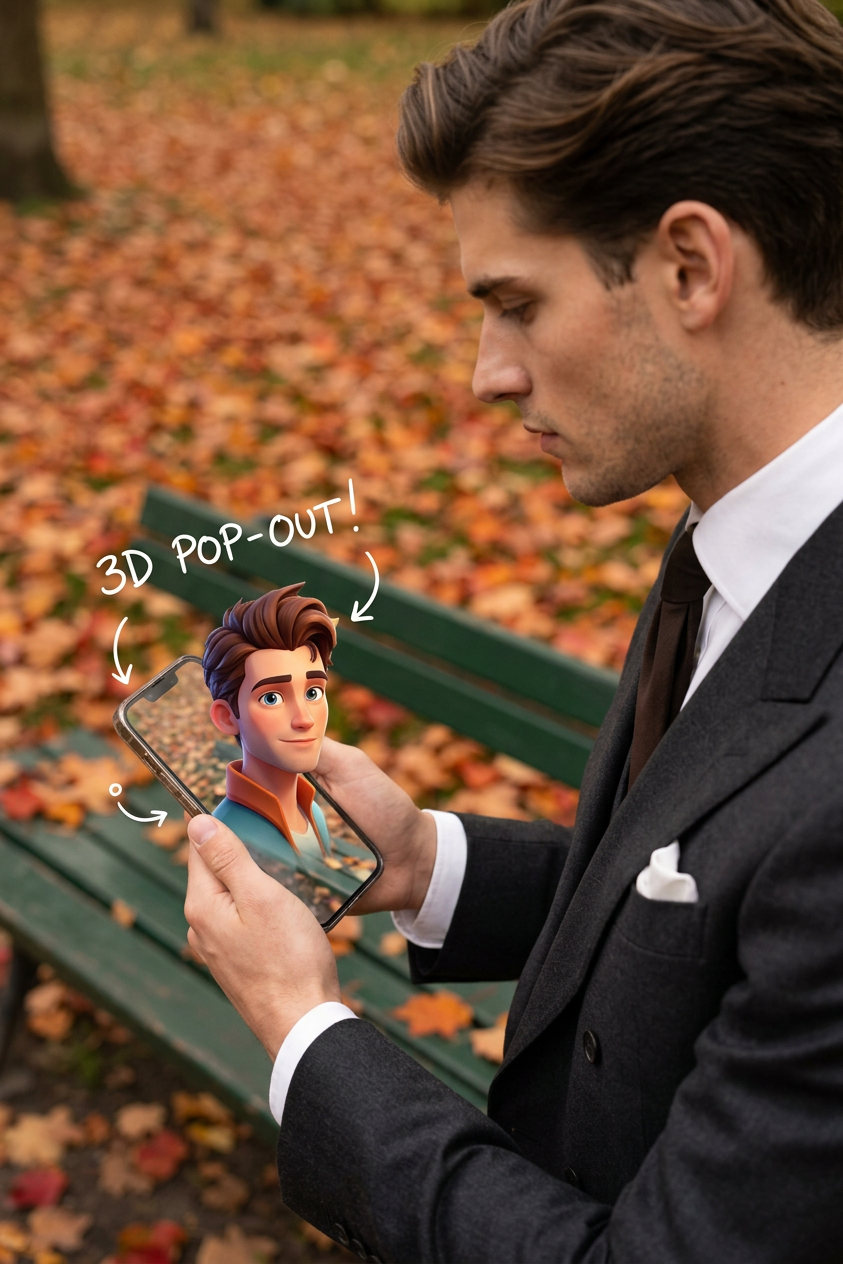
Subject is holding a smartphone in an autumn park with fallen leaves and a green bench; the phone screen shows a vivid image of a character perfectly aligned with the real background, creating a transparent illusion; the character’s upper body pops out of the screen in a 3D effect while the lower body stays inside; white handwritten notes and arrows point to features on the screen; soft natural lighting, shallow depth of field, photorealistic, creative social media style, high detail, 4K quality.
Any aspect ratio
Overview
Screen Break Illusion offers a unique touch to your visual content with our AI Image Editor. Perfect for social media creators aiming to captivate their audience, this template leverages the power of nano-banana-2 to generate high-detail, photorealistic images. Experience innovative visual storytelling through a creative 3D effect that seamlessly blends real and digital worlds.
What It Does
This template lets you integrate a vivid image with its real-world background, creating an impressive effect where a 3D character appears to pop out from a smartphone screen. The balance of shallow depth of field and soft natural lighting makes the illusion remarkably realistic. Ideal for adding creative flair to your video edits or social media images.
Who It's For
Screen Break Illusion is tailored for photographers, videographers, and social media managers who want to enhance visual appeal and engage audiences with inventive content. If you produce product demo videos or craft engaging social posts, this tool will elevate your work.
Summary
Utilize the Screen Break Illusion template to craft breathtaking visuals that highlight the interplay between digital and physical realities. Whether for Instagram Reels or marketing collateral, this level of detail and innovation will set your content apart.
How To
Choose Your Template

Customize Your Image

Generate Your Final Image

Use Cases
Social Media Engagement
- Enhance posts with unique 3D effects
- Increase follower interaction
Marketing Campaigns
- Boost product visibility
- Innovative presentations
Creative Content Development
- Use in <a href="/use-cases/mood-boards">mood boards</a>
- Inspire with visual storytelling
Best Practices
Choose High-Quality Images
Start with a clear, detailed background photo to maximize the photorealistic effect.Align Scene and Screen
Ensure the phone's screen image aligns perfectly with the physical background for a convincing illusion.Experiment with Annotations
Use arrows and notes creatively to highlight features or create additional storytelling elements.