Street Slip Freeze-Frame Chaos
- Model
- Nano Banana 2
- Image
- 768 × 1365 px
Prompt
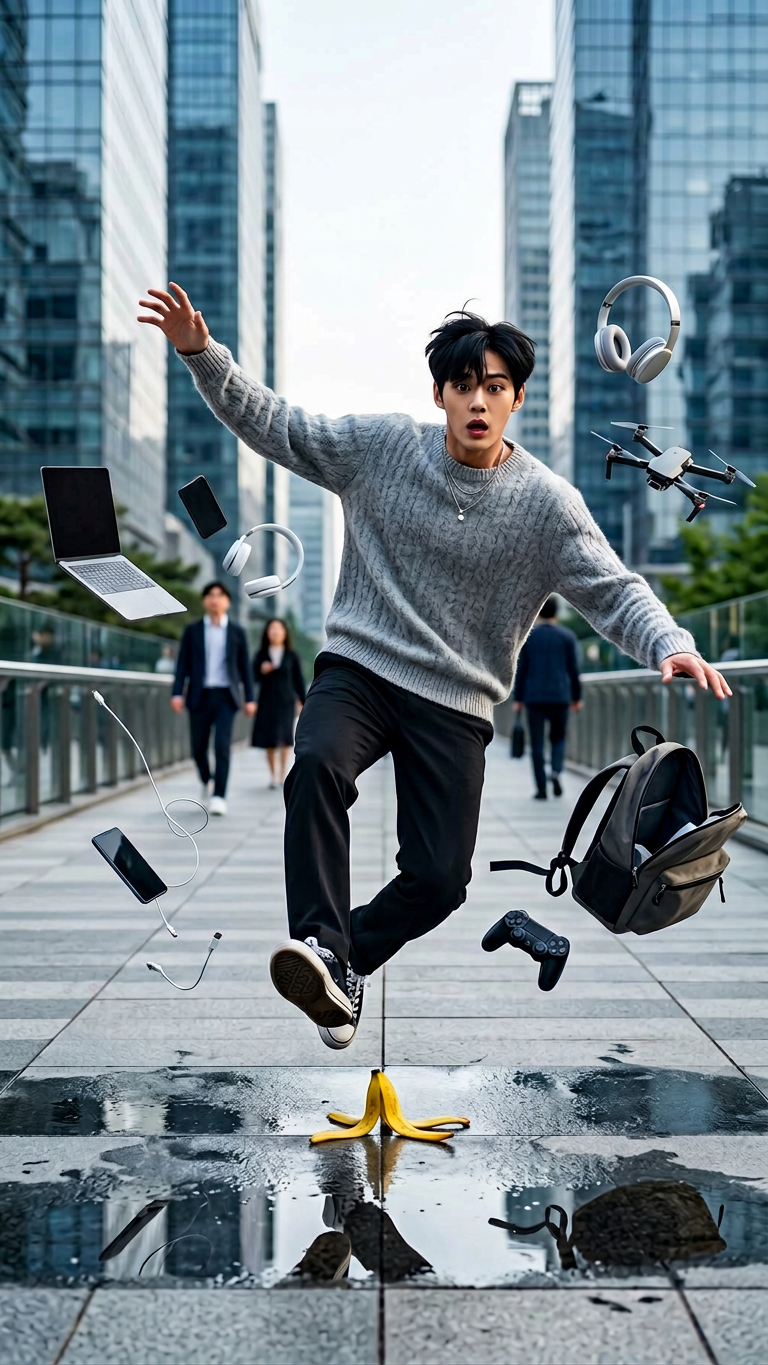
Ultra-realistic cinematic street photography of a subject slipping on a banana peel on a modern city walkway, captured mid-air in a dramatic slow-motion fall. subject has a shocked facial expression with arms flailing as everyday tech items—laptop, headphones, cables, smartphone, gaming controller, backpack, and a small drone—scatter and float around subject in suspended motion. Urban environment with tall buildings and passing pedestrians softly motion-blurred in the background to emphasize depth and speed. Natural daylight with realistic shadows, high-speed photography aesthetic, freeze-frame motion effect, ultra-sharp focus on the subject, shallow depth of field, dynamic composition, 8K photorealism, cinematic color grading, and highly detailed textures for maximum realism.
Any aspect ratio
Overview
The Street Slip Freeze-Frame Chaos template redefines the art of cinematic photography by combining the dynamics of action and the precision of fine detail. It's designed to capture dramatic moments with high fidelity, making it ideal for dynamic urban storytelling. This AI Image Editor template leverages the capabilities of the nano-banana-2 model to deliver 8K photorealistic images that show every intricate detail of a freeze-frame motion effect.
What It Does
This template creates ultra-realistic cinematic street photography scenes, perfect for engaging visual narratives. It captures subjects in mid-motion with dramatic clarity—such as a fall captured on a bustling city walkway. With a focus on realistic textures and dynamic compositions, it allows for deep storytelling. Enhance your photography projects with high-speed effects and cinematic color grading to bring action sequences to life.
Who It's For
Designed for content creators, photographers, and marketers seeking to add dramatic flair to their visuals, this template is perfect for those crafting viral media content. It's an excellent choice for storytellers who want to convey motion and emotion in a single frame. Whether you're producing content for social media ads or enhanced product placement visuals, this tool will elevate your creative work.
Summary
The Street Slip Freeze-Frame Chaos template offers a specialized tool to achieve exceptional motion photography in urban settings. Achieve detailed stop-motion effects in vibrant cityscapes, making every image a piece of art in storytelling. Its focus on high-quality, realistic imagery makes it a go-to for capturing breathtaking action sequences that are sharp and visually stunning.
How to Use
Choose the Template

Customize Your Scene

Generate the Image

Use Cases
Dynamic Urban Storytelling
- Engage audiences with vivid action scenes.
- Ideal for storytelling in digital marketing campaigns.
Social Media Content
- Generate buzz with unique and creative visuals.
- Capture the attention of viewers on platforms like Instagram and TikTok.
Marketing and Advertising
- Highlight products in dynamic settings.
- Enhance campaigns with visually engaging content.
Best Practices
Focus on Composition
Ensure elements such as the subject and floating objects are strategically placed to draw focus.Adjust Lighting Precisely
Utilize the natural daylight setting to enhance realism and depth in your images.Iterate and Refine
Experiment with different urban settings and poses to achieve the perfect visual for your narrative.