Chinese School Duo

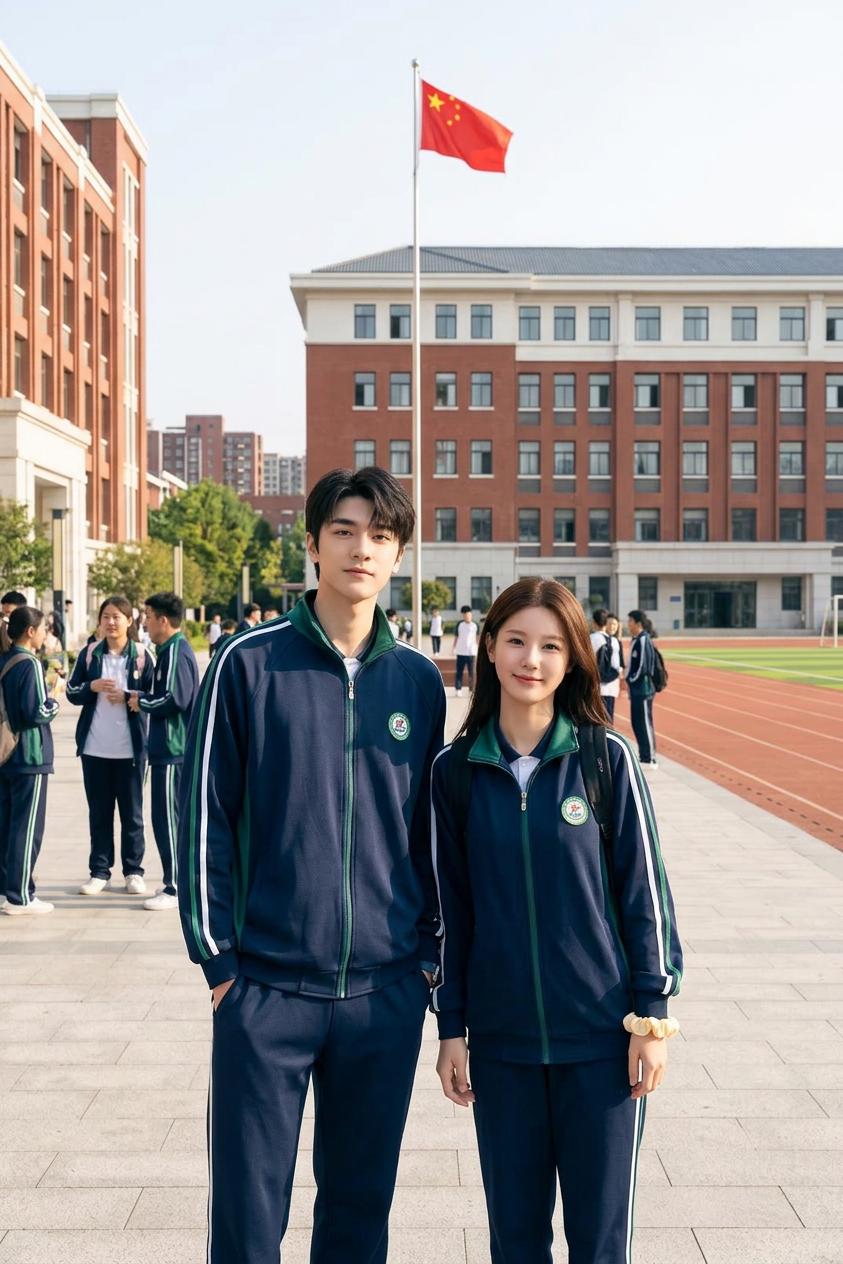
Chinese School Duo

ai-image-editor

1 clip
1 uses

Any aspect ratio

Prompt

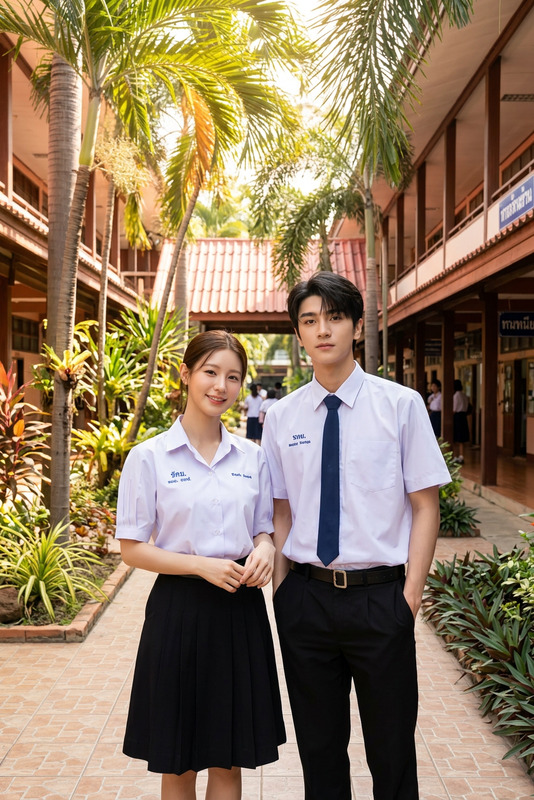
Subject is two students (one male, one female) wearing Chinese school tracksuits (matching athletic jacket and pants with stripes); standing in a large school campus with red buildings, flagpole, and sports field; bright daylight, casual posture, realistic environment, photorealistic, high detail.

AI Image Editor Template: Transform Any Image in Seconds

Use this AI Image Editor–based template to instantly transform photos, product shots, concept art, and social content inside Magic Hour. Remix it, customize it to your brand, and chain it with other Magic Hour tools to build powerful, repeatable creative workflows.


What This Template Does

This template is built on the AI Image Editor, letting you:

  • Replace or redesign backgrounds (e.g., studio white → lifestyle scene)
  • Add, remove, or restyle objects and people
  • Upgrade low-quality images with the AI Image Upscaler
  • Turn sketches or rough drafts into polished visuals
  • Prepare images for video workflows (lip-sync, face swap, talking photos, etc.)

It’s ideal for:

  • Marketers and growth teams working on ads, landing pages, and email creatives
  • Founders and startups testing multiple visual concepts quickly
  • Designers and creators who want a fast “first draft” visual before fine-tuning

How to Use and Remix This Template in Magic Hour

You can use this template as-is, or treat it as a “starting block” and remix it into your own custom flow.

1. Start from any image

Upload or import:

  • Product photos (e-commerce, SaaS dashboards, apps)
  • Portraits or headshots (for profiles, sales pages, pitch decks)
  • Brand assets (logo, screenshots, UI mocks, social posts)
  • Concept art or moodboards

You can create base images using:

Once you have a base image, use the AI Image Editor template to refine it.

2. Edit with natural language

Describe what you want in plain English. Examples:

  • “Make this product image look like a studio-grade e‑commerce shot on a white background.”
  • “Turn this casual selfie into a polished, LinkedIn-ready headshot with neutral background.”
  • “Convert this app screenshot into a clean marketing mockup with a gradient background.”
  • “Replace the messy background with a modern office, keep lighting consistent.”

You can combine this with targeted edits using tools such as:

3. Remix into your own reusable template

To turn this into a repeatable workflow:

  • Keep a reference image (e.g., your brand’s preferred composition or color style)
  • Document your prompts and reuse them across campaigns, or adapt them for different products/audiences
  • Chain outputs into other Magic Hour products:

You can also remix this template as part of multi-step flows. For example:

  1. Generate concept → AI Art Generator or AI Manga Generator
  2. Refine layout and details → this AI Image Editor template
  3. Turn into animation → Animation Templates or Image to Video

Practical Use Cases for Creators, Marketers & Builders

1. Ad creatives and landing pages

  • Rapidly A/B test product backgrounds, scenes, and compositions
  • Generate localized visuals with different contexts while keeping the same hero product
  • Clean up UGC or founder photos for use in ads and pitch decks

Combine with:

2. Startup and product storytelling

3. Brand and social content systems

4. Portraits, headshots, and personas

Once you like the result, feed it into:

5. Creative IP and world-building


Example Workflows You Can Copy and Remix

A. Performance marketing workflow

  1. Create base product photos with AI Photo Generator
  2. Edit backgrounds and lighting with this AI Image Editor template
  3. Upscale for ad platforms using AI Image Upscaler
  4. Build short video ads:
  5. Add voiceover and captions:

B. Founder video + landing page hero

  1. Capture or generate a good portrait:
  2. Clean background and retouch with this AI Image Editor template
  3. Create a short speaking head video:
  4. Produce landing page hero image and supporting visuals:

C. Concept-to-asset pipeline for product or game

  1. Rough concept → AI Art Generator or DND AI Art Generator
  2. Refine shapes, details, and composition with this AI Image Editor template
  3. Generate character lineups via Full Body Generator or Superhero Generator
  4. Turn stills into motion previews:
  5. Package into pitch decks using AI Icon Generator and Book Cover Generator

Quality, Restoration, and Compliance

For teams working with large libraries of assets or archival material:

Then, use this AI Image Editor template as a final polish step before publishing.

Always ensure you have appropriate rights to the images you upload and edit. For commercial projects, many teams pair AI-generated visuals with in-house legal or brand reviews, especially in regulated industries.


Turn Edited Images into Complete Content Systems

Once you’ve used this template to get your visuals right, you can extend them into:

This template is a flexible building block: start with a single edited image, then connect it to the rest of Magic Hour’s tools to build a full creative pipeline that fits how your team already works.

More Like This

Insufficient credits