Technical Blueprint of an AI GPU Cluster
- Model
- Nano Banana 2
- Image
- 1024 × 1024 px
Prompt
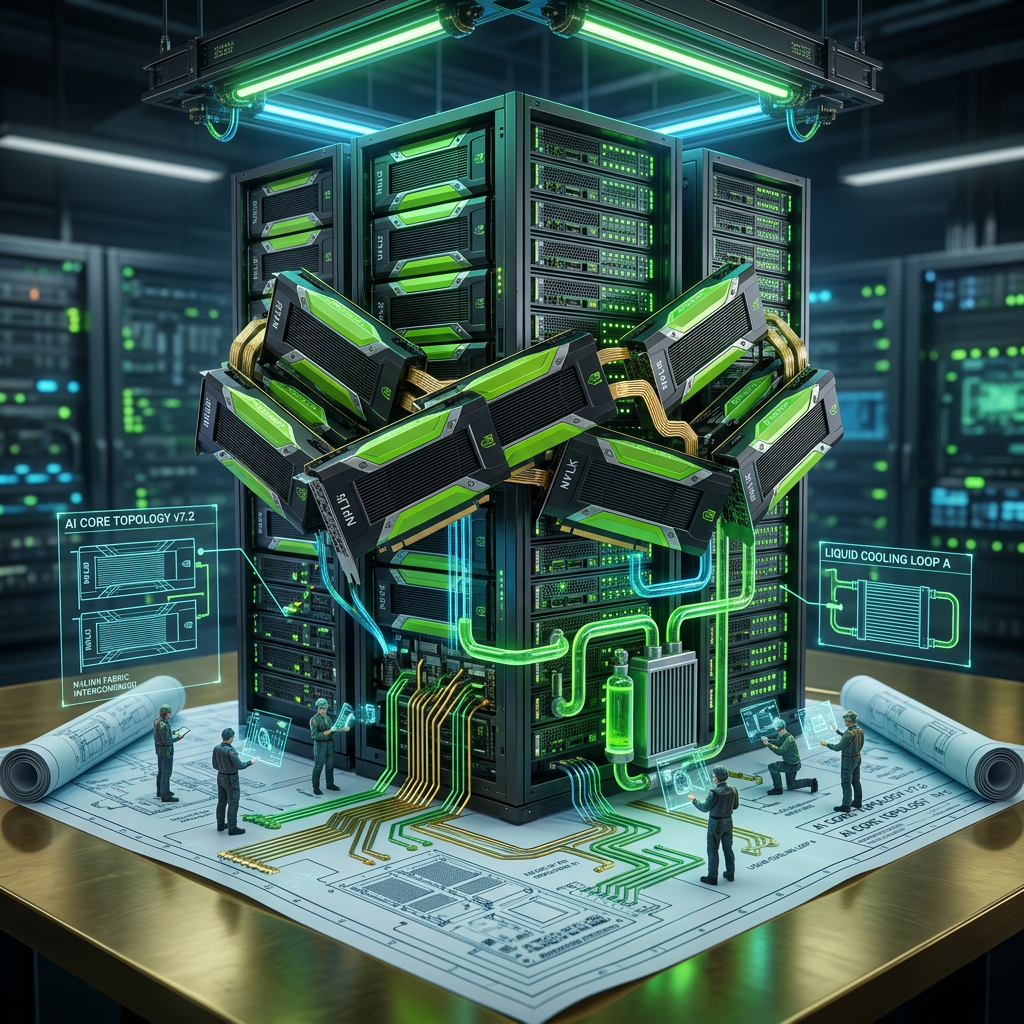
Subject transforms into a futuristic AI GPU cluster rising from a technical blueprint on a polished brass table, where 2D schematics evolve into a 3D system—black metallic GPU modules with neon green accents assemble with NVLink-style interconnects, rack servers stack upward, and liquid cooling forms from diagram callouts with glowing pipes and radiators. Fiber optic data lines illuminate, LEDs pulse, and miniature engineers interact via holographic tools. Circuit traces emerge from the blueprint into a fully operational infrastructure. Cinematic neon green and blue lighting, soft reflections, 35mm low-angle shot, shallow depth of field, ultra-detailed HDR, powerful and high-tech aesthetic.
Any aspect ratio
Overview
The "Technical Blueprint of an AI GPU Cluster" template in the AI Image Editor category allows you to visualize a futuristic and complex GPU cluster. This template is designed to transform detailed 2D schematics into a captivating 3D visual experience. Utilize this model to create stunning technical illustrations enhanced with cinematic lighting and high-tech elements.
What it Does
This template takes a technical schematic and brings it to life as a 3D scene. The image depicts GPU modules assembling with neon accents, data lines illuminating, and engineers working via holograms. The use of the nano-banana-2 model ensures high detail and realism. The scene is crafted with a cinematic flair, featuring glowing elements and dramatic lighting that emphasize the high-tech aesthetic.
Who it's For
This template is ideal for AI developers, tech enthusiasts, or educational content creators who aim to illustrate the intricate architecture of GPU clusters. It's a valuable tool for those involved in technical presentations, systems design, or anyone needing a detailed visual haul of complex tech environments in the AI Image Editor suite.
Summary
Use this template to transform technical blueprints into dynamic 3D illustrations of AI GPU clusters. With detailed visuals and cinematic effects, it's perfect for showcasing technological sophistication. Enhance your presentations or marketing materials with this full-body generator powered by the nano-banana-2 model to ensure ultra-detailed results.
How to Use
Choose the Template

Customize Your Blueprint

Generate the Image

Use Cases
Technical Presentations
- Display detailed architecture
- Visualize complex systems
Educational Content
- Teach with immersive visuals
- Engage students with 3D diagrams
Marketing and Promotions
- Highlight technological advancements
- Attract tech-savvy audiences
Best Practices
Focus on Detail
Emphasize the intricate details of the GPU modules and schematics to fully utilize the nano-banana-2 model's capabilities.Use Cinematic Lighting
Leverage the neon green and blue color scheme to create an immersive, high-tech atmosphere.Customize Inputs
Modify the schematic and scene elements for tailored output that resonates with your audience.