Volcano Kart Escape
- Model
- Nano Banana 2
- Image
- 843 × 1264 px
Prompt
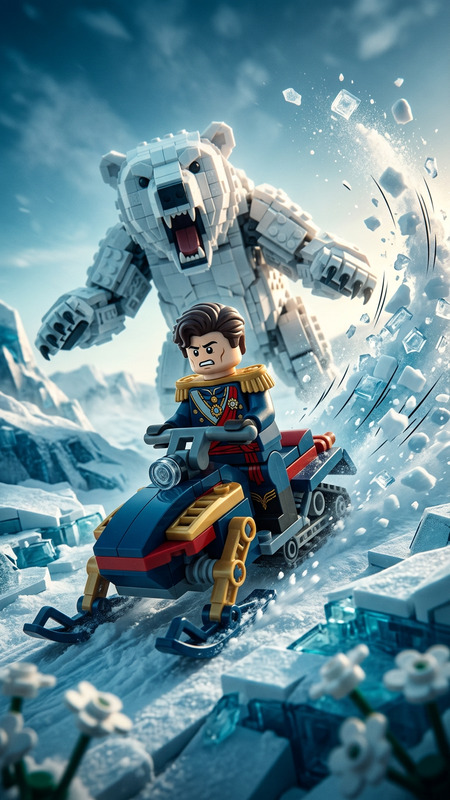
LEGO racer minifigure speeding down a jungle volcano slope in a kart, dynamic action shot. A massive lava explosion behind casts a bright orange glow, with hot rocks raining down. The minifigure has a cartoonish panic expression, conveying urgency and chaos. Dense jungle elements blur past, cinematic motion. Stylized as a high-energy LEGO action blockbuster scene, dramatic lighting, vibrant colors, detailed plastic textures, dynamic composition.
Any aspect ratio
Overview
The Volcano Kart Escape is a thrilling AI Image Editor template that brings high-energy LEGO action to life. Crafted using the nano-banana-2 model, this template captures the urgency and chaos of a LEGO racer minifigure careening down a volcano slope, complete with dynamic lighting and vibrant colors. Perfect for creators seeking to inject action-packed visuals into their projects.
What It Does
This template offers a dynamic composition where the LEGO racer is seen in a dramatic and vibrant action scene. It utilizes advanced AI to render detailed plastic textures and intricate jungle elements that blur by, simulating motion. This results in a visually compelling product perfect for high-energy storytelling.
For those interested in extending these effects to real footage, consider using the AI Video Extender to maintain high quality in longer edits.
Who It's For
Volcano Kart Escape appeals to filmmakers, content creators, and LEGO enthusiasts looking to boost their projects with energetic imagery. It's ideal for professionals crafting engaging content or hobbyists aiming to enhance their creative works with polished, action packed scenes.
Additionally, animation creators might find the AI Talking Photo tool useful for adding more expressive elements to their characters.
Summary
With the Volcano Kart Escape template, creators can inject cinematic LEGO action scenes into their projects. It combines dramatic lighting with vibrant colors to build unforgettable visuals. This template leverages the AI Image Editor, known for turning basic prompts into detailed and stylized artwork swiftly.
How To

Customize

Generate

Use Cases
Film and Animation
- Action-adventure films
- Dramatic animated sequences
Content Creation
- YouTube thumbnails
- Instagram visuals
LEGO Enthusiasts
- Fan-made LEGO films
- Custom LEGO sets portrayal
Best Practices
Use Rich Descriptive Prompts
Craft your prompts with detailed descriptions to take full advantage of the AI's ability to render nuanced scenes and textures.Experiment with Angles
Try different camera angles to add variety and interest to your scenes, highlighting different aspects of the action.Incorporate Additional Elements
Incorporate elements like weather effects or additional lighting contrasts to enhance the narrative and add depth to the image.