Dual Persona
- Model
- Nano Banana 2
- Image
- 848 × 1264 px
Prompt
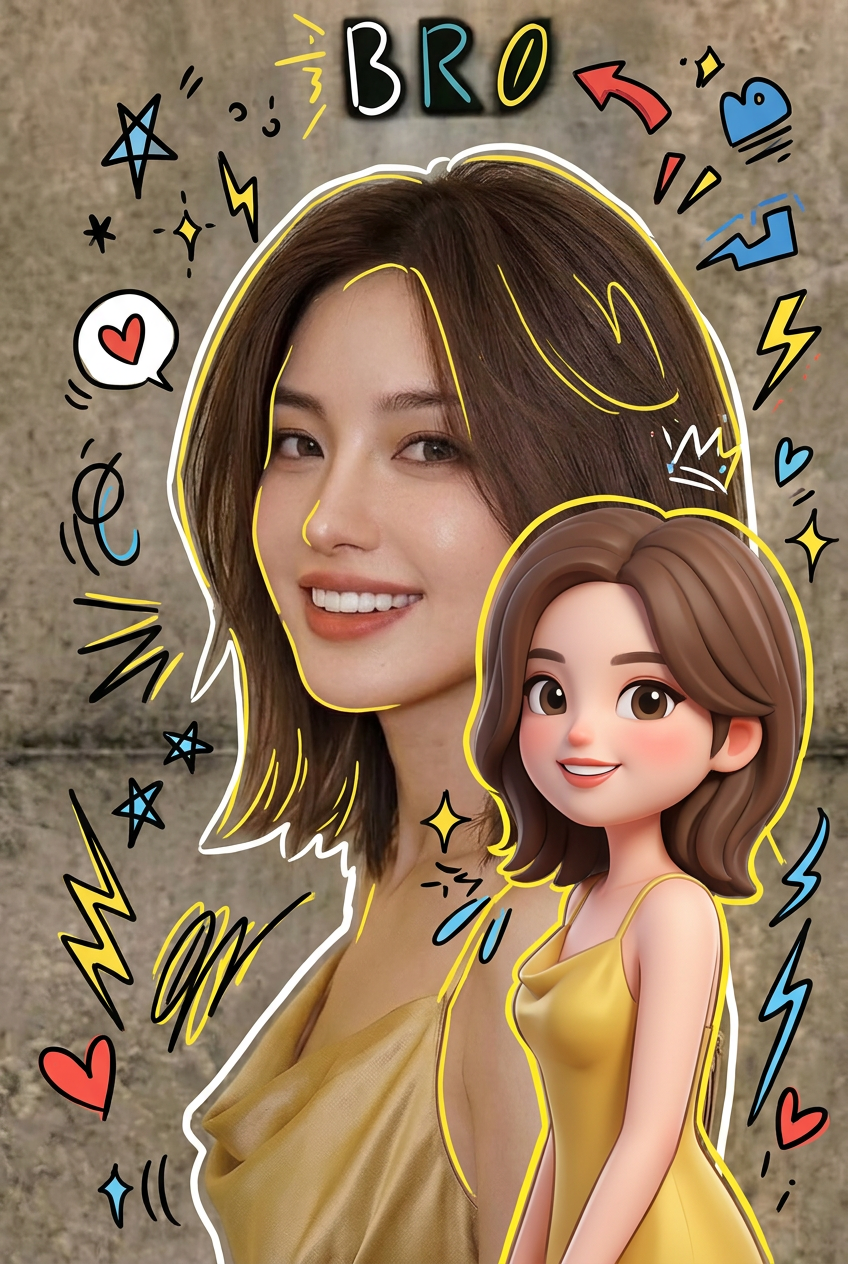
Subject presented as a high-quality mixed-media portrait of a modern, stylish individual; a photorealistic main figure stands confidently while a cute 3D-style chibi version of the same character appears to the right, mirroring the exact pose and outfit; both share consistent design identity and styling; the scene is overlaid with vibrant hand-drawn doodle effects including white and yellow outlines tracing the figure, playful scribbles, stars, hearts, sparkles, and electric accents; floating multicolored elements (white, black, red, yellow, blue) add energy; seamless fusion of hyper-realistic photography and flat cartoon illustration; clean proportions, sharp detail, expressive and dynamic visual aesthetic.
Any aspect ratio
Overview
The Dual Persona template combines artistic styles in a unique AI Image Editor format. It features a main photorealistic portrait paired with a cute chibi character of the same individual, surrounded by vibrant doodle effects. This template creates a compelling blend of modern photography and playful illustration, perfect for dynamic and expressive visuals.
What It Does
This AI Image Editor template provides an innovative way to create stunning mixed-media portraits. With the AI Image Editor, transform your subject into a dual representation—a hyper-realistic main figure and a playful chibi version that mirrors the pose and outfit. Accentuate the scene with colorful outlines and doodles to add energy and style.
Who It's For
Designed for digital artists, content creators, and marketers, the Dual Persona template is ideal for projects that require a striking visual impact. It's a great tool for those looking to enhance their creative content with a playful and professional aesthetic. Perfect for creating unique content across various platforms such as social media, marketing campaigns, and multimedia projects.
Summary
By leveraging the AI Image Editor capabilities, the Dual Persona template delivers high-quality, expressive visuals that stand out. It uses the nano-banana-2 model to ensure precise and detailed results. This tool seamlessly blends photography with illustration, offering clean proportions and a dynamic aesthetic.
How To
Choose Template

Customize Inputs

Generate and Download

Use Cases
Social Media Content
- Stylish profile pictures
- Creative Instagram posts
Marketing Campaigns
- Dynamic digital ads
- Promotional content
Personal Artwork
- Custom prints
- Unique gift ideas
Best Practices
Select a High-Quality Base Image
Ensure your uploaded photo is clear and well-lit for optimal results.Adjust Doodles for Balance
Experiment with the color and placement of doodle effects to avoid overwhelming the main image.Use Consistent Style
Keep the style elements uniform between the photorealistic and chibi character to maintain a cohesive design.