Emberborn Starlings

Emberborn Starlings

ai-image-editor

1 clip
0 uses

Any aspect ratio

Prompt

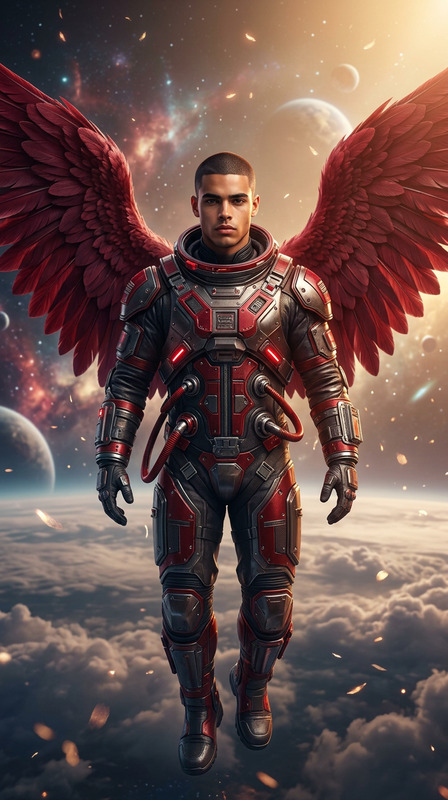
Tiny cosmic infant-like beings of the subject with metallic skin, floating in space with fiery auras that burn in vacuum. Gold variants have reflective gold skin with glowing amber eyes; silver variants have chrome skin with glowing white or blue eyes. Each has a small flame on the forehead, leaving trailing fire as they drift through gas clouds. Peaceful, curious, traveling in groups, vibrant cosmic environment, soft glow, surreal celestial mood.

Cinematic Color Grading Template – AI Image Editor

Turn ordinary photos into cinematic, studio-quality visuals in seconds. This template for Magic Hour’s AI Image Editor applies film-style color grading, balanced contrast, and subtle detail enhancement—ideal for creators who need polished visuals without a full post-production pipeline.


What this template does

This template is designed for fast, consistent, high-end image upgrades. It’s especially useful for:

  • Social media & ads – Instagram, TikTok, LinkedIn, paid campaigns
  • Landing pages & pitch decks – product hero shots, founder photos, app screenshots
  • Content creators – YouTube thumbnails, newsletter visuals, blog hero images
  • Brand storytelling – visual narratives, campaign key art, lifestyle imagery

Using the AI Image Editor, it automatically:

  • Enhances dynamic range (brighter highlights, richer shadows without crushing detail)
  • Applies cinematic color grading (film-inspired tones, richer skin, mood-driven palettes)
  • Improves perceived sharpness and clarity
  • Cleans up distracting color casts or flat, low-contrast lighting
  • Preserves the original composition and subject while upgrading the look

For more aggressive detail restoration or scaling, you can pair it with the AI Image Upscaler.


How to remix this template in Magic Hour

You can create your own variant of this template directly inside Magic Hour. A practical workflow:

  1. Start with the AI Image Editor

    • Open the AI Image Editor.
    • Upload a reference image you’d like to improve (portrait, product shot, landscape, etc.).
  2. Define your “cinematic” look
    Think in terms of outcomes, not settings:

    • Overall mood: “warm sunset”, “moody teal and orange”, “clean natural daylight”, “cool corporate tech”
    • Contrast: “punchy and high-contrast” vs. “soft and filmic”
    • Use prompt-style instructions when editing like:
      • “Make this look like a film still from a modern cinema camera, with soft contrast and natural skin tones.”
      • “Apply a subtle teal-and-orange grade, keep highlights controlled, and avoid oversaturation.”
      • “Give this a polished editorial magazine look with neutral colors and crisp details.”
  3. Lock in consistent brand style

    • Decide on a repeatable aesthetic: e.g. “warm, bright, optimistic” or “cool, minimal, tech-forward.”
    • Remix the template by using similar instructions across multiple images so everything feels on-brand.
  4. Create variants for different use cases
    Consider saving or reconstructing different “families” of looks:

    • Ad creatives: higher contrast, bolder colors, more visual pop
    • Product pages: true-to-life color, clean whites, minimal stylization
    • Founder & team portraits: flattering skin tones, softer contrast, subtle background toning
    • Thumbnails and covers: more dramatic lighting, deeper shadows, stronger color accents
  5. Combine with other Magic Hour tools for full pipelines


Who this template is for

This template is optimized for users who care about visual polish and consistency, but don’t want to live inside Photoshop:

  • Marketing teams & growth leads

    • Quickly make UGC, founder photos, and product screenshots ad-ready.
    • Standardize color and contrast across landing pages and campaigns.
  • Startup founders & operators

    • Improve pitch deck imagery and founder headshots for investor presentations.
    • Give product screenshots a premium, cohesive look without a design team.
  • Content creators & YouTubers

    • Upgrade thumbnails and social clips with a signature visual style.
    • Keep visual identity consistent across platforms.
  • Designers & creative leads

    • Prototype visual directions without manual grading for each variation.
    • Use this as a fast look-development layer on top of your existing assets.

If you need portrait-first enhancements (skin, face structure, subtle retouching), you can also explore the AI Face Editor and AI Headshot Generator alongside this template.


Best practices for high-quality results

To get the most from this template (and any remix you create):

  1. Start with the best possible source image

    • Use photos with reasonable lighting and resolution; AI grading works best when there is real detail to enhance.
    • If your images are small or compressed, upscale first with the AI Image Upscaler before applying the look.
  2. Avoid over-stylization for professional use

    • For product and B2B imagery, aim for subtle, realistic improvements: clean whites, true product colors, natural skin.
    • Reserve highly stylized color grades for campaigns, thumbnails, or creative experiments.
  3. Preserve brand color accuracy where needed

    • When grading product shots, keep prompts grounded in “natural”, “true-to-life”, “accurate color” language.
    • This matters for ecommerce, SaaS UI screenshots, and anything where misrepresenting color creates friction.
  4. Standardize across a set of assets

    • Treat this template as a “house LUT” (look-up table) for your brand visuals.
    • Run key images (hero shots, founder photos, product highlights) through similar instructions so everything matches.
  5. Use it as a foundation, not an end point


Advanced workflows & cross-tool ideas

For teams and creators building richer pipelines, you can combine this template with other Magic Hour capabilities:


Related tools you may find useful

Depending on your use case, you may want to pair this template with:


Why use AI for color grading and image polish?

Manual grading in tools like Lightroom or Photoshop requires deep expertise and time. Modern vision-language models can approximate high-quality grading decisions quickly by:

  • Inferring lighting, skin tones, and subject priority
  • Adjusting contrast, saturation, and color harmonies for visual impact
  • Maintaining semantic context (faces, products, UI) so improvements stay realistic

By encapsulating these improvements in a reusable template inside the AI Image Editor, you get:

  • Speed: production-ready visuals in seconds, not hours
  • Consistency: a repeatable look across campaigns, channels, and assets
  • Accessibility: high-end visual results without specialized post-production skills

Remix this template to match your brand’s mood, then apply it whenever you need your images to feel cinematic, cohesive, and ready to ship.

More Like This