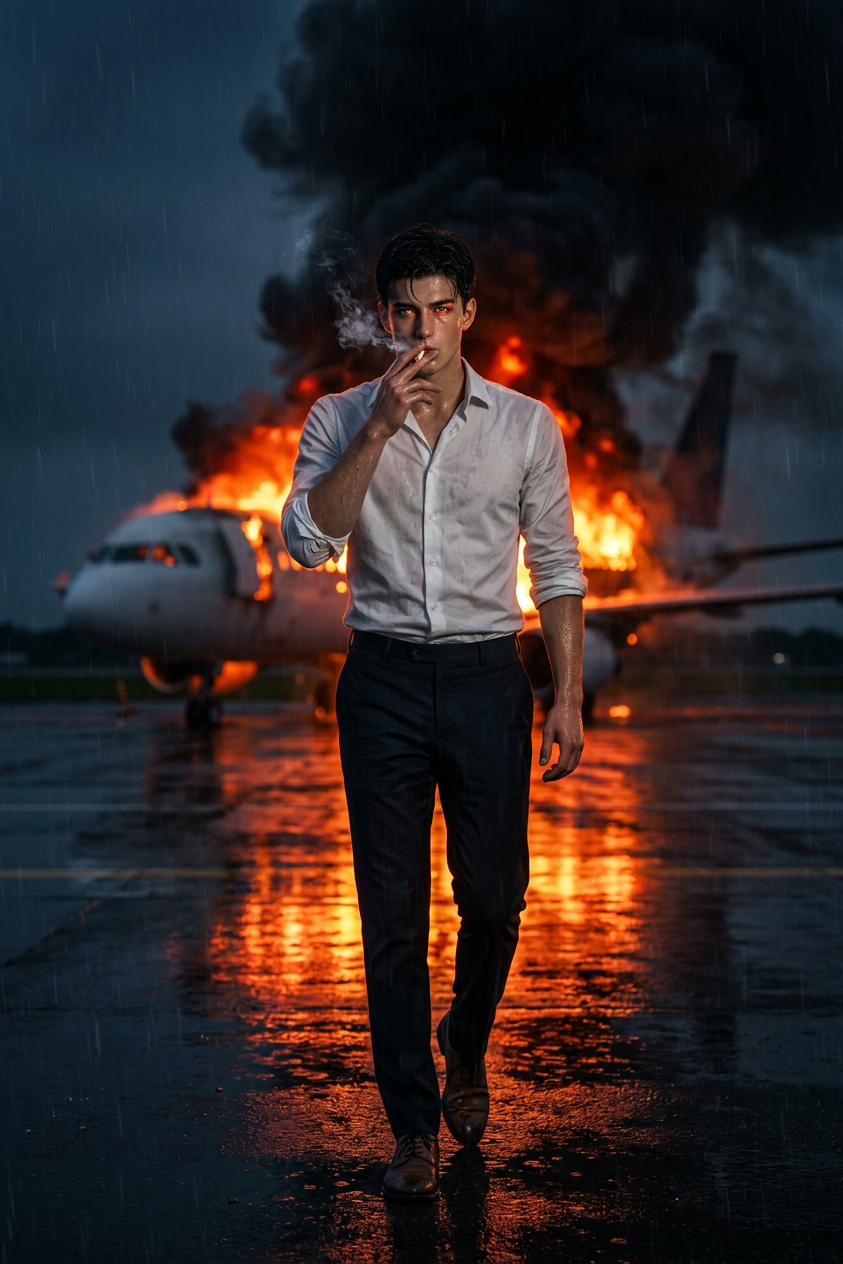
Runway Inferno Walk
- Model
- Nano Banana 2
- Image
- 843 × 1264 px
Prompt
Subject walking toward camera, smoking, wearing a white long-sleeve shirt with rolled sleeves, dress pants, and shoes. Sharp focus on face and skin texture, firelight reflecting in the eyes. Set on a wet airport runway at night, with a commercial airplane burning in the background, thick black smoke rising, slightly out of focus. Reflections of fire on the ground. Cinematic, photorealistic, gritty mood with dramatic lighting, high contrast, 8K resolution.
Any aspect ratio
Overview
The Runway Inferno Walk template in the AI Image Editor suite is designed to elevate your visuals with a dramatic and cinematic flair. This template uses the advanced capabilities of the Nano-Banana-2 model, capturing intense scenes with photorealistic details and lighting effects.
What It Does
This template allows you to transform ordinary images into striking cinematic visuals. It emphasizes key details such as facial features and skin texture, while integrating dramatic elements like reflections of firelight and smoke for a gritty, intense atmosphere. Perfect for capturing high-contrast, high-resolution, and dynamic scenes.
Who It's For
This template is ideal for creative professionals and hobbyists looking to enhance their visual storytelling. It's particularly suited for those in fashion, film production, or any visual art requiring a dramatic and cinematic touch. Whether you're curating a virtual fashion show or working on a creative project, this tool answers the call for high-impact visuals.
Summary
Utilize the Runway Inferno Walk template to create stunning, AI-enhanced images that captivate audiences. By leveraging AI Image Generator technology, this tool enriches your images with sophisticated lighting and detail management, suitable for professional-grade presentations and exhibits.
How to Use
Choose Template

Customize Inputs

Generate Image

Use Cases
Fashion Shows
- Showcase models in dramatic settings
- Enhance visual appeal with cinematic lighting
Creative Projects
- Craft intense narratives
- Inject realism into fantasy scenes
Marketing Campaigns
- Communicate brand stories
- Engage audience with high-impact images
Best Practices
Focus on Details
Ensure the main subject's features are sharply defined to leverage the high-resolution output.Play with Lighting
Experiment with light and shadow contrasts to enhance the dramatic effect.Optimal Subject Positioning
Position your subject in a way that utilizes the background elements creatively, such as the burning airplane, to convey a story.