Vintage 1980s Café Mood
ai-image-editor
Any aspect ratio
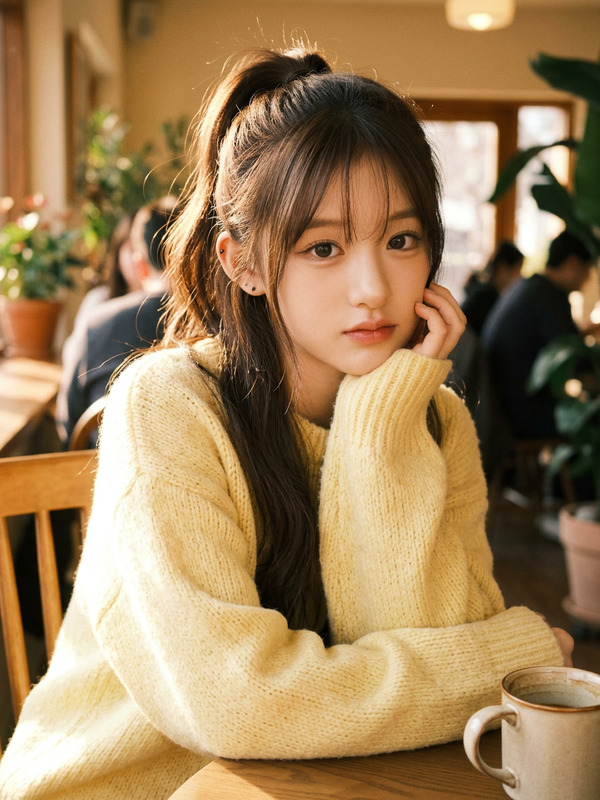
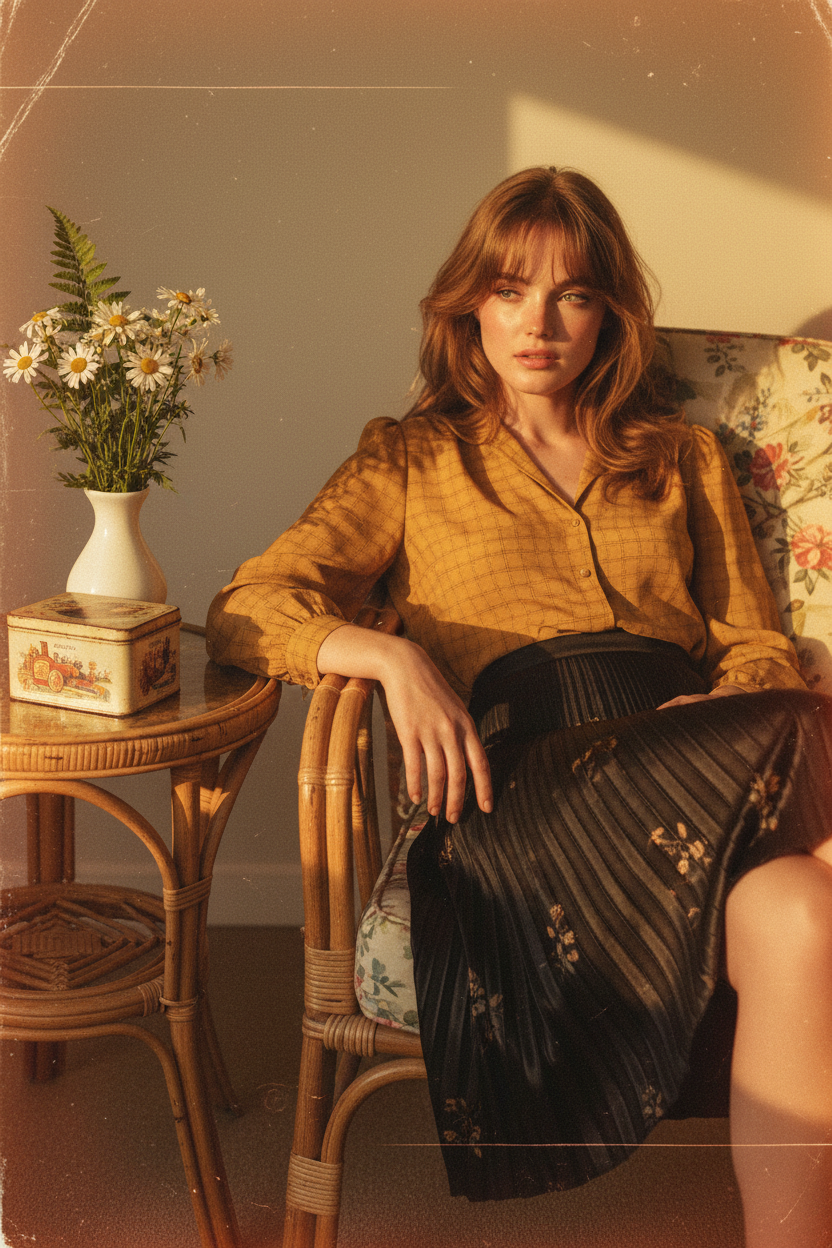
Subject in an 1980s-inspired vintage aesthetic wearing a mustard-yellow checked blouse and a black satin skirt with pleated texture and subtle floral motifs. Soft transparent bangs swept to the right, relaxed slightly reclined posture leaning to one side. Seated casually on a floral-patterned rattan chair with legs crossed, left hand resting on thigh for a candid, unposed feel. A rattan table beside her holds a white ceramic vase of flowers and an old-school biscuit tin. Warm nostalgic lighting, vintage film style with subtle horizontal scratches like worn paper and faint orange burn effects around the borders, cinematic editorial photography, high detail.
Tags
stylesAI Image Editor Template: Clean Up, Enhance, and Transform Any Image in Minutes
This template is built with the AI Image Editor, and is designed for fast, precise image cleanup and enhancement — ideal for marketing assets, product shots, social content, and prototypes.
Use it to:
- Remove unwanted objects, text, and distractions
- Clean up backgrounds and compose new scenes
- Enhance faces, clothing, and details
- Prepare images for ads, landing pages, pitch decks, and app mockups
What This Template Is Best For
This AI Image Editor–based template works especially well for:
Product photos
- Remove cluttered backgrounds
- Delete price tags, hands, or props
- Place products into more polished, on-brand scenes
Marketing and social images
- Remove logos you don’t have rights to
- Clean up messy environments
- Refine hero images for landing pages or ads
Profile and headshot polishing
- Tidy backgrounds and distractions
- Subtly refine clothing, hair, and lighting
- Prepare images for LinkedIn, websites, and press kits (paired with the AI Headshot Generator)
Creative concepting and prototypes
- Quickly explore alternate compositions
- Replace or remove key objects in a scene
- Prepare reference images for AI Image Generator, AI Art Generator, or Image-to-Video workflows
If you’re building content for ads, landing pages, or investor decks, this template gives you a fast way to get “good enough to ship” image quality without a full design team.
How to Remix This Template in Magic Hour
You can duplicate this template’s behavior and adapt it to your own use case in a few simple steps:
Start from the AI Image Editor
- Go to the AI Image Editor.
- Upload your base image (product shot, portrait, screenshot, illustration, etc.).
Define what you want to change
- Identify the areas you want to edit: unwanted objects, messy background elements, text, or artifacts.
- You can combine this approach with tools like:
Use targeted edit prompts
When you use this template as a base, focus your editing instructions on outcomes, not tools. Examples:- “Remove the person in the background and extend the office wall naturally.”
- “Erase the logo on the mug and match the ceramic texture.”
- “Replace the cluttered desk with a clean wooden surface.”
- “Remove the background and leave a clean, studio-white backdrop.”
Iterate quickly
- Generate multiple variants and compare.
- Keep a version that preserves brand colors and composition.
- Use the AI Image Upscaler or Unblur Image to increase resolution and clarity for print or high-res campaigns.
Save as your own reusable workflow
- Once you find a pattern that works (e.g., “clean product packshots,” “distraction-free office portraits”), reuse the same style of instructions for future images.
- You can chain your edited images into downstream workflows:
- Turn them into short motion assets with AI GIF Generator or Image-to-Video.
- Convert them into character or avatar assets with the Avatar Generator or AI Character Generator.
Example Use Cases and Remix Ideas
Use this template as a starting point and adapt it to more specialized workflows:
E‑commerce & DTC brands
- Clean product images, remove backgrounds, and prepare storefront assets.
- Combine with the AI Background Generator to place products into lifestyle scenes.
- Use AI Outfit Generator or AI Fashion Generator to experiment with styling.
Founders and marketers
- Build quick hero imagery for landing pages using this editor plus the Thumbnail Maker or Album Cover Generator for bold compositions.
- Remove sensitive information or clutter from product screenshots before including them in pitch decks.
Creators and content teams
- Turn edited stills into motion with:
- Use the editor to clean up keyframes before animating.
Designers and developers
- Rapidly explore UI mockup variations by cleaning and re‑composing screenshots.
- Prepare references for AI Logo Generator, AI Icon Generator, or Book Cover Generator.
Restoration and transformation
- Clean old images, then pair with:
- Transform portraits into stylized art with:
Tips for Better Edits and More Consistent Results
To make this template work effectively across many images:
Be explicit in your edit instructions
Specify what to remove and how the area should look afterward.- Better: “Remove the trash can and extend the brick wall to cover the gap.”
- Weaker: “Make the background nicer.”
Preserve brand assets intentionally
If you want to keep specific elements (logos, UI, typography), mention that in your edit instructions. This reduces over-editing.Use cleanup before stylization
For best results, use this AI Image Editor template to clean and simplify an image before applying heavy stylization with tools like AI Art Generator, Fantasy Map Generator, or Comic Book Generator.Start from the highest quality source you have
Higher resolution and cleaner originals lead to better fills and reconstructions. If needed, boost quality first with the AI Image Upscaler or Unblur Image.
Building a Multi-Step Workflow Around This Template
Once you’re comfortable remixing this template, you can build more advanced pipelines:
From raw photo to marketing-ready asset
- Clean and refine with this AI Image Editor template.
- Fix resolution and sharpness with AI Image Upscaler.
- Generate alt versions and thumbnails with Thumbnail Maker.
- Add motion with Image-to-Video or AI GIF Generator.
From selfie to talking character
- Clean up a selfie or portrait using this template.
- Style or enhance it using AI Selfie Generator or Avatar Generator.
- Animate it with AI Talking Photo, Lip Sync, or Face Swap.
- Add voice via AI Voice Generator or AI Voice Cloner.
From concept sketch to production-ready visual
- Rough concept → refine with Photo to Sketch or AI Illustration Generator.
- Clean and adjust compositions using this AI Image Editor template.
- Prepare stylized final assets using AI Background Generator, Architecture Generator, or AI Interior Design Generator.
Why Use This Template Instead of Traditional Editing
For many startup teams, agencies, and solo creators, traditional tools like Photoshop are powerful but slow, skill-intensive, and hard to standardize across a team. This Magic Hour AI Image Editor template offers:
- Speed – Non‑designers can produce usable edits in minutes.
- Consistency – Reuse prompts and patterns across campaigns, channels, and clients.
- Scalability – Apply similar cleanups across large batches of assets.
- Composability – Plug cleaned-up images directly into other Magic Hour tools: video, avatars, voice, memes, and more.
Get Started
To create your own version of this template:
- Open the AI Image Editor.
- Upload an image you’d like to clean up or refine.
- Use clear, outcome-focused instructions to remove or adjust objects, backgrounds, and details.
- Iterate, save your best version, and reuse those instructions as your own custom editing workflow.
From there, you can branch out into face swap videos, lip-sync content, animated characters, and full campaigns using the rest of the Magic Hour toolkit.