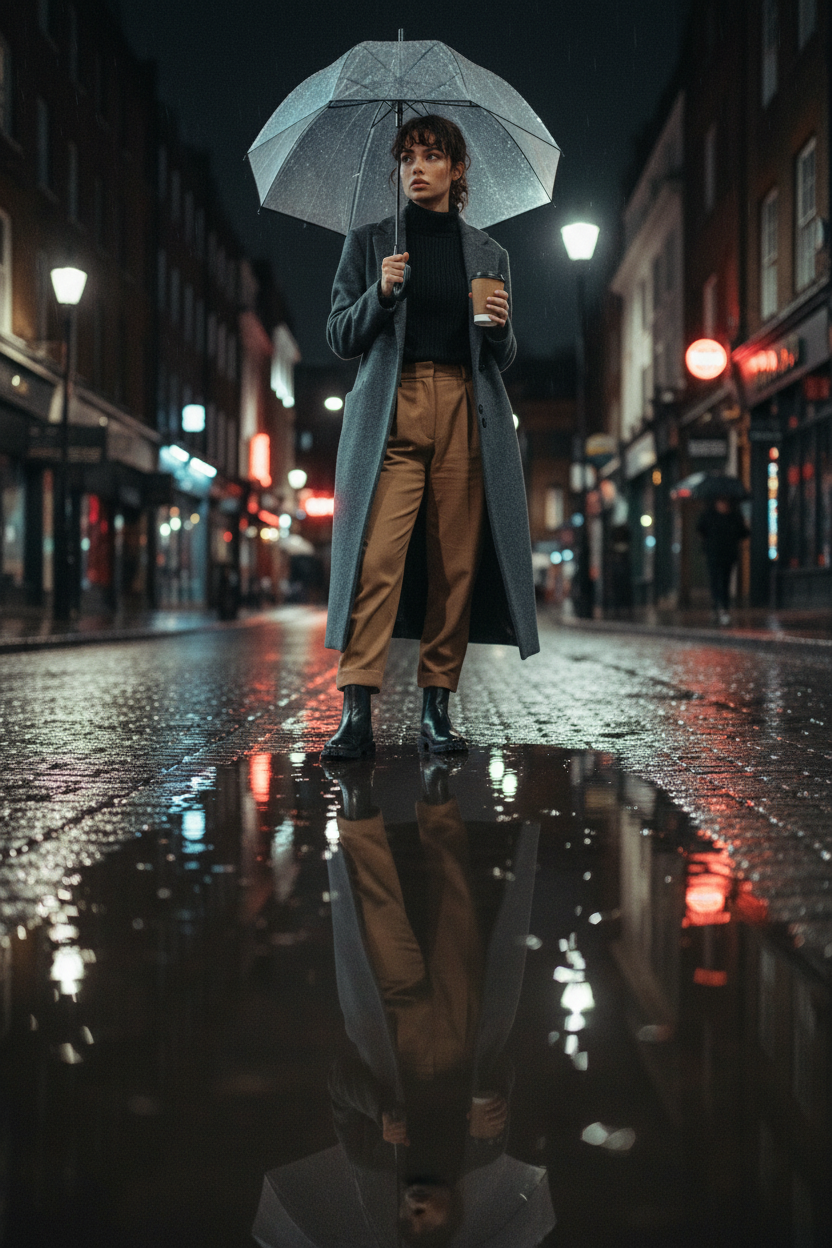
Soho puddle reflection
ai-image-editor
Any aspect ratio
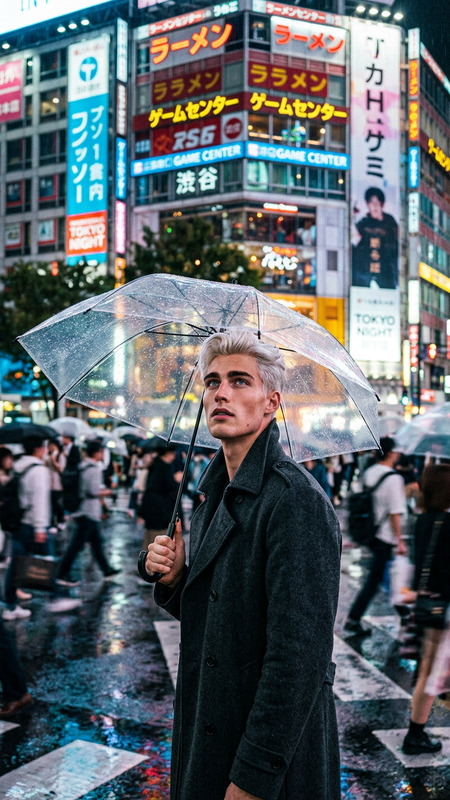
Subject pausing at the edge of a rain puddle on a cobblestone Soho street, silhouette reflected clearly in the water. Wearing a slate grey wool overcoat over a black ribbed turtleneck and pleated camel trousers, with glossy black Chelsea boots at the puddle’s edge. Holding a clear bubble umbrella and a brown paper coffee cup. Neon red reflections and cool streetlight tones mix across the wet ground. Fine mist clings to hair in a low chignon, droplets visible on skin. Shot from low knee-level across the puddle, near-symmetrical reflection composition, natural grain, moody rainy city atmosphere.
AI Image Editor Template: Edit Any Image with Precision, Speed, and Full Creative Control
Use this template to turn any image into a polished, on‑brand visual in minutes. Powered by the AI Image Editor, it’s built for creators, marketers, designers, and founders who need fast, high‑quality edits without jumping between Photoshop, plugins, and complex workflows.
This page explains:
- What this template does
- Who it’s for and common use cases
- How to remix it inside Magic Hour
- How to extend it with other Magic Hour tools (image → video, face swaps, talking photos, and more)
What You Can Do with This Template
This AI Image Editor template gives you a repeatable, remixable workflow for:
Removing or replacing objects
Quickly erase distractions (logos, people, text, clutter) and fill the gap with realistic content using AI Remover and Remove Object from Photo.Changing backgrounds & scenes
Turn a basic product shot into a studio setup, lifestyle photo, or campaign concept with AI Background Generator and Image Background Remover.Face & portrait editing
Clean up selfies and portraits, adjust facial details, or generate alternative looks with AI Face Editor, AI Face Generator, and Gender Swap.Enhancing quality & fixing old images
Upscale low‑res images, sharpen blurred photos, and repair old or damaged pictures using AI Image Upscaler, Unblur Image, and Old Photo Restoration.On‑brand marketing visuals
Quickly adapt one concept to multiple platforms or campaigns with the help of AI Art Generator, AI Photo Generator, and Thumbnail Maker.Creative transformations
Turn photos into sketches, manga, illustrations, or fantasy scenes using:
Who This Template Is For
This AI Image Editor template is designed for:
Marketers & growth teams
- Rapidly adapt creatives for ads, landing pages, and social
- Remove watermarks or legacy branding elements with the Watermark Remover
- Generate variants for A/B tests and multichannel campaigns
Founders & startup teams
- Create pitch, website, and app visuals without a full design team
- Iterate on logos, icons, and product imagery using AI Logo Generator and AI Icon Generator
Designers & content creators
- Rapid concept exploration and versioning
- Style transfer and visual experimentation with AI Art Generator, Album Cover Generator, and Book Cover Generator
Developers & technical teams
- Quickly generate and standardize visuals for docs, product tours, and launch pages
- Prepare prompt‑based visual systems you can reuse across your stack
How to Remix This Template in Magic Hour
You can turn this template into your own reusable system in a few minutes. Inside Magic Hour:
Start from this template
- Open the template in Magic Hour.
- Replace the example image(s) with your own product shot, headshot, or campaign visual.
Define your editing workflow
Think in terms of reusable steps:- “Clean background + remove clutter”
- “Enhance resolution + fix blur”
- “Style transform for [brand/campaign] look”
- “Create alt versions for social, ads, and video”
You can handle these with a combination of:
Lock in your visual style
- Use AI Art Generator, AI Photo Generator, or AI Illustration Generator to define a consistent visual language (lighting, color, framing).
- Reuse the same style prompts each time to keep everything on‑brand.
Create reusable “variants” workflows
Build separate remixable flows for:- Ad creatives: Pair this template with Thumbnail Maker and AI Meme Generator to generate hooks and social‑native formats.
- Product shots: Use AI Background Generator and AI Fashion Generator or AI Outfit Generator for apparel and e‑commerce.
- Faces & headshots: Chain AI Headshot Generator, AI Selfie Generator, and AI Face Editor for professional avatars, LinkedIn photos, and team pages.
Extend images into motion & voice
Once your image is edited, you can turn it into video, animation, or talking content:- Use Image to Video or Text to Video for animated versions of your visuals.
- Animate characters or avatars with the Animation template or Animated Characters Generator.
- Make the image speak with AI Talking Photo, AI Voice Generator, or AI Voice Cloner.
- Combine with the Lip Sync template for realistic talking avatars synced to audio.
- If you’re working with faces in video, pair it with Face Swap or the Face Swap Video template.
Popular Use Cases & Suggested Tool Combos
1. Product Marketing & E‑commerce
- Clean, consistent product imagery across your site and ads
- Seasonal or regional creative variations without reshoots
Suggested stack:
- AI Image Editor
- AI Background Generator
- AI Image Upscaler
- Thumbnail Maker
- Image to Video for quick promo clips
2. Personal Branding & Creator Content
- Update profile photos, banners, thumbnails, and channel art
- Build a consistent “visual identity” that you can reuse everywhere
Suggested stack:
- AI Headshot Generator
- AI Selfie Generator
- AI Image Editor
- AI Meme Generator
- AI Talking Photo + Lip Sync for short‑form content
3. Concept Art, Worlds, and Characters
- Quickly ideate characters, environments, and UI concepts
- Generate style‑consistent visual systems for games, apps, or stories
Suggested stack:
- AI Character Generator
- AI Anime Generator
- Superhero Generator
- Fantasy Map Generator
- DND AI Art Generator
- Animation or Video to Video for moving storyboards
4. Architecture, Interior & Brand Environments
- Visualize interiors, exteriors, signage, and brand environments from existing photos
- Quickly test multiple design directions before committing to production
Suggested stack:
How to Build Your Own Template from Scratch
If you want to create a custom version of this template in Magic Hour:
Start with a base image
Use any of:- A real photo you upload
- A generated visual from AI Image Generator, AI Photo Generator, or AI Art Generator
Define the repeatable transformation
Examples:- “Take any portrait → convert to clean, professional corporate headshot”
- “Take any product shot → put on branded gradient background, 4K, ad‑ready”
- “Take any scene → turn into comic‑style key art”
Chain the right tools and prompts
- Use AI Image Editor as the core
- Add specialized steps:
- Cleanup: AI Remover, Watermark Remover
- Quality: AI Image Upscaler, Unblur Image
- Style: AI Illustration Generator, AI Manga Generator, Disney AI Generator
Save and reuse it as a “system”
- Reuse the same structure for campaigns, clients, and projects
- Swap in new input images while keeping style, quality, and framing consistent
Connect Edited Images to Video & Audio Pipelines
Because this template sits on the image layer, it plays well with downstream tools:
Video & motion
- Turn static visuals into clips with Image to Video or Text to Video.
- Transform existing footage with the Video to Video template or Video Upscaler.
- Add accurate captions using the Auto Subtitle Generator.
Faces & identity
- Swap faces in GIFs or video with Face Swap or Face Swap GIF, and the Face Swap Video template.
- Animate faces with AI Talking Photo, Lip Sync, and AI Voice Cloner.
Campaign‑ready assets
- Turn edited visuals into memes with AI Meme Generator.
- Generate QR‑powered designs using AI QR Code Generator.
Why Use This Template Instead of One‑Off Editing
For busy teams, the value is in consistency and speed:
- You capture your “rules” once (cleanup → enhance → style → export).
- Anyone on your team can reuse the same flow.
- You can plug the outputs directly into video, social, or product pipelines without manual rework.
By starting from this AI Image Editor template and remixing it with the tools linked above, you turn image editing from a one‑off design task into a repeatable, scalable system.