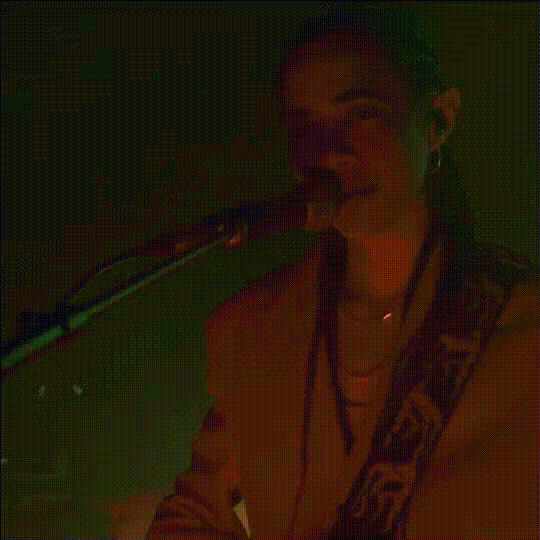
Elvis Singing Live
face-swap
Any aspect ratio
Tags
music videoelvisElvis Singing Live – AI Face Swap Video Template
Turn any performance into a high-energy Elvis tribute with this AI-powered face swap video template. Built on Magic Hour’s Face Swap Video engine, “Elvis Singing Live” lets you map a new face onto an existing performance and instantly create shareable, studio-quality clips for social, marketing, or fan content.
What This Template Does
This template uses AI face swapping to replace the performer’s face in a source video with a new face, while preserving:
- Original head movement, lip motion, and expressions
- Lighting, camera angles, and scene composition
- Timing and rhythm of the performance
Use it to:
- Create playful Elvis-inspired clips for TikTok, Instagram Reels, YouTube Shorts, or campaigns
- Prototype creative concepts for music videos, ads, or product promos
- Generate internal mockups and mood pieces for clients or stakeholders
Note: Always respect rights of publicity, copyright, and platform policies when using recognizable faces, characters, or music. See platform guidelines from YouTube, TikTok, Instagram, and legal resources on AI-generated media for best practices.
How to Remix This Template in Magic Hour
You don’t have to be a video editor to build your own version. Here’s a practical workflow to remix this template in Face Swap Video:
- Open the Face Swap Video tool
Go to Face Swap Video. This is the core tool behind the “Elvis Singing Live” template. - Choose your base performance video
Use any clip where a performer is clearly visible:- Music performances and karaoke clips
- Talking-head videos or reaction videos
- Promo or explainer content
- Frontal or near-frontal faces
- Good lighting and minimal motion blur
- Stable framing (limited fast cuts or extreme camera moves)
- Upload or generate the face you want to swap in
You can:- Upload a high-quality photo of the face you want to use (frontal, sharp, well-lit)
- Generate a stylized “rockstar” persona using tools like:
- AI Image Generator or AI Art Generator (for stylized characters)
- Avatar Generator (for social avatar-style faces)
- AI Face Generator (for realistic but synthetic faces)
- Run the face swap
Apply the face swap to your base video. The AI will track the performer’s face frame-by-frame and blend in the new identity while preserving movement and expressions. - Enhance and repurpose your output
Once you have your Elvis-style or rockstar-style clip, you can:- Create singing or lip-sync variants with Lip Sync or AI Talking Photo
- Upscale and clean your footage with Video Upscaler or AI Image Upscaler (for thumbnails and stills)
- Generate GIF versions using AI GIF Generator or the dedicated Face Swap GIF tool
- Create alternate visual styles with Video-to-Video (e.g., anime Elvis, comic-book Elvis, manga or Disney-style renderings)
Template Ideas & Use Cases
This template is built for creators, marketers, and product teams who move fast and need repeatable, remixable formats. Common use cases:
- Social & community content
Turn team members, customers, or community figures into Elvis-style performers. Great for launches, product milestones, or seasonal campaigns. - Music & creator economy prototypes
Test concepts for music videos, fan engagement, or virtual performances before investing in full production. - UGC campaigns & interactive content
Invite users to “perform as a legend” with their own face swapped into a pre-built performance template, then stitch that into compilations. - Internal demos & concept reels
Quickly mock up AI-personality hosts or themed presenters for pitches and internal reviews.
Key Features of the “Elvis Singing Live” Face Swap Template
- High-fidelity AI face swapping
Built on Magic Hour’s Face Swap technology for realistic blending of skin tone, lighting, and pose. - Performance-preserving mapping
Keeps the original head motion and performance energy intact, so your swapped performer still “feels” like the original take. - Creator-friendly workflow
No need for complex VFX pipelines. Upload your assets, run the swap, and iterate quickly until you have something you’re ready to ship. - High-resolution output
Designed for modern platforms and large displays. Pair it with Video Upscaler or AI Image Upscaler when you need polished final delivery. - Flexible for remixing
Use this template as the starting point for:- New characters via AI Character Generator or Animated Characters Generator
- Stylized worlds via Animation or AI Background Generator
- Branded versions with custom outfits (using AI Clothes Changer or AI Outfit Generator)
Best Practices for High-Quality Face Swaps
To get robust, production-ready results:
- Use clear, front-facing reference photos
The more detail and clarity in your source face, the more natural the swap. Avoid heavy motion blur, extreme angles, or heavy occlusions (hands, microphones covering most of the face). - Keep lighting and style consistent where possible
If your base video is warm stage lighting, use a reference face with similar lighting and color temperature for more seamless blending. - Start with shorter clips, then scale
Test your pipeline on short 5–15 second clips, iterate until you like the look, then move to longer performance edits. - Plan your distribution formats
If you know you’ll post to TikTok, Shorts, or Reels, frame your performance for vertical. You can also generate platform-specific thumbnails with:- Thumbnail Maker for YouTube
- Album Cover Generator for music drops
- Book Cover Generator for narrative promos or concept art
Advanced Workflows for Teams & Power Users
If you’re building more sophisticated experiences, you can chain this template with other Magic Hour tools:
- Text-to-performance pipelines
Draft a script, generate a voice with AI Voice Generator or clone a voice with AI Voice Cloner, then sync it to visuals using Lip Sync and apply a face swap on top. - Stylized Elvis universes
Combine face-swapped performances with:- AI Anime Generator or Disney AI Generator for stylized animated worlds
- Comic Book Generator or Dark Fantasy AI for thematic storytelling
- Text-to-Video for entirely AI-generated scenes
- Content quality & cleanup
Restore or modernize archival-style content using:- Old Photo Restoration and Photo Colorizer for stills
- Unblur Image for fuzzy frames
- Remove Object from Photo and Watermark Remover where you have rights to clean assets
Compliance, Ethics, and Rights
Responsible use of AI face swap is critical, especially for brands and agencies:
- Use faces and identities you own or have explicit permission to use (including likeness rights for performers).
- Follow platform policies (YouTube, TikTok, Instagram, etc.) around realistic AI media and disclosures.
- Consider labeling AI-generated or AI-edited media where appropriate, particularly in commercial or political contexts.
Who This Template Is For
This template is optimized for:
- Creators & streamers who want high-impact, repeatable content formats
- Marketing & growth teams testing fast-turn campaign concepts and fan engagement ideas
- Studios, agencies, and startups prototyping AI-native IP, virtual performers, or interactive experiences
Next Steps
To build your own “Elvis Singing Live” variant:
- Open Face Swap Video.
- Upload your performance clip and reference face.
- Generate, review, and iterate until you have a version that fits your brand, tone, or concept.
From there, you can branch into lip-sync variants, GIFs, stylized remixes, or full campaigns using the broader Magic Hour toolkit.