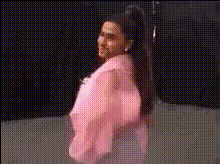
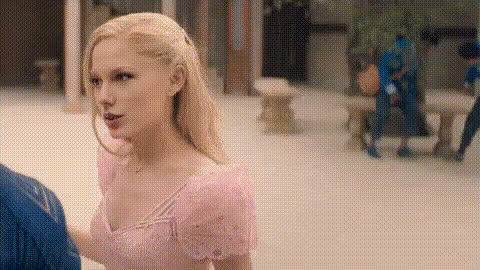
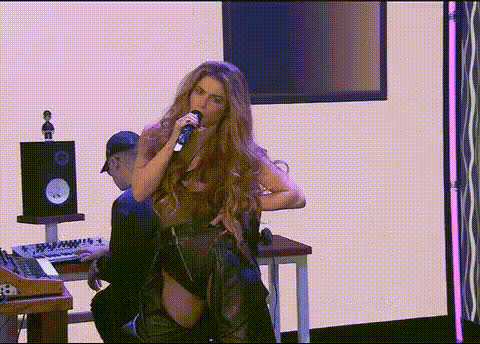
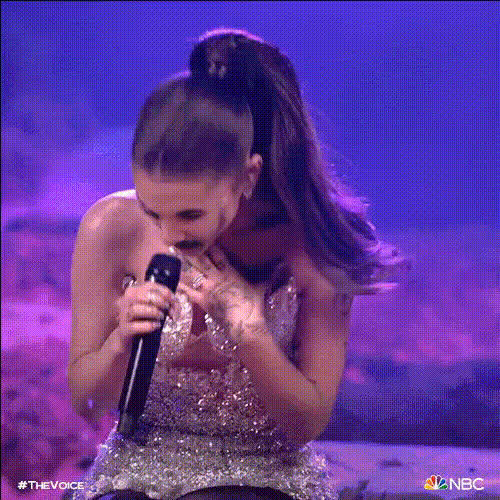
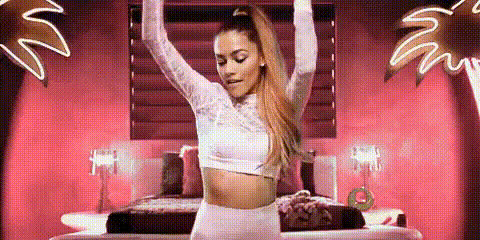
Ariana Grande Live
face-swap
Any aspect ratio
Tags
music videoAriana Grande Live – AI Video Face Swap Template
Step Into an Ariana Grande–Style Live Performance
Turn yourself into the star of an Ariana Grande–inspired concert clip in minutes. This template uses Magic Hour’s AI Face Swap technology to place your face into a high-energy, pop-concert–style performance—perfect for short-form content, promos, fan edits, and social campaigns.
Built for creators, marketers, and founders who move fast, this template lets you generate studio-quality, Ariana-style “live performance” videos without a production crew, green screen, or editing skills.
What This Template Does
- AI Face Swap on Concert Footage – Automatically swaps your face (or any face you upload) onto the performer in the clip using Magic Hour’s Face Swap Video workflow.
- Pop Concert Look & Feel – Stage lighting, dynamic camera angles, and performance framing modeled after modern pop tours and music videos.
- Optimized for Social & Short-Form – Works for vertical, square, or horizontal outputs, ideal for TikTok, Reels, Shorts, and YouTube compilations.
- High-Quality, Natural Blending – AI adjusts expressions and head movement so the swap looks cohesive and believable to viewers.
Note: This template is a fan-style experience tool. It is not affiliated with or endorsed by Ariana Grande, her label, or management. Always follow platform guidelines and local laws around likeness, copyrights, and commercial use.
How to Remix This Template in Magic Hour
You can create your own version of this Ariana Grande–style live performance by remixing the template directly inside Magic Hour:
- Open the Face Swap Video tool
Go to Face Swap Video. This is the core workflow used by this template. - Upload your source face
Add a clear photo or short video of the face you want to use. For best results:- Use a well-lit, front-facing image with neutral expression.
- Avoid heavy filters, sunglasses, or strong motion blur.
- Use (or import) a performance-style base clip
Select a concert-style clip from your library or upload your own footage that has:- Clear view of the performer’s face.
- Consistent lighting and recognizable stage/mic context.
- Generate your face-swapped performance
Run the face swap. Magic Hour will automatically align your face, match perspective, and blend it into the performance video. - Refine and repurpose
After generation, you can:- Crop or reframe for vertical shorts, horizontal YouTube, or square social posts.
- Upscale for better clarity with the Video Upscaler or enhance frames via AI Image Upscaler.
- Turn a key moment into a looping GIF using the AI GIF Generator or Face Swap GIF.
Ideas & Use Cases
- Creator & influencer content – Post “Ariana-style live” clips as part of music challenges, transitions, or fan edits.
- Marketing experiments – Test engagement on performance-style creatives for music apps, headphones, or fan communities.
- Startup demos & prototypes – Showcase AI-personalized media, fan engagement features, or virtual performer concepts.
- Fan experiences – Create personalized “on stage” clips for friends, subscribers, or community members.
Advanced Workflows for Power Users
If you’re building a more complex pipeline, you can combine this template with other Magic Hour tools:
- Generate your “stage persona” first
Use the AI Headshot Generator or Avatar Generator to create a stylized version of yourself, then use that face in the Face Swap Video flow. - Create original concert art & thumbnails
Design cover art, posters, or thumbnails for your performance using: - Add motion from a single image
If you only have a photo, convert it into a performance-style video with Image to Video, then face swap on top of that. - Make your performance “sing” or speak
Combine this with:- Lip Sync to sync your performance with a vocal track.
- AI Talking Photo for talking intros or outros.
- AI Voice Generator or AI Voice Cloner for custom voiceovers.
Best Practices for Realistic, High-Impact Results
- Use clean, high-resolution face images – Good lighting, no heavy filters, minimal motion blur.
- Match angles when possible – If your performance video has a ¾ profile, use a face image with a similar angle for more natural results.
- Align outfit & styling – For an Ariana-inspired vibe, choose wardrobe, hair, and makeup that matches a pop-concert aesthetic. You can pre-visualize outfits using the AI Clothes Changer or AI Outfit Generator.
- Plan for your platform – Create multiple edits tailored to TikTok, Reels, YouTube Shorts, and feed posts; slight changes in intro framing or text can significantly shift watch time.
- Respect rights and policies – When using music or recognizable likenesses, ensure you have the necessary licenses or use audio you’re allowed to publish (e.g., royalty-free or platform-cleared tracks).
From Template to Your Own Branded Format
Use this Ariana Grande–style live performance template as a starting point, then evolve it into your own brand-specific format:
- Create a recurring “live session” series featuring different avatars or personas using the AI Character Generator.
- Design a signature visual style for your channel with custom backgrounds from the AI Background Generator.
- Generate comic-book or manga versions of your performance using the Comic Book Generator or AI Manga Generator.
Get Started
Remix this Ariana Grande Live–style template now with Face Swap Video, experiment with variations using Video to Video, and build a repeatable pipeline for pop concert–style content that looks like it took a full production team—but runs entirely on Magic Hour.