singer-with-mic-and-guitar
Overview
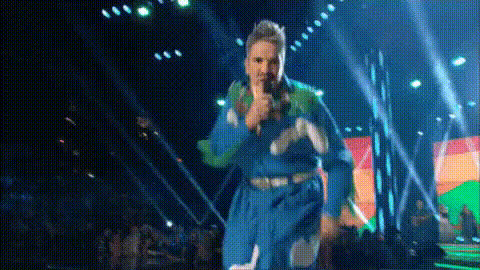
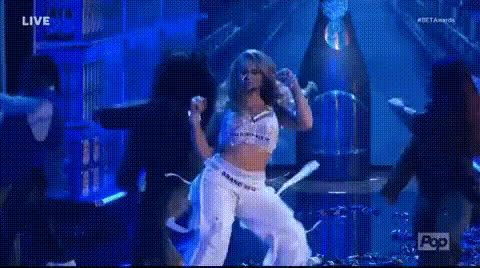
Bring your musical fantasies to life with the 'Singer with Mic and Guitar' template. Perfect for music enthusiasts and creative video makers, this Video Face Swap tool offers a unique way to personalize performances. Imagine seeing yourself or others rocking out on stage with a mic and guitar, all from the comfort of your own video projects.
What It Does
This template allows you to overlay your chosen faces onto a dynamic video scene where the subject is singing and playing guitar. By using an advanced face swap algorithm, you'll achieve seamless integration, which results in realistic and entertaining content. The AI Video Generator supports various video formats, ensuring compatibility and ease of use.
Who It's For
This tool is ideal for social media influencers, aspiring musicians, content creators, and anyone looking to add a fun twist to their video presentations. It's also a great choice for businesses that want to create engaging promotional content featuring their talent or products. Discover more about how to fit this into your projects with the Instagram Reels use case examples.
Summary
The 'Singer with Mic and Guitar' Video Face Swap template revolutionizes video transformations by letting you insert new faces into existing performance footage. Easy to use and compatible with several formats, this template is a powerful addition to your content creation toolkit. Explore more options with our AI Multi-Angle Generator.
How To
Choose Your Template

Customize Your Video

Generate Your Video

Use Cases
Social Media Content
- Enhance your visual storytelling with personal performances.
- Boost engagement by sharing novelty videos.
Music Video Parodies
- Insert fans or celebrities into iconic music video scenes.
- Share viral content with a personal twist.
Brand Promotions
- Feature brand ambassadors or fans in promotional videos.
- Create relatable content that resonates with your audience.
Best Practices
Choose High-Quality Images
Ensure the photos used for face swapping are clear and well-lit to enhance the realism of the final video.Maintain Consistent Lighting
Select videos where the lighting matches the images to ensure seamless integration.Experiment with Angles
Test out different angles and positions to create the most natural-looking swap.