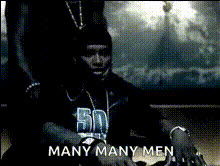
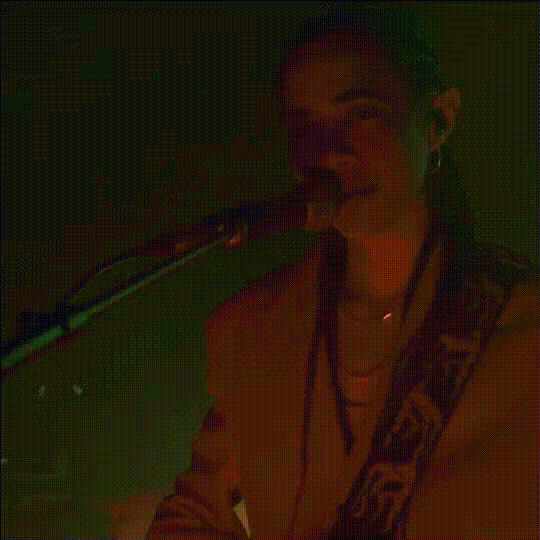
"Sing for the moment" - Eminem
face-swap
Any aspect ratio
Tags
music video“Sing for the Moment” – Eminem Face Swap Video Template
Turn yourself into the star of one of Eminem’s most iconic performances. This template uses Magic Hour’s AI Face Swap technology to place your face into a “Sing for the Moment”–inspired video, so you can create high‑impact rap content for socials, campaigns, or fan projects in minutes.
What This Template Does
This face swap video template lets you:
- Replace Eminem’s face with your own in a “Sing for the Moment”–style performance
- Create short, shareable clips for TikTok, Reels, YouTube Shorts, or fan pages
- Test music‑driven ad and content concepts without a full production crew
- Prototype music video ideas or storytelling concepts quickly
Under the hood, the template uses the same core tech as Magic Hour’s Face Swap Video tool: neural face reenactment models that track expressions, head movement, and lighting to blend your face into an existing performance.
Background: Why “Sing for the Moment” Works So Well for AI Face Swap
“Sing for the Moment” (from Eminem’s 2002 album The Eminem Show) is widely cited for its emotional intensity and social commentary. The track samples Aerosmith’s “Dream On” and focuses on:
- Childhood trauma and resilience – reflecting on abuse, instability, and growth through music
- Media criticism and moral panic – responding to accusations that rap corrupts youth
- The social impact of hip‑hop – how lyrics can give voice to people who feel unheard
Because the song’s delivery is expressive and close‑up, it’s an ideal use case for AI face swap and talking‑head generation: the model has strong reference frames to capture emotion, eye contact, and lip movement, which makes your swapped performance feel much more convincing.
How to Remix This Template in Magic Hour
You can either start from this template or build your own variant from scratch using Magic Hour’s creation tools. A typical workflow looks like this:
- Start from the Face Swap base tool
Open Face Swap Video. This is the core workflow this template is built on. - Upload your source performance
Use a “Sing for the Moment”–style performance video as your source:- A performance clip you recorded yourself
- A royalty‑cleared or licensed performance reference
- Custom content you produced for a client or campaign
- Provide a clean face image
Upload a clear, front‑facing photo of the face you want to swap in:- Good lighting, minimal shadows
- Neutral or expressive face that matches the mood you want
- No heavy obstructions (large sunglasses, hands over face)
- Avatar Generator – stylized faces for animated or surreal edits
- AI Headshot Generator – professional‑looking portraits
- AI Face Generator – new, synthetic faces (useful for fictional characters)
- Run the face swap
Generate the new performance clip with your face blended into the video. The system handles alignment, expression transfer, and frame‑by‑frame compositing automatically. - Refine visuals for higher impact
For more polished results, you can optionally:- Enhance stills with the AI Image Upscaler or Video Upscaler
- Clean or edit frames in the AI Image Editor
- Remove unwanted elements using Remove Object from Photo or Watermark Remover
- Export and repurpose
Export your final video, then:- Cut social‑first clips with a thumbnail from Thumbnail Maker
- Add auto‑captions with the Auto Subtitle Generator
- Convert segments into GIFs using the AI GIF Generator
Advanced Remixes: Beyond a Straight Face Swap
If you want to go beyond a one‑to‑one Eminem face swap, you can build more complex pipelines with other Magic Hour tools:
- Animated characters rapping your verse
Design a character using: Then bring that character into a performance by combining:- AI Talking Photo – make the character lip‑sync
- Video to Video – stylize or re‑render the performance
- Stylized “Sing for the Moment” universes
Create alternate visual worlds:- Generate environments with the AI Background Generator or AI Interior Design Generator
- Reinterpret scenes using the AI Image Editor and AI Image Generator
- Voice‑first remixes
If you’re recording or cloning vocals:- Prototype narration or hooks with the AI Voice Generator
- Clone your own vocal timbre for consistent branding with the AI Voice Cloner
- Experiment with vocal persona changes using the AI Voice Changer
- Text‑to‑performance experiments
For generative video concepts based on lyrics or campaign copy, use:- Text to Video – generate narrative or abstract visuals from prompts
- Image to Video – turn cover art or key art into animated sequences
Best Practices for High‑Quality Face Swap Rap Videos
To get results that look more like a production and less like a quick meme:
- Match angles and lighting – Choose a reference video whose face angle and lighting roughly match your input photo. This improves realism and consistency.
- Use expressive source footage – Strong emotional delivery (as in “Sing for the Moment”) gives the AI more data to mimic micro‑expressions.
- Stay on‑brand – For marketers or startups, use your own likeness, a brand character, or a legally cleared persona. Avoid using real people’s likeness without consent.
- Respect copyright and personality rights – Ensure you have the rights to the video, audio, and likeness you’re using, especially for commercial work.
Who This Template Is For
- Creators & streamers – Turn classic verses into personal content, reaction videos, or channel promos.
- Marketers & growth teams – Rapidly A/B test music‑driven creatives, hooks, and formats without a full shoot.
- Music educators & analysts – Build breakdown videos that visually put yourself inside the performance while you annotate lyrics and themes.
- Founders & product teams – Prototype “AI‑powered music experiences” or fan‑engagement concepts quickly before investing in custom engineering.
Related Magic Hour Tools for Music & Performance Content
If you like this “Sing for the Moment” face swap template, you may also find these useful:
- Lip Sync – turn static images or photos into accurate lip‑synced performances
- Video to Video – restyle your rap performance into anime, comic, or cinematic looks
- Animation – animate characters, album art, or cover concepts
- Album Cover Generator and Book Cover Generator – build cohesive visual identities around your track or content series
- AI Meme Generator – spin off meme versions of key lines or moments
Ethics, Attribution, and Legal Considerations
AI face swap and voice technologies are powerful, and responsible use matters—especially with famous artists and recognizable works:
- Copyright – Ensure any music, video, or artwork you use is licensed, royalty‑free, or owned by you. Check the policies of platforms like YouTube, TikTok, and Instagram regarding music usage.
- Likeness and personality rights – Be cautious when using the likeness of real individuals (including celebrities). For commercial use, secure appropriate permissions where required.
- Disclosure – Consider clearly labeling AI‑generated or AI‑modified media, especially in campaigns, educational content, or client work.
Using This Template as a Starting Point
Think of this Eminem “Sing for the Moment” template as a reusable pattern:
- Swap in your own performance footage to create original music videos
- Replace the setting or style via Video to Video or AI Art Generator
- Build a series: same face, different songs or themes, for consistent brand storytelling
By remixing this template inside Magic Hour, you can move from “fan edit” to production‑ready creative system: reusable workflows, consistent visual identity, and rapid experimentation across campaigns, channels, and formats.