Golden Canopy
- Model
- Nano Banana Pro
- Image
- 768 × 1376 px
Prompt
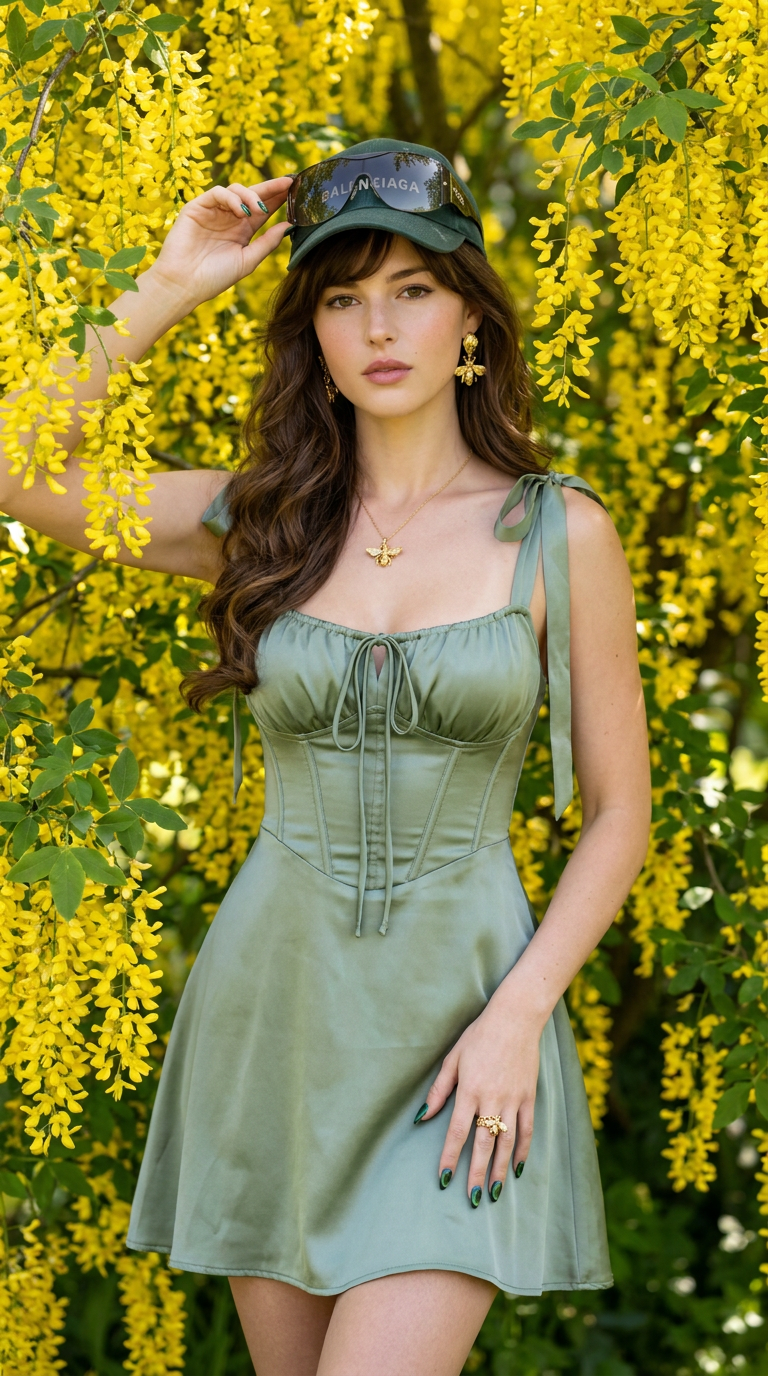
Knee-up shot, 9:16 vertical aspect ratio. A young woman standing in a romantic, dynamic pose surrounded by a cascading golden laburnum (Yellow Chain) tree. She wears a sage green satin milkmaid mini dress featuring a laced tie-front bodice, ribbon-tied shoulder straps, and corset-inspired boning. Enhanced with sculpted gold bee drop earrings, a honeycomb ring with a paved bee, a gold bee pendant necklace, emerald green cat-eye nail art, oversized Christian Dior shield sunglasses, and a dark green Balenciaga logo cap over long curtain-banged volumized curls with rosy cheeks and a soft thoughtful expression. Maintain 100% facial feature accuracy; do not alter the face of the reference photo. Ultra-smooth skin with high-frequency detail and a luminous, flawless complexion. Shot on Canon EOS R5, 85mm lens, f/11 aperture, ISO 100, 1/250s, 5200K clear sky sunlight. Crystal-clear background, deep depth of field, vivid crisp yellow flowers, edge-to-edge ultra-sharp detail, no depth blur. Negative Promptbokeh, depth of field, shallow depth of field, blurred background, out of focus background, background blur, soft background, Gaussian blur, tilt-shift effect, low aperture, f/1.4, f/1.8, f/2.8, plastic skin, overly smooth skin, missing skin texture, airwashed, poreless CGI, artificial face, distorted facial features, altered face, changed face structure, low resolution, bad anatomy, deformed limbs, extra fingers, missing fingers, heavy shadows, oversaturated colors, watermark, logo, text overlay, signature
Any aspect ratio
Overview
The Golden Canopy template invites you to explore elegant photo manipulation with our AI Image Editor. Perfectly configured for creating compelling visuals, it keeps the focus on your subject while delivering sharp, detailed backgrounds. The template accommodates a variety of editing needs, capturing every intricate detail with an ultra-smooth finish.
What It Does
Using the nano-banana-pro model, the Golden Canopy template transforms your imagery into a high-definition, richly detailed composition. Designed for expert photographers, it emphasizes facial accuracy and integrates seamlessly with existing portraits. Expect vibrant, razor-sharp details with a backdrop filled with dynamic golden laburnum flora.
Who It's For
This template is an ideal tool for fashion photographers, visual storytellers, and content creators who want to highlight apparel and accessories with stunning precision. If you're engaging with social media platforms like Instagram, or planning to produce AI Product Photography, this template is suited for capturing eye-catching visuals that demand attention.
Summary
Golden Canopy leverages advanced AI capabilities to deliver flawless photographs where every detail is exquisitely rendered. From fashion shoots to editorial work, this template stands out for its ability to maintain individual facial features while enhancing the surrounding details. Ideal for anyone looking to create professional-grade photos, it elevates the quality of visual storytelling.
How To
Choose the Template

Customize the Settings

Generate Your Image

Use Cases
Fashion Photography
- Capture model shots with attention to facial detail.
- Highlight fashion accessories vividly.
Social Media Content Creation
- Produce photos fit for platforms like Instagram.
- Ensure high engagement with vibrant colors and clarity.
Editorial Portraits
- Maintain real facial features with enhanced details.
- Suitable for print and online publications.
Best Practices
Maintain Original Settings
Stick closely to the lighting and aperture settings specified in the template for optimal results.Focus on Facial Accuracy
Ensure your reference photo aligns with the template's requirements for facial features to avoid alterations.Experiment with Accessories
Use the described accessories to enhance the overall visual appeal while keeping the focus on natural facial traits.