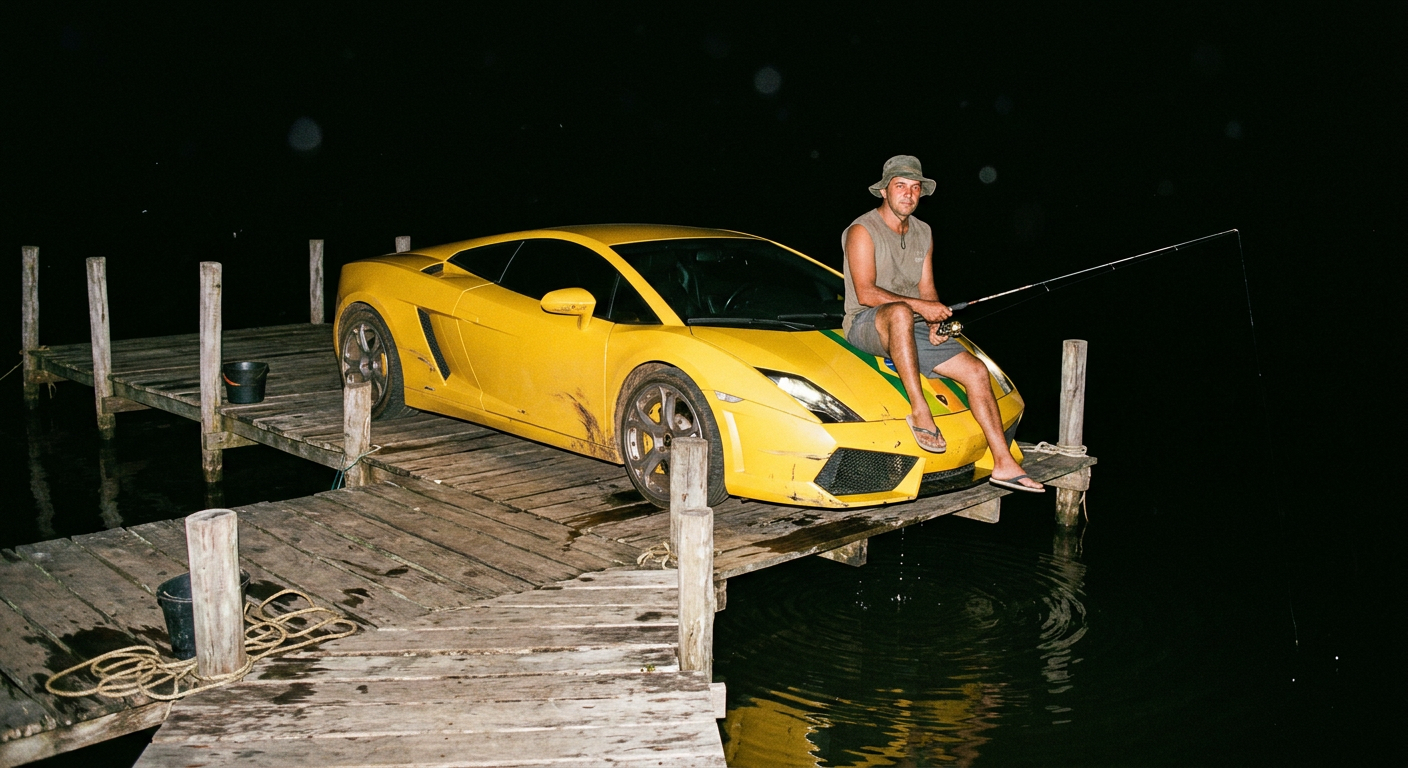
Night Dock Lamborghini
- Model
- Nano Banana 2
- Image
- 1408 × 768 px
Prompt
Hyper-realistic night fishing dock scene in Brazil. A small, old wooden dock extends into a dark river with warped planks, simple wooden posts, cracked surfaces, rusted nails, rope coils, algae stains, and wet wood reflecting harsh flash glare. The sky is completely black with no visible city lights or ambient glow. Camera is waist-height, handheld, slightly tilted with imperfect tight framing and edges cropped naturally, creating a raw disposable-camera composition. At the end of the dock sits a full-scale bright yellow Lamborghini, glossy but worn with visible dust streaks, fingerprints, subtle scratches, and sharp aerodynamic hood lines; its front wheels rest fully on the wooden planks while the rear wheels are partially submerged in the river, creating small frozen ripples and splashes around the tires. A subtle Brazil flag stripe is integrated into the hood as a factory-style detail. On top of the hood sits a Brazilian fisherman wearing a bucket hat, sleeveless shirt, shorts, and flip-flops, holding a fishing rod casually extended toward the dark water, with a relaxed, calm expression and natural posture. The scene is illuminated only by a single harsh on-camera flash, lighting the fisherman, car hood, and nearby dock while everything beyond a few meters falls into deep black void. Hard shadows fall beneath the fisherman’s legs, hood edges, and dock posts. Fine details are emphasized: visible skin pores, glossy paint reflections, micro-scratches on the car surface, wet wood grain, algae slime, and suspended moisture particles in the air caught by the flash beam. The aesthetic is hyper-real, absurd yet physically grounded, with heavy film grain, slight Kodak compact-camera fade, chromatic aberration on high-contrast edges, and occasional highlight blowout on reflective surfaces, producing a chaotic yet documentary-style night snapshot feel.
Any aspect ratio
Overview
Immerse yourself in the allure of hyper-realistic digital art with the Night Dock Lamborghini template. Designed with the powerful AI Image Editor and leveraging the advanced capabilities of the nano-banana-2 model, this template invites creators to explore a meticulously crafted scene that blends everyday locales with the extraordinary.
What It Does
This template transforms ordinary imagery into a vivid scene set on a Brazilian night dock. The juxtaposition of a bright yellow Lamborghini with the rustic ambiance of an old dock unfolds a narrative enriched with detail. From the reflective texture of wet wood to the nuanced imperfections on the Lamborghini's paint, each element is treated with precision to enhance the visual storytelling.
Whether you're producing imaginative visuals or showcasing artistic concepts, the AI Image Editor offers a canvas of rich textures and contrasts, magnifying fine details and shadows to deliver an awe-inspiring hyper-realistic snapshot.
Who It's For
This template is ideal for digital artists, photographers, and creative marketers seeking to push the boundaries of visual art. It's perfect for those who appreciate sophisticated image editing, whether your goal is to create stunning visuals for a campaign, produce art with unique aesthetic qualities, or craft engaging content for social media platforms.
With its detailed scene-building capabilities, it's also a forte for educators and content developers looking to enrich their projects with visually compelling elements.
Summary
Craft a night scene that's both hyper-realistic and cinematically unique with the Night Dock Lamborghini template. Integrate the template's intricate details and dynamic contrasts into your project to create captivating visuals. The AI Image Editor ensures every shot captures the raw intensity and detail of night photography with unparalleled quality.
How to Use the Night Dock Lamborghini Template
Choose the Template

Customize Your Scene

Generate Your Image

Recommended Use Cases
Creative Marketing Campaigns
- Social Media Ads
- Campaign Visuals
- Product Launch Teasers
Artistic Portfolio Development
- Portfolio Showpieces
- Art Exhibits
- Concept Development
Educational Content
- Storyboarding
- Instructional Visuals
- Open Demos
Best Practice Tips
Focus on Details
When customizing the scene, pay special attention to fine details like textural precision and lighting contrasts to maximize the impact of your images.Embrace the Absurd
Leverage the juxtaposition of elements, such as the luxurious car on a rustic dock, to add an intriguing narrative layer.Optimize Lighting
Use the template's lighting features to create dramatic effects that highlight key components, ensuring shadows and reflections are realistically rendered.