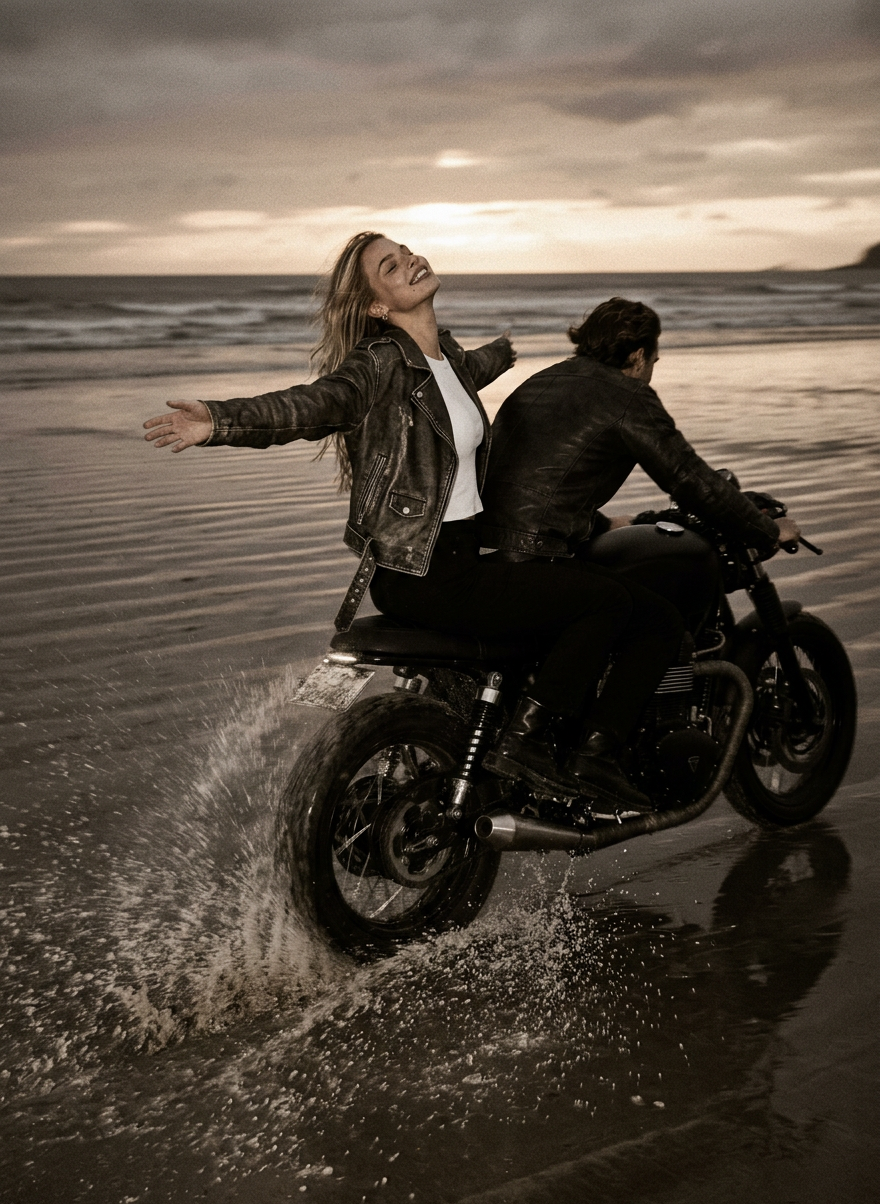
Beach Bike
- Model
- Nano Banana 2
- Image
- 880 × 1204 px
Prompt
A wide-angle cinematic shot: a matte black café racer on a vast, wet beach at dusk, speeding through the water with intense motion blur, long spray trails, and an atmosphere of high speed. The driver leans forward into a turn, while the character behind him leans back emotionally into the wind with outstretched arms; moody sepia tones, the grainy aesthetic of 35mm film, wet, reflective sand, and a luxurious, nostalgic mood-editorial atmosphere.
Any aspect ratio
Overview
Experience the ultimate high-speed visual with the Beach Bike template, a stunning addition to our AI Image Editor lineup. This template leverages the powerful nano-banana-2 model to transform your images into moody, sepia-toned masterpieces inspired by the cinematic aesthetics of classic 35mm film. Perfect for creators looking to encapsulate nostalgia and motion in their visuals.
What It Does
The Beach Bike template creates a cinematic effect of a café racer speeding across a beach at dusk. Utilizing the AI Image Generator, it applies motion blur, captures dynamic spray trails, and bathes the scene in moody sepia tones. This template emphasizes the nostalgic appeal of film grain aesthetics, offering a luxurious editorial look that feels both fast-paced and emotionally resonant.
Who It's For
This template is designed for photographers, videographers, and creative professionals interested in injecting a nostalgic and dynamic atmosphere into their visuals. Whether you're working on editorial spreads, film projects, or personal art pieces, the Beach Bike template invites artists who crave both speed and sentimentality to their work. Social media content creators looking for that extra flair in their visuals will also find this indispensable.
Summary
Utilize the Beach Bike template to create evocative imagery that captures speed and nostalgia in a single frame. Perfect for projects requiring a multi-angle generator effect, it provides an immersive experience that draws viewers into its cinematic world. Upgrade your visual storytelling by integrating this powerful AI tool into your workflow today.
How to Use
Choose the Template

Customize Your Inputs

Generate your Image

Use Cases
Editorial Spreads
- Create dynamic, engaging layouts
- Establish a nostalgic, filmic mood
Social Media Campaigns
- Engage audiences with unique aesthetics
- Leverage motion to tell a story
Portfolio Enhancement
- Add depth to creative portfolios
- Demonstrate nuanced visual editing abilities
Cinematic Projects
- Visualize high-speed scenes
- Create mood boards for film production
Best Practices
Focus on Motion
Emphasize the motion blur for more dynamic imagery. The sense of speed is enhanced by motion lines and blur effects.Choose Appropriate Tones
Opt for sepia and grain effects to enhance the nostalgic quality of the image, aligning with the 35mm film aesthetic.Experiment with Angles
Use different angles and adjustments in the AI Image Editor to find the most impactful perspective for your scene.