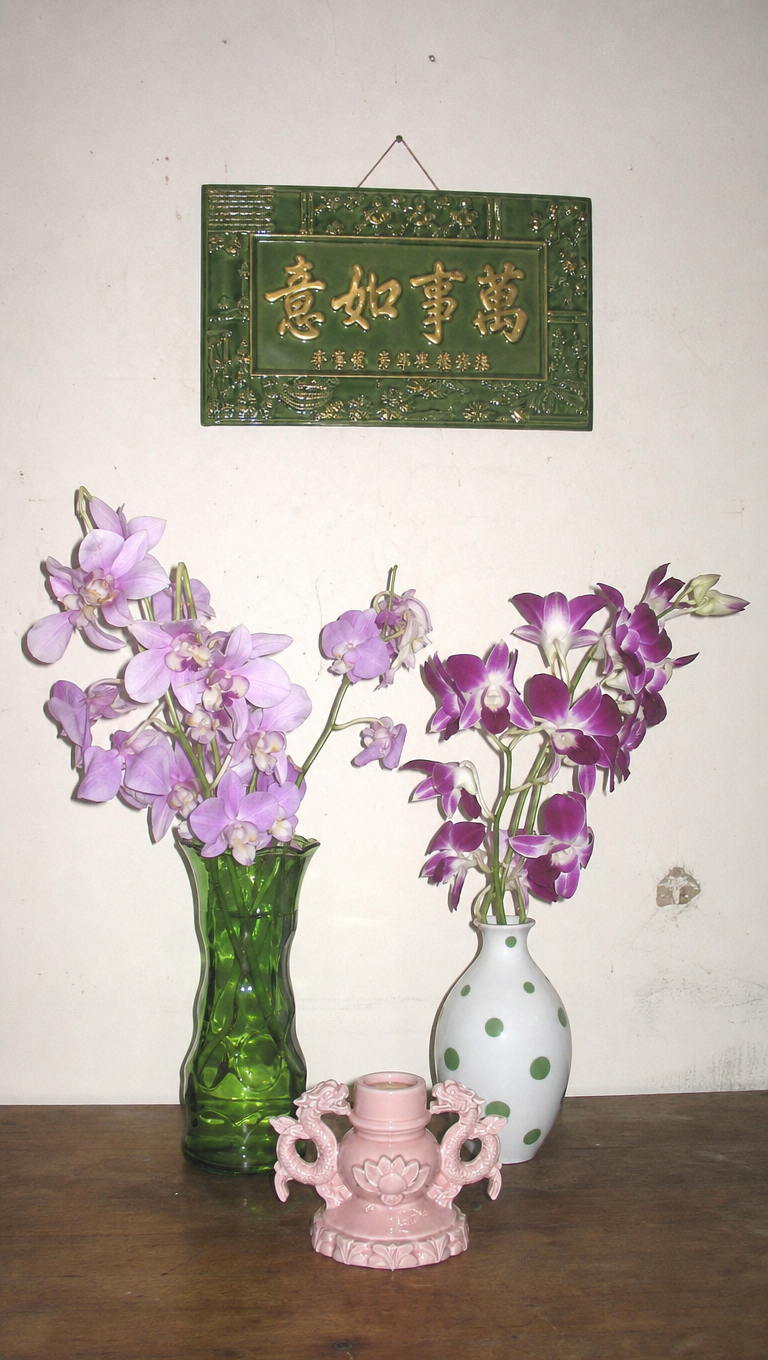
Asian altar
- Model
- GPT Image 2
- Image
- 768 × 1360 px
Prompt
Tabletop still life scene featuring a green glass vase with pale lavender orchids and a white ceramic vase with green polka dots holding deeper purple orchids, placed on a wooden table alongside a small pink ornamental candle holder with dragon handles. A green plaque hangs above on a neutral, lived-in wall. Captured straight-on using a 2000s digital camera with hard direct flash, high-key exposure, visible shadow, washed out pastel/neutral color scheme with muted pinks, purples, green, and wood, digital noise, lo-fi candid editorial style.
Any aspect ratio
Overview
The "Asian Altar" template in the AI Image Editor offers a unique creative experience. Using advanced gpt-image-2 technology, this template is tailored for those looking to bring a lo-fi, editorial-style aesthetic to their imagery. The template is perfect for crafting a vintage yet curated look with a focus on color schemes featuring pastels, pinks, purples, and greens.
What It Does
"Asian Altar" generates a stylized tabletop still life scene that captures the essence of early digital camera photography. It features distinct textures and a color palette that blends muted tones with a high-key exposure effect, perfect for creating atmospheric visuals. This template is embedded in the AI Image Editor, allowing easy integration and output tweaks.
Who It's For
This template serves photographers, designers, and digital artists who appreciate the charm of low-fidelity aesthetics. It's particularly useful for content creators seeking to invoke nostalgia through visuals reminiscent of the early 2000s. Additionally, marketing professionals aiming to create evocative product shots with a hint of retro flair will find this tool accommodating.
Summary
The "Asian Altar" template leverages the gpt-image-2 model to produce vibrant, editorial-style images that echo the lo-fi charm of vintage photography. This AI-driven tool is an ideal choice for those wanting to enhance their visuals with unique textures and color schemes, available within the AI Image Editor.
How to Use
Choose the Template

Customize Your Scene

Generate Your Image

Use Cases
Vintage Product Shots
- Feature vintage-inspired layouts
- Highlight products in a retro setting
Editorial Photography
- Emphasize texture and color blending
- Align with editorial content themes
Creative Campaigns
- Appeal to audiences seeking uniqueness
- Incorporate into broader branding strategies
Best Practices
Optimize Prompt Details
Focus on specifying distinct visual elements like colors and textures to enhance the generated image's uniqueness.Adjust Exposure Settings
Experiment with different exposure levels to find the right balance for the vintage look you're aiming for.Match with Theme
Ensure that the elements you choose fit well within your overall project or branding theme for consistency and impact.