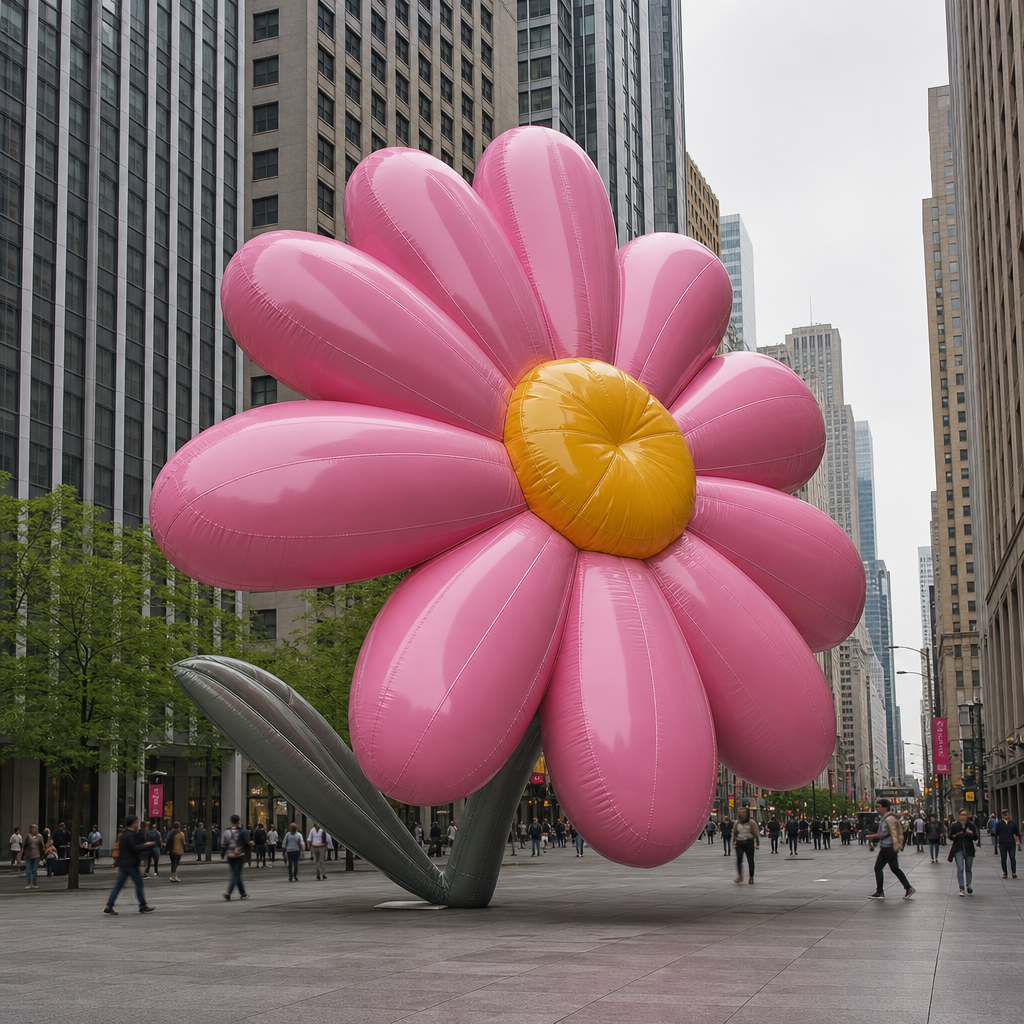
Giant flower decoration
- Model
- GPT Image 2
- Image
- 1024 × 1024 px
Prompt
A mid-level wide shot captures a large, inflatable pink flower sculpture with a yellow center placed in an urban setting surrounded by mid-rise and high-rise buildings. The flower is prominently positioned in the foreground, showing a glossy, vinyl-like texture with visible stitching lines and seams. The background features towering office buildings in shades of gray and beige, with repetitive rectangular windows contributing to a modern cityscape. In the mid-ground, leafy trees add a burst of green color, with people walking, blurred into the environment, adding a sense of scale and providing human context. The lighting is diffuse, likely due to overcast skies, offering even, shadowless illumination across the scene. The composition uses one-point perspective with the flower art piece leading into the high street corners of the skyscrapers, guiding the viewer's eye upward. The color palette is dominated by vibrant pink and yellow hues of the flower juxtaposed against the cooler gray tones of the city, creating a playful and whimsical contrast. Overall, the atmosphere is lively and eclectic, capturing a sense of public art amidst the urban hustle. HEX VALUES: ["#3d3934", "#2b2a24", "#4e4a45", "#625d58", "#191915", "#7c7069", "#8f827b", "#c9769a", "#e192b7", "#ad5c79", "#dddce3", "#94485e", "#753140"]
Any aspect ratio
Overview
Transform urban environments with a captivating touch of whimsy using our Giant Flower Decoration template. This AI Image Editor creation is designed to captivate viewers by positioning a huge inflatable pink flower amidst cityscapes, adding a pop of color and vitality. Harness the power of the AI Image Editor tool, leveraging the AI Image Generator capabilities to bring your vision to life with high detail and vibrant colors.
What It Does
The template allows creators to overlay a large, vinyl-like inflatable flower in urban settings, complete with intricate textures and stitching. By emphasizing contrast between the vivid hues of the flower and the cool tones of the city, it creates an engaging visual narrative. The scene captures a mid-level shot, expertly balancing the flower's central focus with the metropolitan background.
Who It's For
This template is perfect for urban art planners, city marketers, and creatives seeking to visualize large-scale installations before fabrication. It is also ideal for promotional materials where a playful contrast between natural elements and urban architecture is desired. Architects and designers can use this template to enhance presentations and proposals by introducing a vibrant element of surprise.
Summary
With the Giant Flower Decoration template, bring public art concepts to life by showcasing how they might integrate into real world settings. This tool is part of the broader Image to Video suite, which helps visualize static art in dynamic environments. Utilize the AI Profile Picture Generator to create engaging avatars that can accompany these installations in your marketing efforts.
How-to
Choose Your Template

Customize Your Scene

Generate Your Visual

Use Cases
Urban Art Visualization
- Plan public art showcases
- Pitch design concepts to city councils
- Create promotional graphics
Event Marketing
- Enhance event brochures
- Create social media buzz
- Design webpage headers
Architectural Presentations
- Add creative flair to blueprints
- Demonstrate innovative design thinking
- Make presentations more engaging
Best Practices
Focus on Contrast
Ensure that the flower stands out by accentuating the contrast between the vibrant colors of the flora and the muted urban backdrop.Maintain Realism
Pay attention to scaling and perspective, aligning the flower accurately with surrounding architectural structures.Utilize Lighting
Use ambient lighting to highlight features of the flower and create a cohesive look that blends naturally with cityscapes.