Mini Coffee Bean Burst
- Model
- Nano Banana 2
- Image
- 843 × 1264 px
Prompt
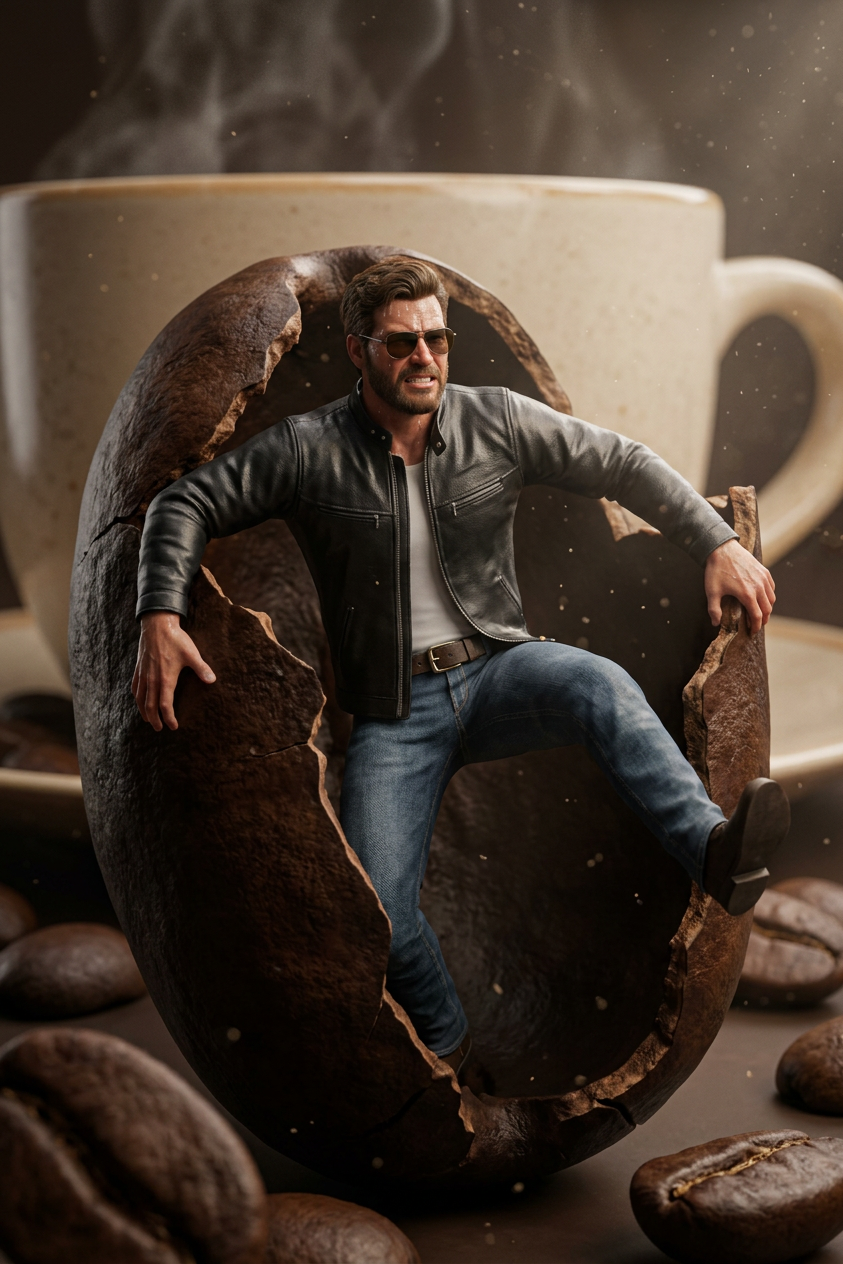
Create an ultra‑realistic 3D hyper‑detailed cinematic scene featuring my exact facial identity on a miniature version of myself using my reference photo. Keep my body proportions and shape completely natural, slim, and realistic, matching my actual photo reference perfectly. I am trapped inside a giant roasted coffee bean. My tiny body is pushing outward with both arms fully extended, one of my legs comming outside bursting the bean. muscles tensed, fingers pressing hard against the cracked inner shell as I try to burst the massive coffee bean open. My face shows intense strain with a tightened jaw, squinted eyes, and sweat‑like micro‑highlights. Warm cinematic rim‑light hits from behind, creating glowing edges around my silhouette, while a macro‑lens shallow depth‑of‑field keeps my face and hands razor‑sharp. I'm wearing coffee black leather jacket and black sunglass. On right Side there is a giant coffee cup. Surrounding environment is filled with oversized scattered coffee beans, soft volumetric light beams, floating dust motes, and premium HDR color grading. The overall mood is dramatic, confident heroic action mood, humorous, and visually stunning—like a high‑budget 3D animated film rendered in 8K
Any aspect ratio
Overview
The Mini Coffee Bean Burst template takes AI-driven creativity to a new level by transforming your reference photo into a stunning 3D hyper-detailed scene. This AI Image Editor template utilizes the capabilities of the nano-banana-2 model to render a cinematic scene where your miniature self attempts to break free from a giant coffee bean. With ultra-realistic visuals, this template adds an element of humor and drama to your creative projects.
What It Does
This template allows you to create a striking cinematic image using your own face and body dimensions. Leveraging the power of AI, your image is inserted into a detailed scene where you appear to be breaking out of a coffee bean. The template ensures realistic body proportions and facial expressions, all rendered with high precision and cinematic quality.
Who It's For
This template is perfect for content creators, animators, and fans of visual effects who want to incorporate their likeness into high-quality, humorous scenarios. Whether you're working on a dramatic scene for a project or want to spice up your social media content, this template offers a visually stunning result. It's also ideal for those inspired by video style transfer and high-end 3D visual effects.
Summary
The Mini Coffee Bean Burst template offers users an opportunity to create 3D cinematic scenes by placing themselves in the action. Utilizing your reference photo, it ensures a high-res output with natural proportions, rich colors, dramatic lighting, and sharp focus. Ideal for those wanting to create engaging, cinematic images, this tool is a standout choice. Discover more advanced editing options with the Gender Swap Tool and related visual effects products.
How to Use
Choose the Template

Customize Your Scene

Generate and Download

Use Cases
Social Media Content Creation
- Instagram reels
- Facebook posts
- Twitter visuals
Animation Projects
- Heroic action shots
- Dramatic storytelling
Marketing and Advertising
- Product placement
- Brand storytelling
Best Practices
Use High-Quality Photos
Ensure your reference photo is high-quality to achieve the best results.Adjust Lighting for Impact
Experiment with different lighting settings for a dramatic cinematic effect.Test Different Colors
Use the color grading options to find the best mood and style for your image.