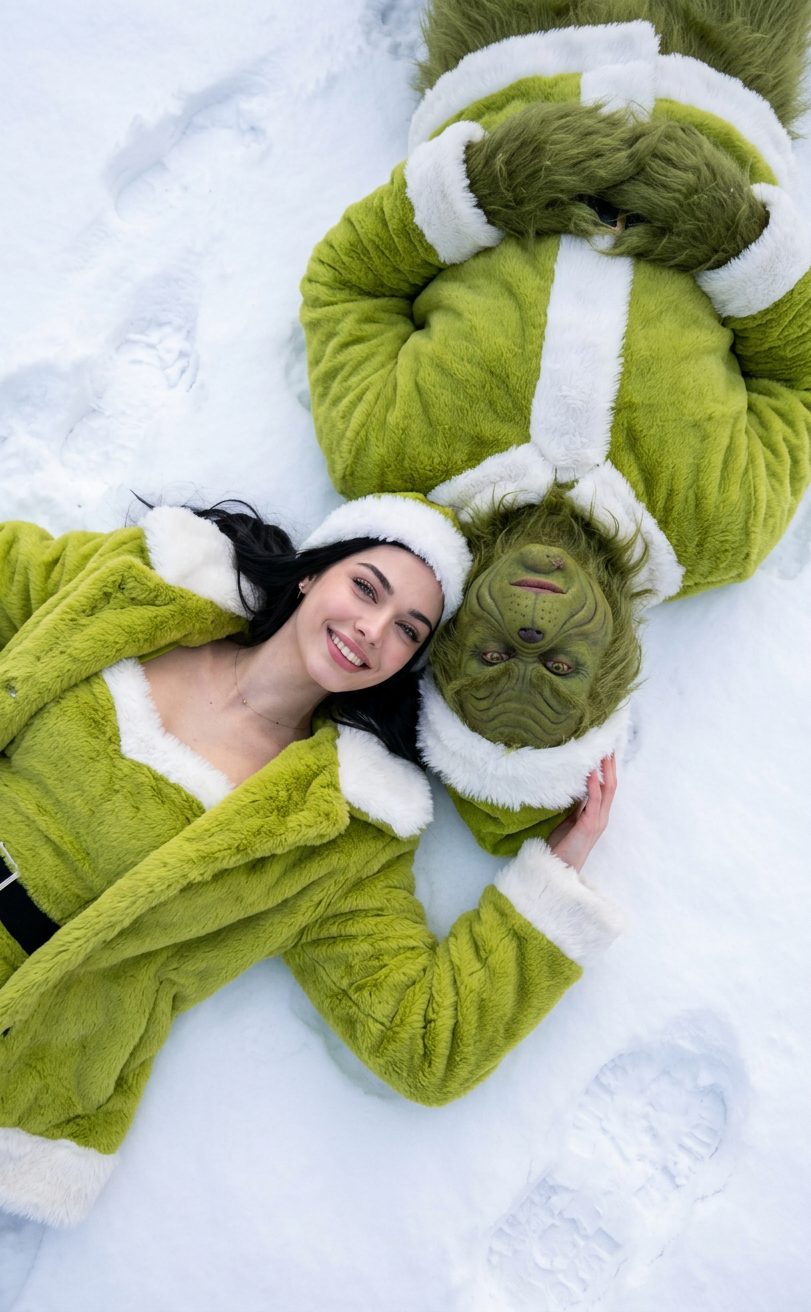
Ice Grinch
- Model
- Nano Banana 2
- Image
- 811 × 1312 px
Prompt
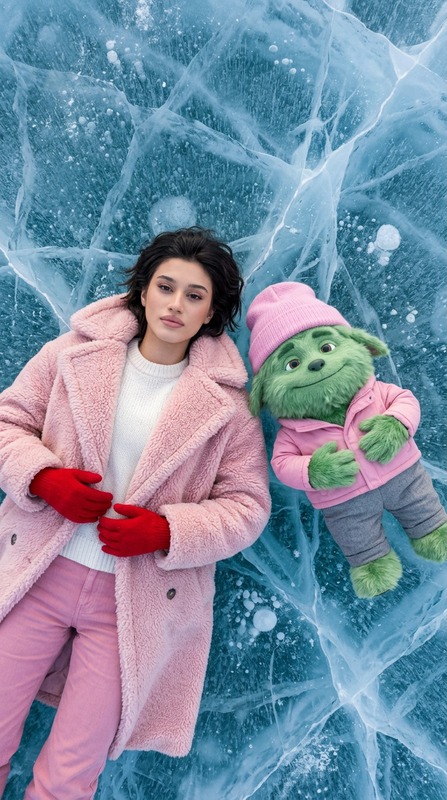
Ultra-realistic top-down winter portrait of a person lying relaxed in deep, uneven snow with natural texture—loose flakes, small clumps, and subtle indentations from body weight. Soft, natural daylight under a cloudy sky illuminates the scene without studio effects or artificial glow. The person wears a tactile lime green Santa-style faux fur coat and matching fuzzy top, both lightly dusted with snow clinging realistically to the fibers and folds. Next to them, a highly detailed, realistic Grinch figure lies upside down with textured green fur frosted with fine ice and snow, natural facial prosthetics showing subtle wrinkles and matte skin, expressing mild annoyance in a human-like way. Their heads are close, ear-to-ear, in a natural, safe pose, with both faces looking up at the camera; hair and fur show delicate frost and snow accumulation without obscuring facial features. The mood conveys a tender, candid winter moment with realistic textures, natural lighting, and a hint of playful contrast between the characters.
Any aspect ratio
Overview
The "Ice Grinch" template is an AI Image Editor designed to craft ultra-realistic winter portraits featuring a unique and playful character combination. With this template, users can create images that highlight the intriguing contrast between a person in a cozy lime green outfit and the whimsical Grinch figure, both perfectly integrated into a snowy landscape.
What It Does
This template leverages the nano-banana-2 model to generate high-resolution winter scenes with realistic textures. It captures a top-down view where natural snow texture and soft daylight emphasize the candid winter atmosphere. The AI Image Editor powerfully renders the unique features of the Grinch alongside a human figure, maintaining detailed fur textures and facial expressions.
Who It's For
The "Ice Grinch" template is perfect for creative professionals, graphic designers, and content creators looking to add a touch of whimsy and realism to winter-themed projects. It's equally suitable for marketers aiming to produce unique, eye-catching images for seasonal campaigns.
Summary
Create stunningly realistic images with the "Ice Grinch" template. This tool combines the power of AI imagery with creative design elements, perfect for projects requiring detailed textures and unique character portraits. Explore more in the AI Image Editor range for diverse application.
How-To
Choose the Template

Customize Your Image

Generate Your Portrait

Use Cases
Seasonal Marketing Materials
- Winter-themed social media posts
- Festive email banners
- Promotional graphics with a playful touch
Creative Storytelling
- Children’s book illustrations
- Fantasy story artwork
- Graphic novels
Personalized Greetings
- Holiday cards
- Thank you notes
- Digital invites
Best Practices
Focus on Natural Lighting
Keep the lighting settings soft to maintain the realistic and natural look of the scene, simulating diffused daylight.Emphasize Texture Details
Highlight the snow and fur textures to make the image more vivid and appealing, capitalizing on the template's strength in texture rendering.Balance Playfulness with Realism
Use the contrasting characters to create a balanced image that draws interest through the playful yet realistic portrayal.