Christmas Gift-Bearer
- Model
- Nano Banana Pro
- Image
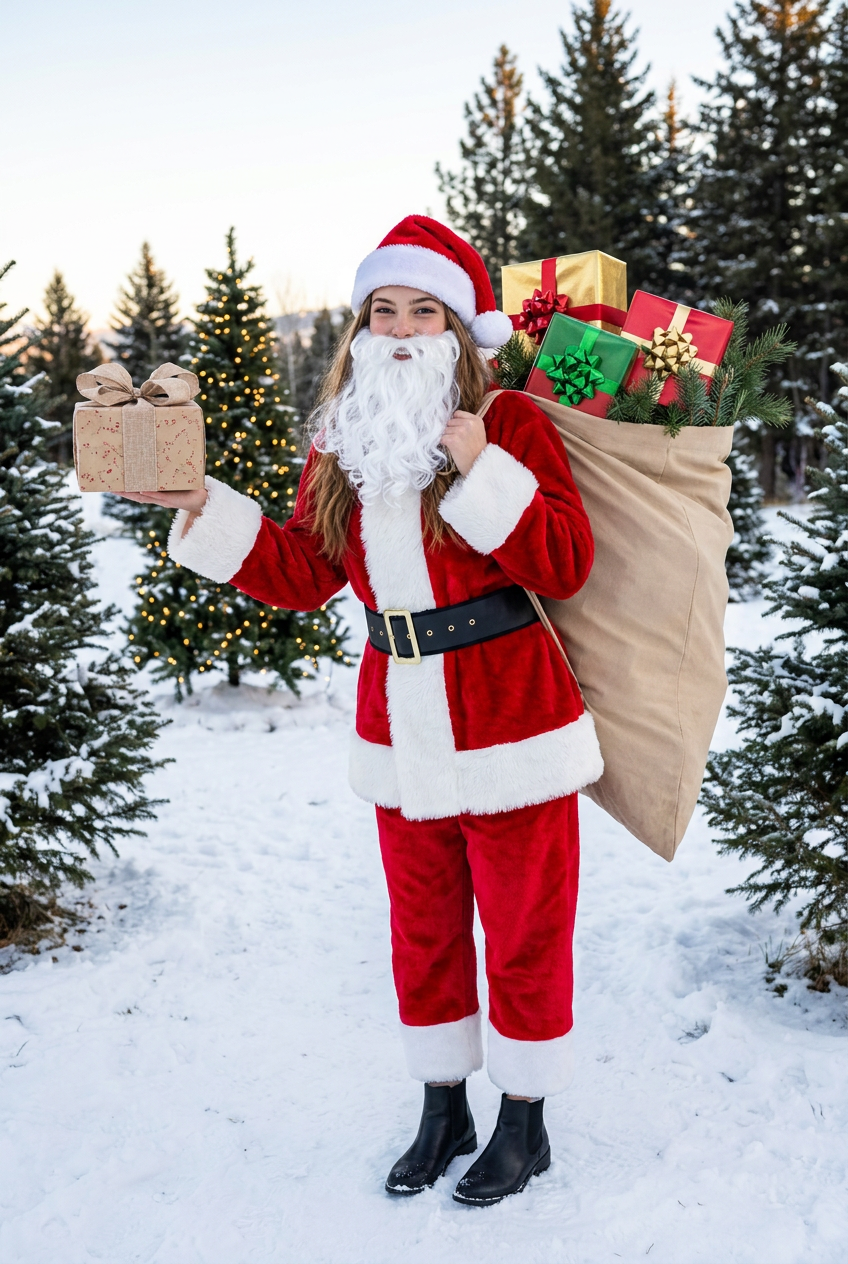
- 848 × 1264 px
Prompt
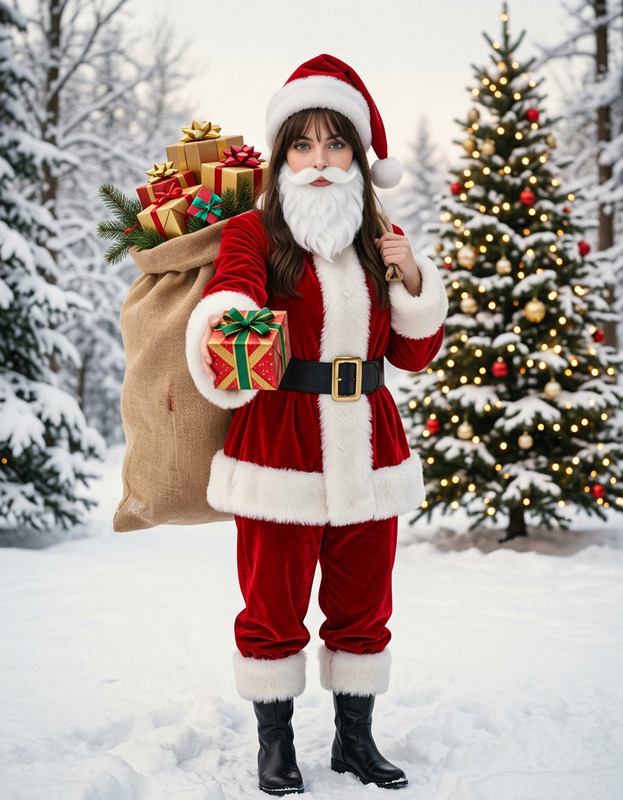
Modify the reference image to maintain consistency of the main subject, keeping facial features and hairstyle unchanged. Transform the subject into a figure wearing a red Christmas suit: a coat adorned with plush edges, featuring thick white plush trim on the collar, cuffs, and hem; paired with red trousers accented by white plush-edged cuffs. A wide black belt with a golden buckle cinches the waist, complemented by black ankle boots. The subject dons a white fake Santa Claus beard and a red Christmas hat that leaves the original hairstyle visible. Pose: The figure carries an oversized beige bag on their back—larger than the subject itself—filled with elaborately packaged gift boxes (in hues like gold and red) topped with colorful bows, and decorated with pine branches. The key pose shows the right hand holding a gift box, extending it toward the camera. Scene: A winter snowscape with snow-covered ground, distant snow-laden trees, and a Christmas tree strung with warm lights. Set in the early morning, the shot captures the full body of the character with an iPhone-style casual aesthetic, rich colors, a retro tone, and retains the original image dimensions.
Any aspect ratio
Overview
The "Christmas Gift-Bearer" AI Image Editor template is your go-to solution for festive transformations. Utilizing the robust nano-banana-pro model, it precisely modifies images to imbue them with Christmas cheer while maintaining the core attributes of the subject. This tool is perfect for creating engaging, holiday-themed visuals without compromising on quality or detail.
What It Does
This template modifies the subject in your image into a festive gift-bearer outfit, complete with a red Christmas suit, Santa hat, and more. It overlays intricate details such as thick plush trims and a wide black belt, while preserving the subject's original facial features and hairstyle. This makes it ideal for maintaining identity in promotional or personal holiday imagery. For further image styling, explore our AI Image Editor tools.
Who It's For
Designed for creative professionals, marketers, and hobbyists, the "Christmas Gift-Bearer" template is perfect for those looking to inject seasonal flair into their content. Whether you're working on ecommerce ads or creating personalized holiday cards, this tool offers a high degree of customization to suit varied needs.
Summary
This template transforms ordinary photos into vivid holiday scenes. It retains the original identity of the subjects while dressing them in classic Christmas attire. Set within a winter wonderland backdrop, it's ideal for both professional and personal projects. Discover the full potential of this tool alongside others, like the versatile Image to Video application.
How-To
Choose Your Image

Customize Your Edit

Generate the Final Image

Use Cases
Festive Family Portraits
- Keep every family member recognizable.
- Add a unique seasonal touch.
Product Promotions
- Highlight items with a Christmas theme.
- Enhance promotional visuals.
Charity and Nonprofit Marketing
- Make visuals inviting and cheerful.
- Appeal to the holiday spirit for greater engagement.
Best Practices
Choose High-Quality Images
Start with high-resolution images for the best results. This helps maintain clarity during the editing process.Maintain Key Facial Features
Ensure the template preserves distinctive features to keep subjects recognizable, which is crucial for personal or brand identity.Explore Complementary Tools
Combine with the AI Image Upscaler to enhance the final look and quality of your holiday-themed images.