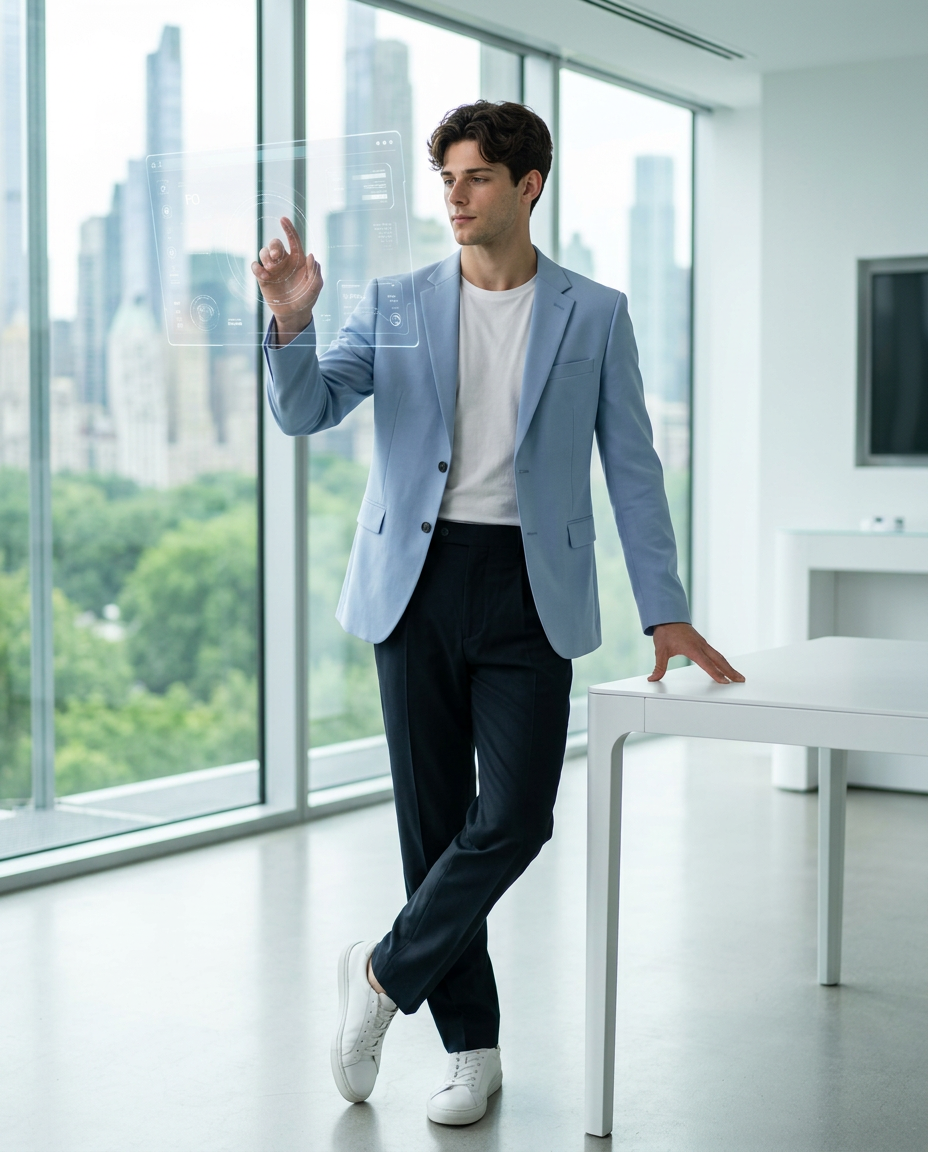
Confident innovation bright future
- Model
- Nano Banana 2
- Image
- 928 × 1152 px
Prompt
Use the uploaded reference image strictly as the ONLY face reference. Preserve exact facial structure, proportions, skin tone, hair texture, and identity. A young adult individual is captured mid-action in a modern, minimalist innovation workspace. The subject is standing in a relaxed yet confident stance, body slightly angled, one leg subtly crossing forward. One hand is raised and interacting with a transparent floating holographic interface (futuristic UI panel), fingers gently extended as if navigating data. The other hand rests naturally on a sleek white minimalist table beside them. Outfit & Styling: Wearing a tailored, slightly oversized pastel blue blazer over a clean white crew-neck t-shirt (tucked in), paired with high-waisted dark tailored trousers and minimal white sneakers. Outfit is modern, professional, and effortlessly stylish. Expression & Pose: Expression is calm, focused, and intellectually engaged with a slight contemplative look. Gaze directed slightly off to the left toward the holographic interface (not looking at camera). Natural posture, confident and composed. Environment & Background: Futuristic innovation lab / high-end co-working space with floor-to-ceiling glass windows. Outside shows a bright, lush green cityscape with distant modern skyscrapers softly blurred. Interior is clean, minimal, and premium with no clutter. Subtle transparent UI graphics floating near the subject. The table is placed on the right, slightly behind the subject, kept subtle with low contrast and minimal visual weight so the subject remains dominant. Lighting Setup: Soft natural daylight entering from large windows behind and slightly to the side. Balanced exposure on face (no silhouette). Gentle rim light outlining hair and blazer edges. Soft shadows on floor, no harsh contrast. Composition & Camera: Full-body shot, head-to-toe visible (no cropping) Subject centered slightly left of frame Table positioned on right side for balance Eye-level to slightly low angle (subtle power perspective) 50mm lens, f/2.8 aperture Shallow depth of field with smooth background blur Clean, symmetrical framing with ample negative space Technical Details: Ultra-realistic, 8K resolution, sharp focus on subject, cinematic color grading, natural skin texture (visible pores), no CGI/plastic look, high dynamic range, realistic reflections on glass UI. Aspect ratio 4:5.
Any aspect ratio
Overview
The "Confident Innovation Bright Future" template in the AI Image Editor suite allows creators to transform any reference image into a dynamic scene of modern creativity and intellectual engagement. Using the nano-banana-2 model, this template ensures every facial detail is preserved while enhancing the environment with futuristic elements like holographic interfaces and bright innovation labs.
What It Does
This AI image editing tool focuses on ultra-realistic enhancement, making sure the face retains its exact structural characteristics while placing it against a clean and innovative workspace setting. It meticulously incorporates sophisticated visual effects, from holographic data panels to tailored attire, all set in a lush, green cityscape view. The output is a balanced blend of natural and futuristic visuals with a cinematic touch, meeting high standards required by modern AI Product Photography.
Who It's For
Designed for professionals in the visual and creative industries, this template is ideal for photographers, digital artists, and marketers seeking to produce high-quality, cutting-edge promotional content. It's also suited for content creators aiming to create immersive experiences in sectors like tech, innovation, and business landscapes. Furthermore, educational content developers and training facilitators can use it to generate relatable and forward-thinking scenarios. Explore its potential in internal communications and onboarding training scenarios.
Summary
With the "Confident Innovation Bright Future" template, transform any image into a striking portrayal of modernity and professionalism that captivates and inspires. Utilize this tool within the AI Image Editor to create detailed, futuristic environments that maintain the subject's identity while enhancing the overall visual narrative. Achieve unmatched realism and sophistication in your visual storytelling projects with this advanced template.
How-To
Choose Your Template

Customize Your Inputs

Generate Your Image

Use Cases
Corporate and Tech Branding
- Create promotional content for innovation labs.
- Design inspiring corporate slideshows.
Marketing and Advertising
- Generate imagery for ad campaigns.
- Craft visually engaging social media posts.
Educational Content
- Design learning modules for corporate training.
- Create graphics for webinars and online courses.
Best Practices
Maintain Natural Facial Features
Always use a high-quality reference image to ensure the technology preserves all identifying features effectively.Optimize Lighting Settings
Take advantage of the template's advanced lighting options to accentuate the subject matter without losing clarity.Incorporate Futuristic Elements
Balance the modern elements with natural features to maintain a realistic yet visionary look.