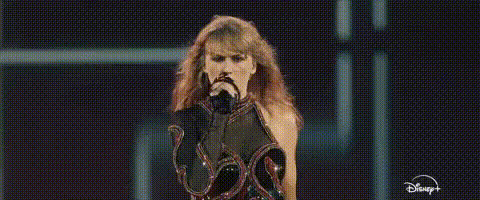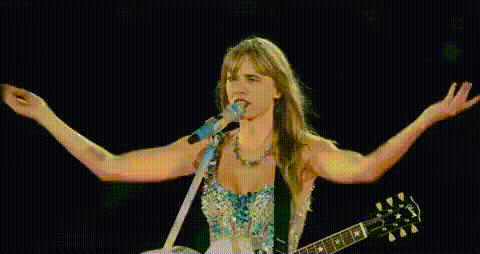
Template preview

taylor-swift-singing-with-guitar

Video Face Swap
1 clip
0 uses

Any aspect ratio

Tags

transformations

Overview

Transform any video by swapping faces with Taylor Swift while she performs with a guitar. This Video Face Swap template allows you to easily create a personalized video that stands out on social media. Whether you're a die-hard fan or just looking to create some fun content, this template delivers high-quality results perfect for sharing.

What It Does

The template uses advanced face swapping technology to replace the face of Taylor Swift in a video clip of her performing with a guitar. The result is a smooth and realistic video where it appears you're the one strumming and singing on stage. This technology is similar to what you'll find in our AI Video Generator tools.

Who It's For

This template is ideal for Taylor Swift fans, social media influencers, and anyone looking to experiment with creative video editing. It's also a great tool for users interested in exploring transformations and digital art forms using Face Swap technology.

Summary

The Taylor Swift Singing with Guitar template offers an engaging way to bring your video creativity to life. By leveraging AI Image Editor capabilities, you can produce shareable and unique content that puts you on stage with a global superstar.

How To

Get started on creating your own Taylor Swift face swap video in three steps.
    01

    Choose Your Template

    Navigate to the Face Swap Templates section and select 'Taylor Swift Singing with Guitar'.
    02

    Customize Your Inputs

    Upload a photo with a clear face for the face swap. Optionally, adjust settings to match the style or mood you prefer.
    03

    Generate Your Video

    Click 'Generate' to process your video. Once complete, download your personalized video and share it with friends or on social media.

Use Cases

Explore the diverse uses for the Taylor Swift Singing with Guitar template.
📱

Social Media Content

Create engaging and viral content for platforms like Instagram, TikTok, or YouTube.
  • Personalize videos with a famous face
  • Generate interest and surprise through instant transformations
🎸

Fan Projects

Bring fan projects to life with a twist of personal involvement.
  • Feel part of your favorite artist's performance
  • Perfect for fan clubs and events
🎨

Creative Video Editing

Experiment with digital creativity and face swapping techniques.
  • Combine with other tools for richer effects
  • Learn and understand face swapping technology

Best Practices

Maximize the quality and impact of your face swap videos with these tips.
  • Use High-Quality Photos

    Ensure the uploaded photo is high resolution for the best possible outcome.
  • Check Lighting Conditions

    Good lighting in both the upload and the video enhances facial recognition accuracy.
  • Experiment with Styles

    Try different videos within the template for varied results and effects.

FAQs

You should upload a high-resolution image of a face in formats like JPEG or PNG for best results.

The video generated is intended for personal and social media use. For commercial inquiries, please contact support.

Video processing times vary depending on the file size, but most projects are completed within a few minutes.

Yes, you can use the AI Image Editor to make further adjustments to your video.

More Like This

taylor-swift-dancing-with-friends
taylor-swift-singing-guitar
taylor-swift-singing-performance-1
3
taylor-swift-singing-performance-1
taylor-swift-singing-shocked
taylor-swift-singing-with-mic
taylor-swift-smiling
taylor-swift-in-music-video
taylor-swift-singing-mic
1
taylor-swift-singing-mic
taylor-swift-singing-performance
taylor-swift-smiling-1
taylor-swift-smiling-2
1
taylor-swift-smiling-2
taylor-swift-talking

Face Swap Video