Mistaken Target Comedy Scene
- Model
- Nano Banana 2
- Image
- 843 × 1264 px
Prompt
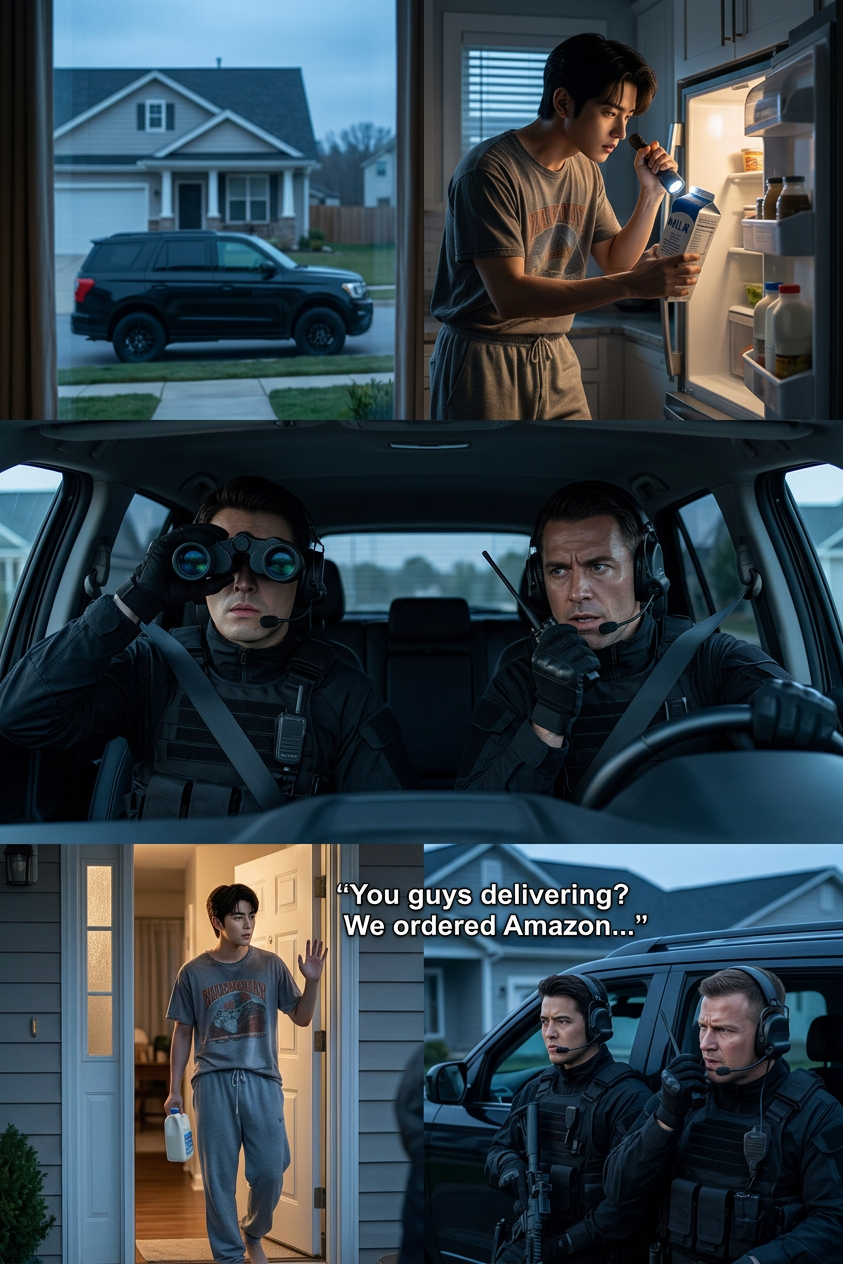
Subject is a cinematic scene blending spy thriller and comedy: outside a quiet suburban house at early morning, two serious agents in tactical outfits monitor a “target” from a black SUV with intense focus; inside, a normal dad in sweatpants casually checks milk in the fridge, completely unaware; agents interpret every mundane action as high-level espionage; the dad later steps outside, waves awkwardly, and asks if they’re delivery drivers; mood mixes dramatic spy lighting and tension with absurd humor; suburban setting, soft morning light, cinematic composition, high detail, storytelling moment.
Any aspect ratio
Overview
The Mistaken Target Comedy Scene template lets creators bring to life a cinematic blend of spy thrillers and comedic misadventures. Designed for the AI Image Editor, this template captures the absurdity of mistaken identities, set against the backdrop of an ordinary suburban morning.
What It Does
This template uses the nano-banana-2 model to generate high-detail images that tell a story of espionage gone comically wrong. You'll create scenes where agents mistake a mundane dad for a spy, capturing both dramatic tension and humorous absurdity. It's perfect for crafting storytelling moments with cinematic lighting and composition.
Who It's For
Filmmakers, content creators, and advertisers looking to add a touch of humor to their projects will find this template invaluable. It's ideal for those producing ads, meme-style content, or narrative scenes where character replacement plays a key role. Whether you're in social media or advertising, this template supports creativity and engagement.
Summary
The Mistaken Target Comedy Scene template is a versatile tool for parodists and storytellers. By using the AI Image Generator, you'll effortlessly blend humor and intrigue, creating visuals that stand out for their detail and comedic timing.
How to Use
Select the Template

Customize Your Inputs

Generate Your Image

Use Cases
Film and Media Production
- Storyboarding
- Scene conceptualization
- Promotional content
Marketing and Advertising
- Social media ads
- Email marketing visuals
- Promotional campaigns
Content Creation on Social Media
- Meme generation
- Interactive posts
- Engaging stories
Best Practices
Focus on Character Drama
Emphasize the contrast between the serious agents and the oblivious dad to enhance the comedic effect.Optimize Lighting
Adjust the template to achieve the right balance of dramatic and comedic lighting for a compelling visual.Use High Detail Textures
Ensure textures are set to high detail for realism, particularly important for facial expressions and settings in comedic visuals.