Jungle Life Cinematic
- Model
- Nano Banana 2
- Image
- 1024 × 1024 px
Prompt
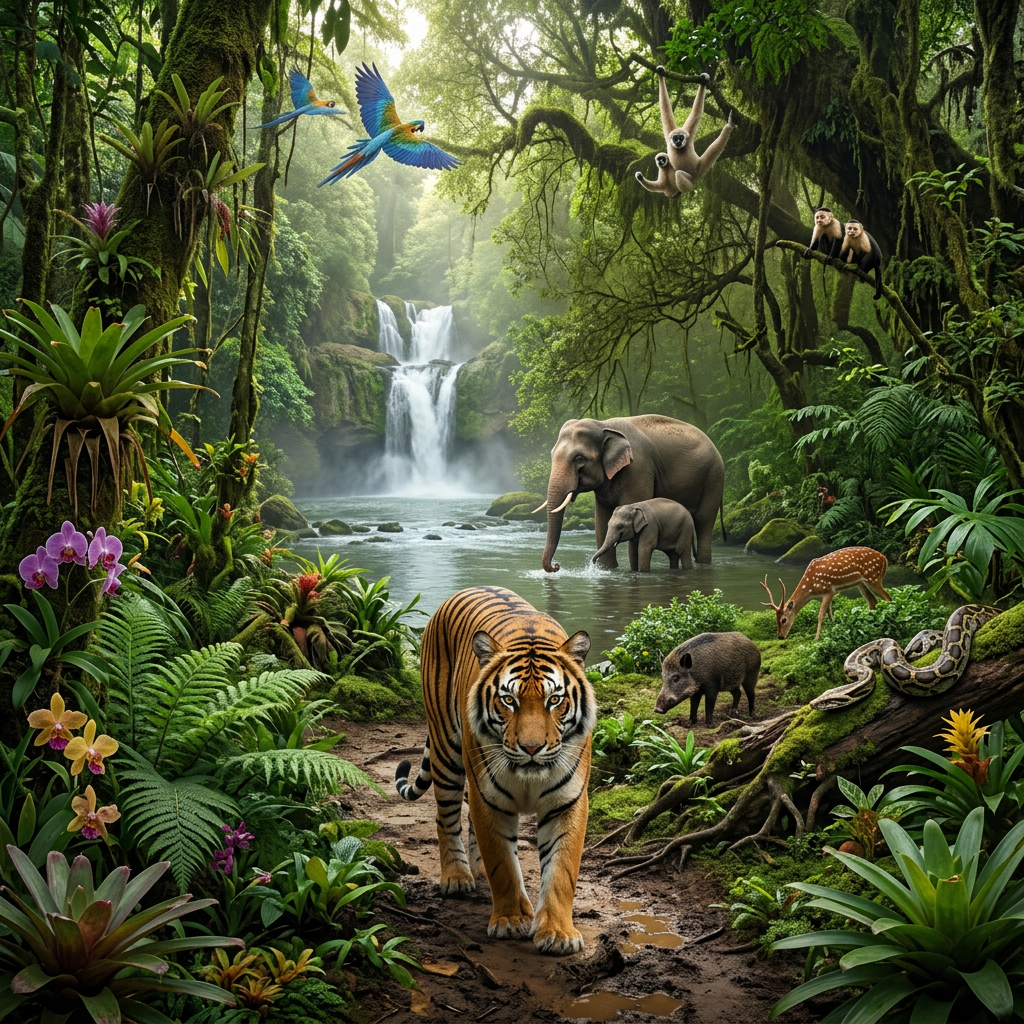
Subject in a cinematic photorealistic scene set in a dense tropical rainforest ecosystem, rich with layered vegetation and diverse wildlife. A majestic Bengal tiger walks toward the viewer along a dirt path, surrounded by ferns, orchids, and towering moss-covered trees. In the mid-ground, a mother elephant and calf drink from a flowing river leading to a distant waterfall. Tree branches host vibrant birds and primates, while smaller animals appear across the forest floor, including a grazing deer, wild boar, and a large python resting on a log. Soft ambient light filters through a dense canopy, with humid air and atmospheric depth. Ultra-detailed, cinematic composition, immersive and vibrant ecosystem.
Any aspect ratio
Overview
Embark on a journey through the vivid tapestry of the rainforest with the Jungle Life Cinematic template. Designed for the AI Image Editor, this masterpiece leverages the capabilities of the nano-banana-2 model, crafting a stunningly immersive rainforest scene. Perfect for creators aiming to evoke powerful imagery with detailed ecosystems and vibrant wildlife.
What It Does
The Jungle Life Cinematic template transforms your images into breathtaking scenes set in a lush tropical rainforest environment. It enhances imagery with meticulously detailed elements such as a majestic Bengal tiger, elephants, and a variety of smaller forest creatures. The ultra-detailed composition incorporates rich ambient light and atmospheric depth, creating an engaging visual narrative that's ideal for presentations or video projects.
Who It's For
This template is tailored for filmmakers, content creators, and educators who want to bring the richness of nature into their visual projects. It can be particularly useful for those working in the fields of ecommerce advertisements, wildlife documentaries, and educational media. Whether you're illustrating a story or crafting an ad, this template provides a powerful backdrop of the natural world.
Summary
The Jungle Life Cinematic template offers a unique, photorealistic exploration of a rainforest ecosystem using AI technology. It’s a tool designed to bring high-quality cinematic imagery into everyday digital projects. Ideal for professionals looking to enrich their content with stunning visual elements, this template is comfortable enough for independent use yet flexible enough for professional integration.
How-To
Choose Your Template

Customize Your Scene

Generate Your Image

Use Cases
Wildlife Documentaries
- Detailed forest imagery
- Lifelike animal representation
Ecommerce Advertisements
- Standout visuals
- Enhanced brand storytelling
Educational Media
- Engage students
- Visualize complex topics
Best Practices
Focus on Details
Utilize the template's ability to highlight detailed textures and atmospheric lighting to make your visuals stand out.Plan Your Composition
Consider how different animals and plant life are arranged to ensure a balanced and aesthetically pleasing image.Leverage Ambient Light
Experiment with lighting effects to add depth and mood to your scenes, ensuring they convey the intended emotional tone.