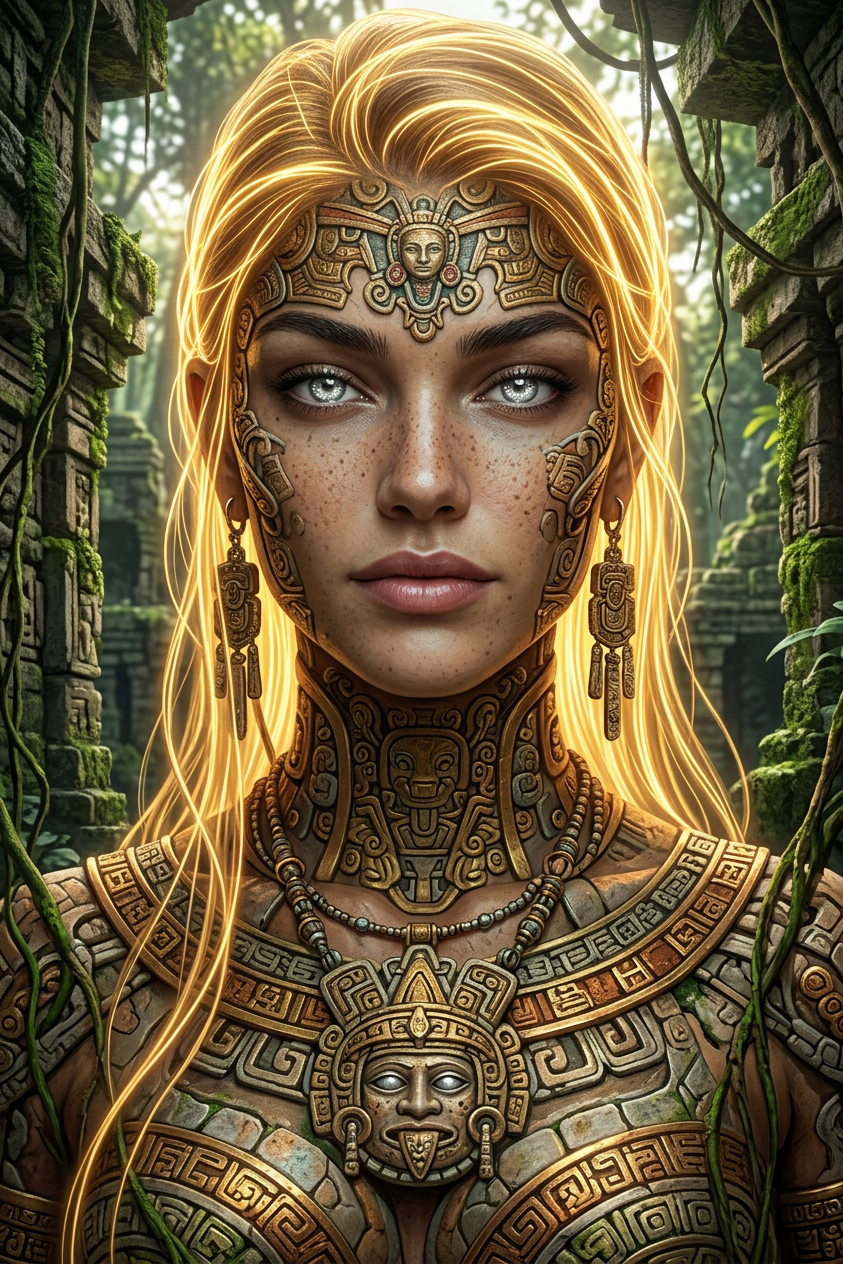
Jungle Relic Ascendant
ai-image-editor
Any aspect ratio
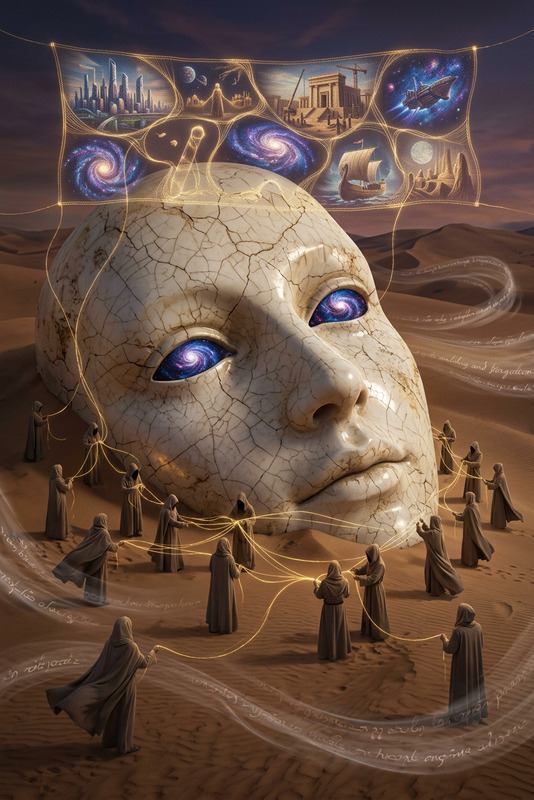
A subject transformation: a towering ancient entity emerging within dense jungle ruins, radiating power and mystery. Eyes shimmer like reflective silver pools, calm yet intelligent. Flowing golden strands cascade from its form, glowing softly against the lush environment. The body is adorned with intricate ornamental patterns inspired by ancient Mesoamerican motifs, rich with symbolic detail. Weathered stone structures and overgrown vegetation surround the scene, blending history with nature. Hyper-realistic 3D rendering, cinematic lighting, rich textures, ultra-detailed, 8K, immersive ancient-fantasy aesthetic.
Transform Your Photos with AI Image Editor: Clean, Polished, and Ready to Share
Use this template as a starting point to quickly clean up any photo with the AI Image Editor. Remove unwanted objects, fix small issues, and get studio-quality results in minutes—no Photoshop skills required.
This template is ideal for:
- Product photos that need distraction-free backgrounds
- Portraits and headshots that need quick touch-ups
- Social media images that need cleanup before posting
- Thumbnails, ads, and website assets that must look professional
What This Template Does
This AI Image Editor–based template is designed to help you:
Remove distracting objects
Clean up logos, signs, clutter, or people in the background using Magic Hour’s AI Remover and Remove Object from Photo tools.Tidy up backgrounds
Turn messy or busy backgrounds into clean, minimal scenes with the AI Background Generator or Image Background Remover, then refine the result in the editor.Sharpen and enhance images
Fix soft or low-res images so they look crisp and high-quality using the AI Image Upscaler or Unblur Image.Polish faces and portraits
Improve headshots and portraits with subtle, natural edits using the AI Face Editor, AI Headshot Generator, or AI Selfie Generator, then fine-tune in the Image Editor.Prep visuals for marketing, content, or product pages
Combine this template with tools like the Thumbnail Maker, Album Cover Generator, or Book Cover Generator and then use the Image Editor for final cleanup and consistency.
How to Remix This Template in Magic Hour
You can create your own version of this template in a few steps:
Open AI Image Editor
Start with the AI Image Editor. Upload your source image (product shot, portrait, campaign visual, etc.).Identify what you want to fix
Decide what matters for your use case:- Removing background objects or clutter
- Cleaning text or logos from surfaces
- Enhancing clarity and sharpness
- Adjusting composition or subject emphasis
Use object removal and cleanup tools
- Use the AI Remover or Remove Object from Photo to eliminate distractions.
- If you’re restoring older or damaged photos, pair this with Old Photo Restoration before final edits in the Image Editor.
Refine the background
- For product or branding shots, generate or swap in a cleaner background using the AI Background Generator or Image Background Remover.
- For portraits, you can also experiment with AI Interior Design Generator or Architecture Generator to create on-brand environments, then refine details in the editor.
Enhance quality and details
- If your image is low resolution, run it through the AI Image Upscaler or Unblur Image first.
- For color or tone issues, combine with Photo Colorizer or Old Photo Restoration and then finalize tweaks in the editor.
Save your process as a reusable workflow
- Once you find a repeatable editing flow (e.g., product images for your store, social thumbnails for your channel), reuse this template and remix it for new images.
- You can chain this template with other Magic Hour tools, such as AI GIF Generator, Image-to-Video, or Text-to-Video to create full content pipelines.
Example Use Cases
1. Ecommerce Product Cleanup
- Start with the product photo in AI Image Editor.
- Remove props, reflections, or background distractions using Remove Object from Photo.
- Generate a clean, on-brand background with AI Background Generator.
- Upscale with AI Image Upscaler for marketplace or landing page use.
2. Marketing & Social Media Visuals
- Design a draft visual using AI Art Generator or AI Illustration Generator.
- Bring it into the AI Image Editor to tidy edges, remove artifacts, and adjust composition.
- Finalize as a YouTube or social thumbnail with Thumbnail Maker and then run a last cleanup pass in the editor.
3. Creator & Personal Branding
- Generate or refine profile pictures and avatars with Avatar Generator, AI Face Generator, or AI Headshot Generator.
- Use AI Image Editor to ensure consistent backgrounds, lighting, and polish across platforms.
- Extend these visuals into animated content using AI Talking Photo or Image-to-Video, then come back to the Image Editor whenever you need still-frame refinements.
Advanced Workflows with Other Magic Hour Tools
You can pair this template with other Magic Hour products to build more powerful, automated workflows:
From static image to animated content
- Clean and polish the base image using AI Image Editor.
- Turn it into short clips with Image-to-Video or Text-to-Video.
- Add voice using AI Voice Generator or clone your own with AI Voice Cloner.
Face-centric and character workflows
- Create or refine faces using AI Face Editor, AI Face Generator, or Gender Swap.
- Use Face Swap or Face Swap GIF to reuse polished faces across content.
- Animate polished images with Face Swap Video Template, Lip Sync Template, or Animation Template.
Stylized and niche content
- Generate base art with tools like AI Manga Generator, AI Anime Generator, Comic Book Generator, Dark Fantasy AI, or DND AI Art Generator.
- Refine the resulting images in AI Image Editor to remove artifacts, adjust focus on key elements, or adapt them for commercial layouts.
Why Use AI Image Editor for This Workflow?
Research and industry practice show that clean, distraction-free visuals perform better in ecommerce and marketing contexts (e.g., Amazon product image guidelines, standard UX research on visual clarity). AI-assisted editing helps you get there faster:
- Speed vs. manual tools – Instead of manually masking and cloning in traditional software, AI handles object removal and reconstruction automatically.
- Consistency across assets – By remixing this template, you can apply similar cleanup to entire batches of images, which is critical for brand systems, product catalogs, and content series.
- Accessible for non-designers – Teams without in-house design or photo-editing talent can still ship polished visual content at scale.
Related Magic Hour Tools Worth Exploring
Depending on your project, these additional tools can plug into the same workflow:
- AI Meme Generator – Clean up or refine meme templates after generation.
- AI Clothes Changer – Change outfits, then use AI Image Editor to ensure the composite looks natural.
- AI Outfit Generator and AI Fashion Generator – Great for lookbooks or fashion content you’ll later polish.
- Full Body Generator and Animated Characters Generator – Generate characters, then refine frames in AI Image Editor for smooth use in videos or comics.
- Watermark Remover and Optical Illusion Generator – Use in combination for more experimental or creative work (with proper rights and licenses).
How to Get the Most from This Template
- Treat this template as a reusable cleaning step in your content pipeline:
generate → edit/clean in AI Image Editor → upscale/optimize → publish. - For teams, standardize on this template so everyone produces visuals that feel consistent and on-brand.
- If you build tools, plugins, or automation, consider integrating a “final pass” using AI Image Editor in your pipeline before content goes live.
Remix this template, connect it with the tools above, and you have a flexible, production-ready workflow for any visual content—from product photos and landing pages to thumbnails, comics, and animated characters.