Canvas Burst Creation
- Model
- Nano Banana 2
- Image
- 768 × 1365 px
Prompt
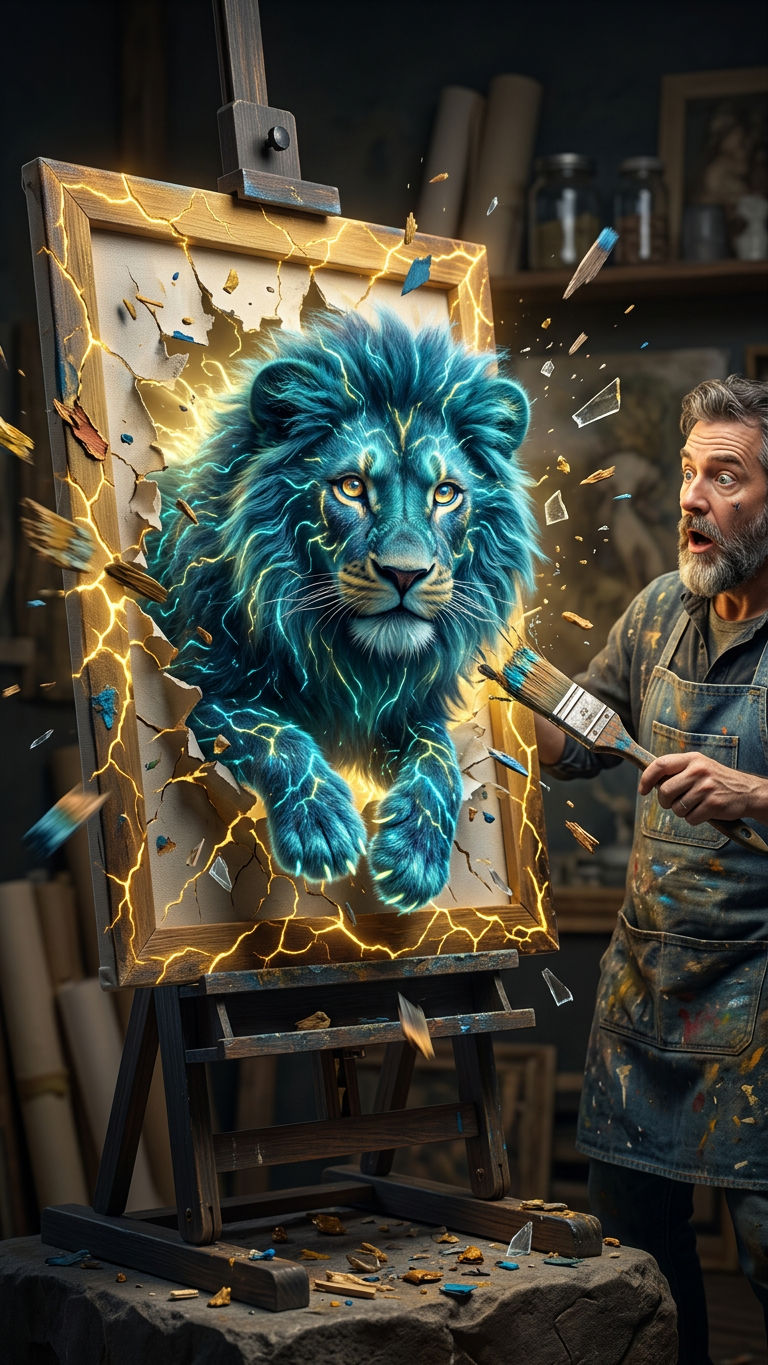
Subject is a detailed 3D scene of a fluffy electric creature bursting out of a shattered canvas on a wooden easel; the frame has glowing cracks and pieces flying outward with paint and glass shards; next to it, an artist character holding a paintbrush as if bringing it to life; dark studio background with soft blur; cinematic lighting, strong yellow accents, sharp focus, high detail, 8K quality.
Any aspect ratio
Overview
The Canvas Burst Creation template is an innovative tool for creating high-detail, cinematic 3D scenes. Utilizing the powerful nano-banana-2 model, this template brings life to electric creatures, shattering the limitations of traditional image editing. With glowing cracks and flying shards of paint, this template ensures your designs stand out with cinematic lighting and high-quality rendering.
What It Does
This template transforms static images into vibrant visual stories. It captures a fluffy electric creature bursting from a canvas, complete with dynamic elements like glowing cracks and glass shards. Ideal for achieving an eye-catching cinematic effect, the AI Image Editor ensures detailed rendering in 8K quality. Explore related tools like the AI Image Editor for further creative possibilities.
Who It's For
Artists, designers, and creative professionals looking to add a touch of magic to their work will find this template invaluable. It's perfect for those who wish to integrate AI Product Photography into their projects, creating a seamless blend of technology and artistry. Enthusiasts who love experimenting with new forms of digital expression will also benefit.
Summary
Canvas Burst Creation offers a transformative approach to digital art, combining precision AI with artistic flair. With elements such as shattered canvases and flying shards, it's designed to inspire creativity at every turn. Explore how this template aligns with other creative tools like the Image to Video converter to extend the impact of your visual stories.
How To
Choose the Template

Customize Your Scene

Generate Your Image

Use Cases
Creative Storytelling
- Bring fictional creatures to life
- Craft magical stories with dynamic elements
Artistic Portfolio Enhancement
- Exhibit in art shows with compelling visuals
- Impress clients with cinematic creations
Concept Art Development
- Design high-impact concept art
- Create intricate 3D scenes efficiently
Best Practices
Focus on Lighting
Leverage the cinematic lighting options to highlight key features of the creature and the canvas. This can dramatically enhance the visual impact.Experiment with Details
Adjust details such as paint shards and glass fragments to add a dynamic quality to your scene, making it more immersive.Test Different Styles
Try varying the scene's mood by modifying background elements or color accents, enhancing the overall artistic expression.