Shinkai Alley Dream
- Model
- Nano Banana 2
- Image
- 842 × 1264 px
Prompt
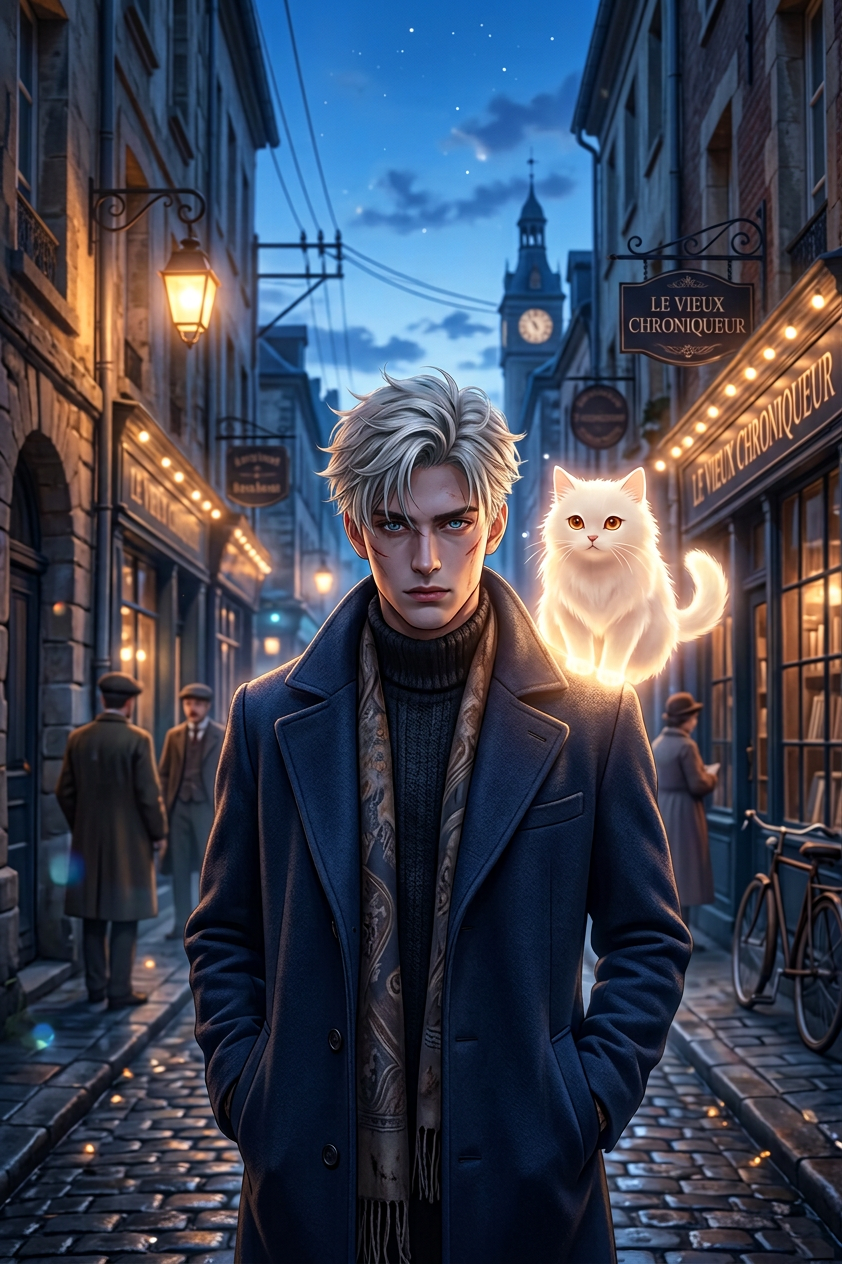
Anime cinematic scene inspired by Makoto Shinkai. Blue hour lighting in a narrow European cobblestone alley with warm glowing shop lights. Dreamy atmosphere, soft bloom, lens flare, shallow depth of field. Highly detailed. Consistent character: subject with messy light brown hair, navy coat, scarf, accompanied by a softly glowing white fluffy spirit cat.
Any aspect ratio
Overview
Transform your creative visuals with the Shinkai Alley Dream template, an AI Image Editor offering inspired by the cinematic style of Makoto Shinkai. Designed using the nano-banana-2 model, this template helps you craft captivating scenes featuring a mystical, anime-like ambience.
What It Does
The Shinkai Alley Dream template creates a digitally-rendered scene set in a blue-hour lit, European cobblestone alley. With warm shop lights and a dreamy atmosphere, it captures soft blooms, lens flares, and shallow depth of field to provide a highly detailed visual experience. The scene also features a consistent character accompanied by a glowing spirit cat.
Perfect for those looking to create rich, anime-influenced artwork, this tool seamlessly incorporates artistic elements and lighting techniques to transform basic images into intricate, dreamlike scenarios.
Who It's For
This template is ideal for visual artists, content creators, and fans of anime who wish to create stunning visual art with an anime cinematic touch. Educators and marketing professionals can also benefit from the template to enhance visuals in projects, presentations, or eCommerce ads. Its unique style makes it an excellent asset for enhancing any narrative or branding initiative.
Summary
Summon the charm of anime-filming into your creative projects with the Shinkai Alley Dream template. Utilize the AI Image Generator capabilities to render visually striking and detailed scenes. Ideal for projects requiring animated styles and detailed, atmospheric visuals, it guarantees a result laden with emotional depth and artistic craftsmanship.
How-To
Choose Your Template

Customize Inputs

Generate and Download

Use Cases
Artistic Storyboarding
- Anime-style storyboards
- Visual storytelling enhancement
E-commerce Visuals
- Eye-catching product images
- Enhanced brand storytelling
Social Media Campaigns
- Animated visuals for posts
- Strong narrative visuals
Best Practices
Focus on Lighting
Ensure that the lighting settings complement the central theme, enhancing the dreamy quality of your scene.Character Consistency
Keep the character details consistent for maintaining narrative coherence within your series of images.Experiment with Angles
Try different angles and compositions to create unique perspectives that enrich the final output.