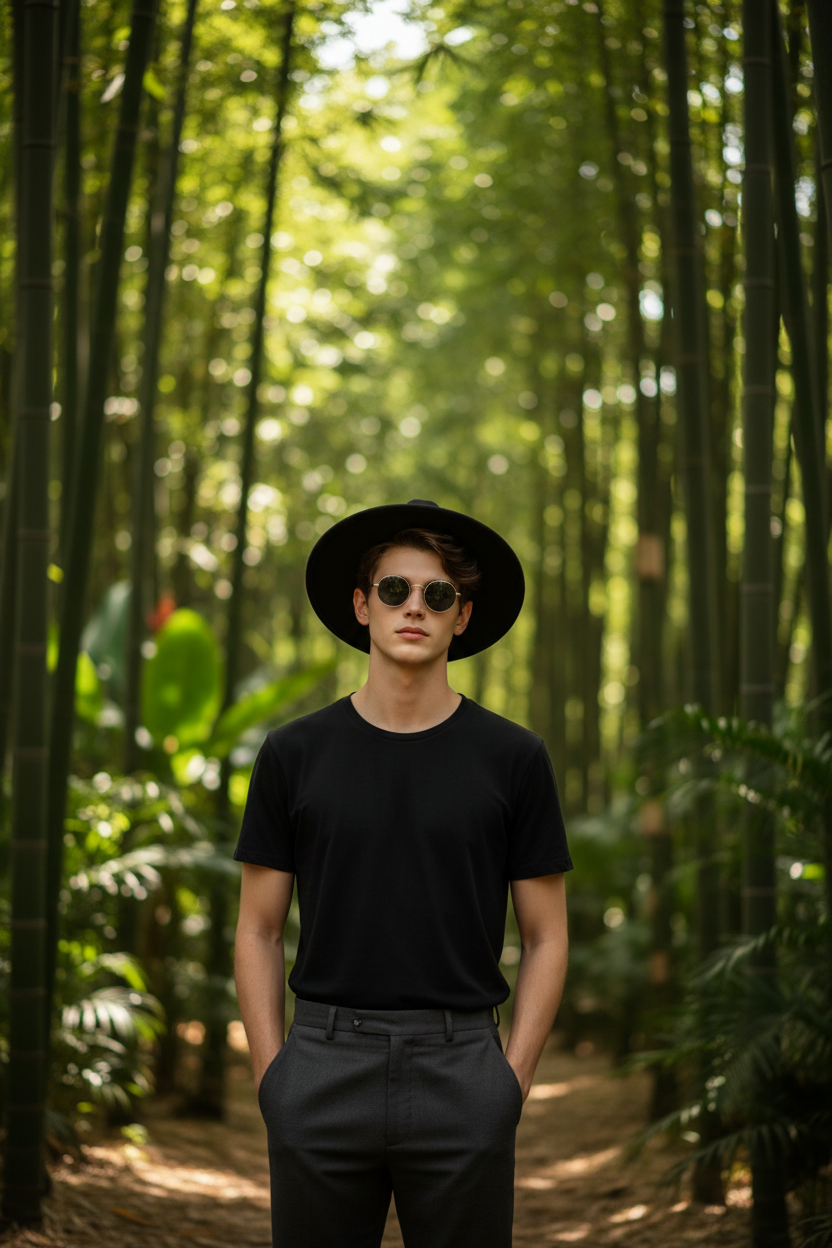
Bamboo Noir Portrait
- Model
- Nano Banana
- Image
- 832 × 1248 px
Prompt
A hyper-realistic environmental portrait of a subject standing confidently in a dense tropical bamboo forest. The subject wears a wide-brimmed black fedora hat, round dark sunglasses with thin metal frames, a plain black crew-neck t-shirt tucked into dark grey high-waisted trousers. The background features rich lush greens with tropical undergrowth and deep cinematic bokeh. Shot on a mirrorless camera, 35mm lens at f/1.8, high contrast, matte finish, sharp focus on the subject, cinematic, ultra-detailed.
Any aspect ratio
Overview
Bamboo Noir Portrait leverages the power of the AI Image Editor to create captivating and hyper-realistic portraits. Designed to be used with the nano-banana model, this template produces stunning images that feature subjects amidst a dense tropical bamboo forest. The portraits are shot with a cinematic flair using a digital mirrorless camera simulation, ensuring high contrast and sharp focus on the subject.
What It Does
This template takes a standard portrait and transforms it into an extraordinary visualization by overlaying it with a rich environmental bamboo noir scene. Aimed at achieving high aesthetic value, the template emphasizes deep contrast and vivid details, ideal for creators looking to distinguish their work. The AI Image Upscaler can further enhance these images, making them ready for showcases or high-definition printing.
Who It's For
Designed for photographers, graphic artists, and digital marketers, Bamboo Noir Portrait is perfect for those looking to create remarkable and rich visual content. It suits professionals seeking high-quality images for portfolios, client presentations, or marketing campaigns. If you're interested in exploring similar creative options, consider the AI Product Photography tool for product-based shots.
Summary
The Bamboo Noir Portrait template is a sophisticated tool that blends traditional portraiture with AI-driven enhancements to deliver unique, cinematic results. By utilizing cutting-edge technologies, it meets the demands of contemporary visual storytelling. This template is not only a boon for artists but also for businesses seeking distinctive images that stand out in competitive markets.
How to Use Bamboo Noir Portrait
Select the Bamboo Noir Portrait template

Customize your image

Generate and retrieve your portrait

Use Cases
Creative Portfolios
Marketing Campaigns
Social Media Content
Best Practices
Select High-Quality Photos
Begin with a high-resolution portrait to maximize the detail and quality of the final image.Utilize Lighting and Contrast
Adjust lighting and contrast settings to achieve the desired cinematic effect. Tools like the AI Photo Relighting can assist in refining lighting conditions.Experiment with Accessories
Incorporate different accessories to add personality and context to your portraits, ensuring they align with the template’s aesthetic.