Polygon Holiday – Sweet Shop Scene
- Model
- Nano Banana 2
- Image
- 768 × 1374 px
Prompt
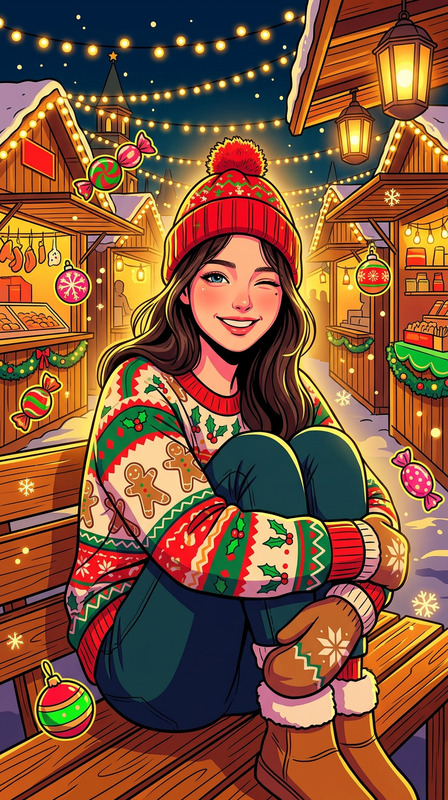
A low-poly cartoon style portrait of a subject (face matching the reference exactly), with a slender figure and clear proportions. The subject wears a thick green knit crop top with a Christmas reindeer toy attached and white jeans. The subject stands in front of a Christmas candy shop filled with festive treats like Santa cakes and bear-shaped donuts with hats, alongside wooden shelves and wicker baskets decorated with Christmas ornaments. A pine tree with lights adds to the scene. The subject has red-toned makeup with red lips. Bright natural lighting creates a warm and soft atmosphere, rendered in low-poly geometry with simplified shapes, faceted surfaces, and clean stylized colors.
Any aspect ratio
Overview
The Polygon Holiday – Sweet Shop Scene template is designed to bring the festive spirit into your holiday campaigns using AI image editing technology. Produced with the AI Image Editor and the powerful nano-banana-2 model, this template allows you to transform ordinary portraits into low-poly cartoon-styled festive images. It is perfect for creating standout social media content with a unique and vibrant aesthetic.
What It Does
This template updates your subject into a low-poly cartoon style, matching the original face with precise contours. It dresses the subject in festive attire, placing them in a Christmas candy shop scene. The warm, inviting atmosphere features decorative elements like Santa cakes and light-draped pine trees. Use it to craft eye-catching visuals for holiday-themed promotions in just a few clicks. For added flair, pair it with the AI Image Upscaler to enhance image resolution.
Who It's For
This template benefits marketers, content creators, and e-commerce professionals looking to create festive holiday advertisements. It's ideal for businesses wishing to reimagine product photography in a charming, stylized format. Social media influencers can also leverage this template to produce vibrant, engaging posts and stories that capture the holiday spirit.
Summary
The Polygon Holiday – Sweet Shop Scene template provides a dynamic, low-poly artistic approach to holiday imagery. It's an excellent choice for those wanting to enrich their seasonal campaigns with creative visuals. For added creativity, explore the AI Clothes Changer to customize outfits in similar templates and achieve better brand consistency across your promotional assets.
How-To
Choose Template

Customize Inputs

Generate and Download

Use Cases
Holiday Advertising Campaigns
- Eye-catching graphics for print and digital ads
- Ideal for holiday e-commerce landing pages
Social Media Content
- Instagram and Facebook story visuals
- Festive reels and photo posts
Creative Art Projects
- Low-poly art exhibitions
- Themed digital posters
Best Practices
Fine-Tune Colors
Ensure the colors in your reference image complement the festive palette, enhancing the overall visual appeal.Match Reference Closely
Choose images with clear, high-quality features to maintain facial accuracy and alignment in the final output.Complement with Text
Consider adding text overlays using an editor from our Lip Sync suite to deliver holiday messages or promotions directly on your images.