Green Light Isolation Overhead
- Model
- Nano Banana
- Image
- 768 × 1344 px
Prompt
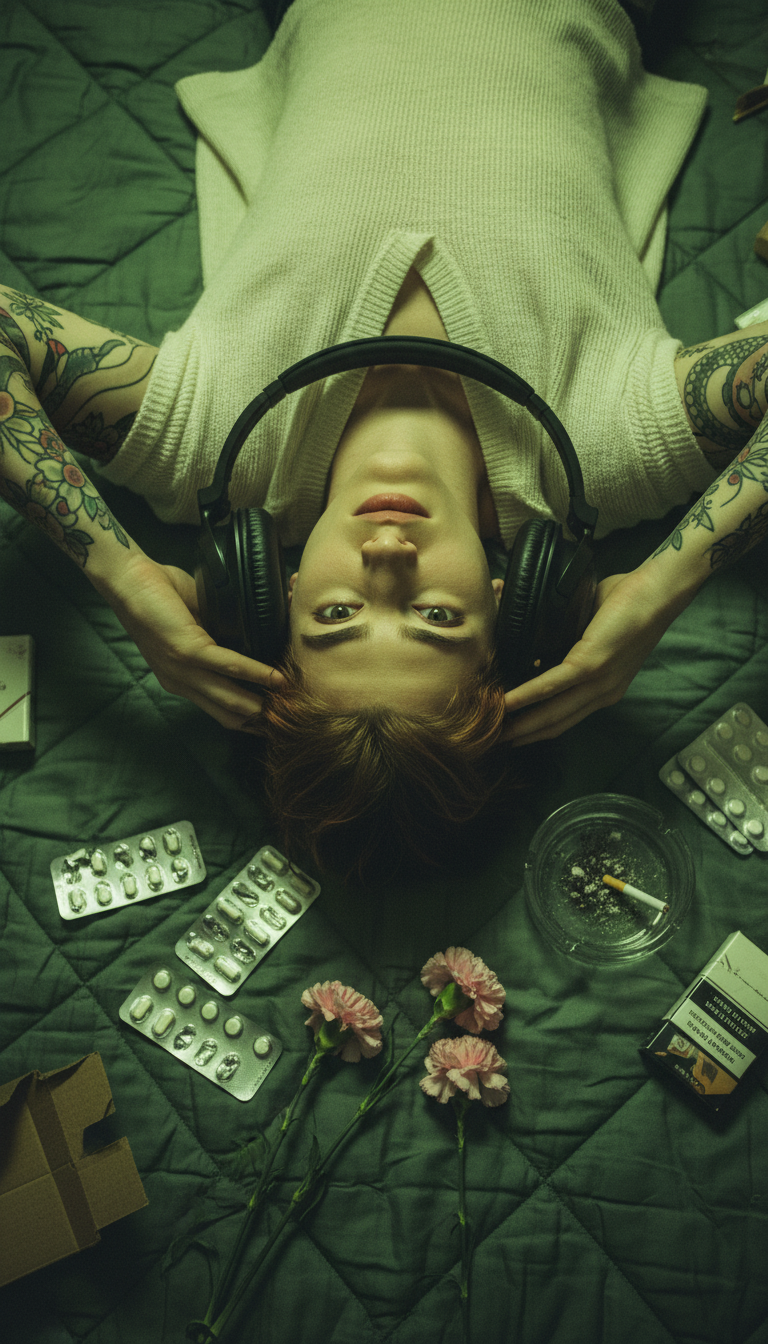
Cinematic overhead view of a subject in a cluttered, green-lit room symbolizing internal isolation. Subject has pale skin, messy auburn hair, dark eyes, and intricate snake and floral tattoos on arms and shoulders. Wearing a loose, partially open top, lying on a quilted surface and holding large matte black headphones so the headband frames the face like a circular window. The subject looks upward with a weary, melancholic expression. The environment is strewn with foil pill blister packs, wilted pink carnations, a glass ashtray with a cigarette, and cardboard cigarette packs. Vertical bird’s-eye composition emphasizing entrapment. Shot with 35mm film aesthetic, 28mm wide-angle lens, shallow depth of field focused on eyes. Harsh monochromatic acid-green and yellow fluorescent lighting creates heavy shadows and high contrast. Atmosphere is gritty 90s indie noir. Color palette dominated by sickly greens and yellows with muted pink floral accents and metallic textures. Ultra-detailed, photorealistic, cinematic editorial style, 8K.
Any aspect ratio
Overview
The Green Light Isolation Overhead template in our AI Image Editor offers a unique view into artistic expression by encapsulating a moment of internal isolation. Tailored for artists and creators who desire cinematic depth and strong narrative scenes, this template transforms everyday scenarios into striking visual narratives.
What It Does
This template utilizes the powerful nano-banana model to convert a simple image into a rich, 8K ultra-detailed portrayal that mimics 90s indie noir photography. By emphasizing the stark contrast of green and yellow hues, the template creates a gritty, editorial style that's perfect for storytelling in visual media.
Who It's For
Designed for photographers, graphic designers, and social media content creators, this template is ideal for those looking to infuse their work with a filmic quality. The AI Video Generator counterpart can complement storyboarded scenes, enhancing thematic video projects where mood and style are pivotal.
Summary
The Green Light Isolation Overhead template provides users with the tools to craft cinematic, photorealistic images with intricate details and a distinct mood. Leveraging elements such as harsh lighting and a specific color palette, the template is a superb choice for impactful visual storytelling.
How-To
Choose the Template

Customize Your Scene

Generate Your Image

Use Cases
Artistic Photography
- Gallery displays
- Social media showcases
- Art portfolios
Editorial Projects
- Magazine features
- Online editorials
- Content marketing materials
Video Production
- Music video storyboards
- Film promotional materials
- Thematic YouTube thumbnails
Best Practices
Focus on Lighting
Maintain the specific green and yellow lighting hues to preserve the intended mood and atmosphere. This will enhance the overall narrative impact.Adjust Composition
Use the vertical bird’s-eye perspective to emphasize the feeling of entrapment, ensuring all elements within the frame contribute to the story.Detailing and Props
Carefully select props and character details such as textures and shadows, as these significantly add to the photorealistic and narrative quality.