Lavender Reverie – Dark Garden
- Model
- Nano Banana 2
- Image
- 768 × 1385 px
Prompt
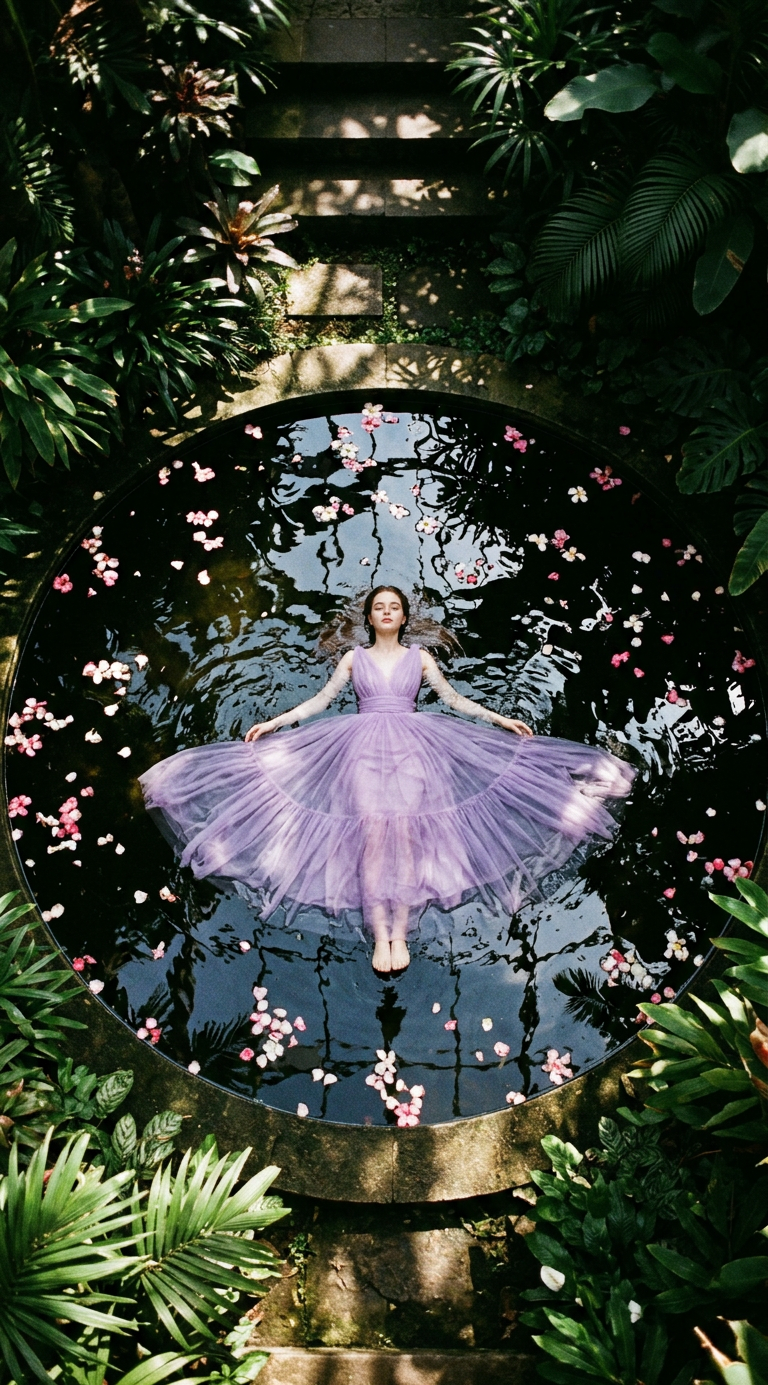
Cinematic top-down overhead shot of a subject floating in the center of a perfectly circular dark reflective pond, wearing a flowing lavender tulle gown. White and pink flower petals are scattered across the water’s surface. The scene is surrounded by a dense, lush botanical garden with tropical foliage and stone steps. Low-key dramatic lighting with dappled sunlight filtering through leaves creates deep shadows and a moody, ethereal atmosphere. Dark romanticism, fine art photography style, shot on 35mm film with subtle grain, rich textures, high contrast, ultra-detailed, 8K resolution.
Any aspect ratio
Overview
Welcome to Lavender Reverie – Dark Garden, an AI Image Editor template designed for visually stunning art pieces. This template uses the nano-banana-2 model to create a top-down cinematic view in which your subject is framed dramatically amidst a lush, tropical garden setting.
What It Does
This template expertly morphs your images into a striking piece of fine art photography. The focus is on creating a dark, romantic mood with high contrast and rich textures, emulating the classic ambiance of 35mm film. Enhancements include an ultra-detailed, 8K resolution finish, demanding attention and admiration.
To add further realism and artistry, the use of dramatic lighting and deep shadows ensures each element within the frame, from the lavender tulle gown to the scattered petals, is presented with vivid clarity.
Who It's For
This template is perfect for professional photographers, art directors, and visual artists seeking to elevate their projects with dark romanticism and cinematic flair. Ideal for those focusing on product videos, high-fashion campaigns, or gallery exhibits.
Summary
Lavender Reverie – Dark Garden is your go-to choice for delivering captivating, mood-rich images that tell compelling stories through visuals. Use it to transform ordinary photographs into masterpieces designed to leave a lasting impression. Explore other options like the AI Image Editor to expand your creative toolkit.
How to Use This Template
Choose the Template

Customize Your Inputs

Generate Your Image

Use Cases
Fine Art Photography
- Create gallery-ready prints
- Elevate fashion shoots
Elegant Social Media Graphics
- Stand out on Instagram
- Enhance engagement with artistic posts
Advertising Campaigns
- Luxury product promotions
- Moody, stylish branding
Best Practices
Focus on Composition
Ensure the subject is centrally located to take full advantage of the overhead shot style.Lighting Adjustments
Experiment with lighting settings to bring out desired contrasts and shadow effects.Petal and Gown Variations
Play with different shades of petals or gown designs to customize the scene to your project's theme.