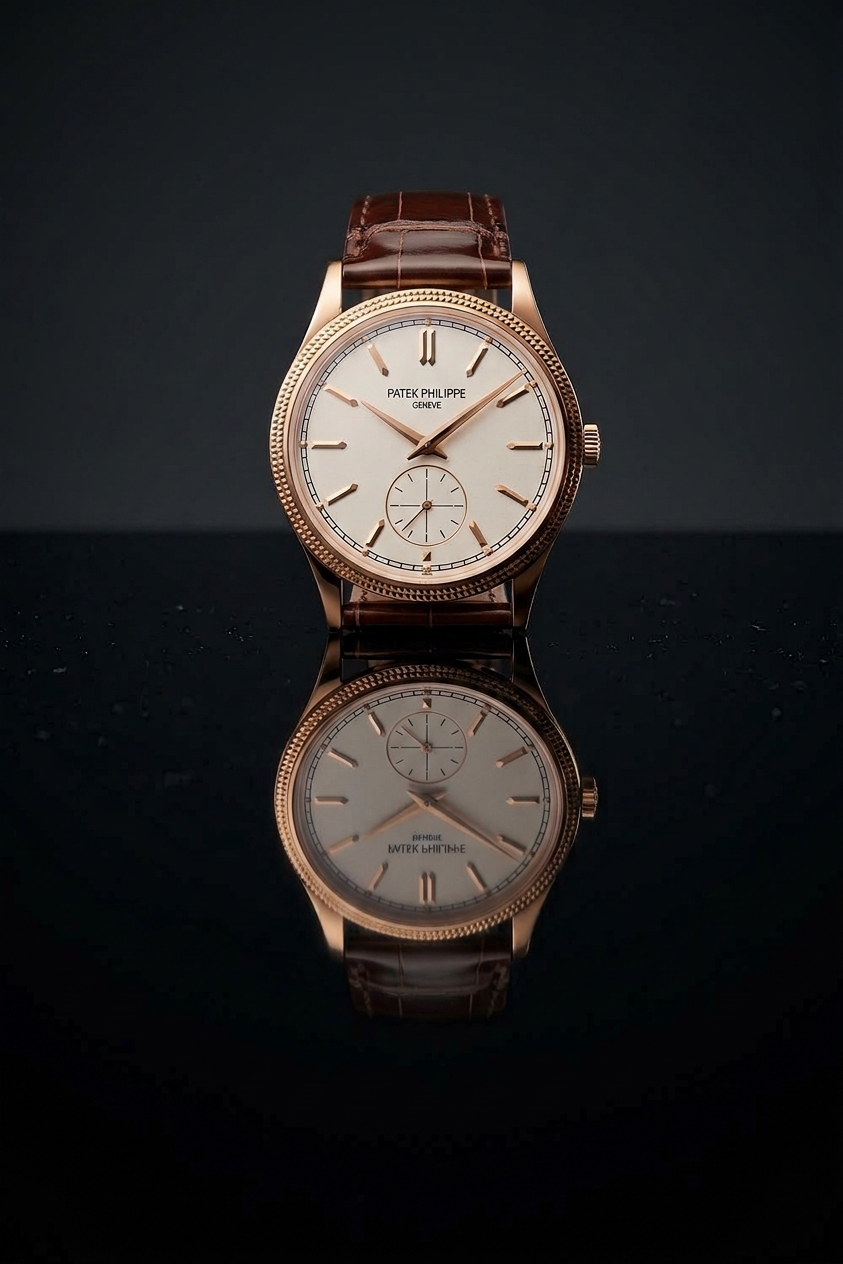
Glossy Black Product Shot
- Model
- Nano Banana 2
- Image
- 843 × 1264 px
Prompt
Place the product on a glossy black tabletop with a clean, centered reflection. Use 3-point lighting with a soft key, fill, and gentle rim light. Let the background fall off into dark gray. Keep the reflection vertically aligned, slightly dimmer, and realistic.
Any aspect ratio
Overview
The Glossy Black Product Shot template is designed for precise and professional product photography within an AI Image Editor framework. Implement sophisticated lighting setups without needing physical equipment or extensive photography knowledge. Ideal for creating visually compelling product images, this template utilizes the AI Image Editor with the nano-banana-2 model for top-tier results.
What It Does
This template assists in crafting a visually stunning product image, positioning your item on a glossy black tabletop. It simulates a studio environment by applying a 3-point lighting system. The product is highlighted with a soft key light, a fill light, and a gentle rim light to enhance dimensionality, while the backdrop subtly transitions to a dark gray.
The template integrates with the AI Clothes Changer, allowing apparel products to be visually styled on digital mannequins.
Who It's For
This template is perfect for e-commerce retailers, marketing professionals, and photographers looking to elevate the quality of their product shots quickly. Whether you are aiming to enhance your online store visuals or prepare images for marketing campaigns, the AI Product Photography capabilities make it accessible for all levels of users.
Summary
Leveraging advanced AI technology, the Glossy Black Product Shot template allows users to generate high-quality product images with ease. Simply upload your product image and let the AI take care of achieving a professional-grade finish with precise reflection and lighting effects.
How-To
Choose Template

Customize Image

Generate Image

Use Cases
E-Commerce Product Listings
- Highlight new products
- Improve existing image quality for better sales conversion
Marketing & Advertising
- Printable brochures
- Online ad campaigns
Catalog Design
- Uniform product presentation
- High-end catalog appeal
Best Practices
Use High-Resolution Images
Start with high-resolution product images for the best output quality when using the AI Image Editor template.Refine Lighting
While the default 3-point lighting settings are well-balanced, consider adjusting the intensity for darker or lighter product materials to ensure optimal visibility.Preview Reflection
Verify that the reflection aligns well with product placement; adjust if necessary to enhance realism.