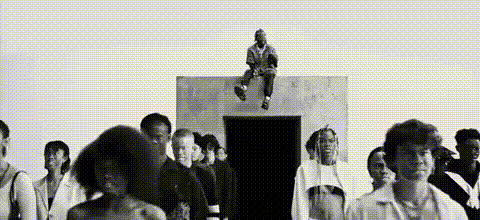
"Why do you feel that way?" Kendrick Lamar edit
Overview
The "Why do you feel that way?" Kendrick Lamar edit is a compelling Video Face Swap template for creating engaging content that resonates emotionally with your audience. The seamless integration of face-swapping technology allows users to blend their visuals with Kendrick Lamar's iconic music videos, adding a personalized touch to introspective lyrics.
This template is ideal for those looking to explore the dynamic intersection between music and personal expression.
What It Does
This template utilizes advanced Video Face Swap technology to integrate your face into a Kendrick Lamar music video. The processing ensures high quality and natural-looking swaps, which can transform your personal perception or those of others into a mesmerizing music video experience.
You can use this template to create video content that deeply engages your viewers, offering them a fresh perspective on the music they love.
Who It's For
This template is perfect for Kendrick Lamar fans who are eager to experience and share his music in a new way, as well as content creators who specialize in music videos or AI-driven video content. It's also a valuable tool for educators and trainers looking to craft engaging presentations with pop culture relevance, and digital marketing professionals interested in leveraging emotional storytelling through video.
Summary
Enhance your creative storytelling with the "Why do you feel that way?" template, which offers a unique approach to video creation by focusing on face-swapping within impactful music contexts. By integrating with our robust AI Image Editor process, your output promises to be both professional and personal, capturing Kendrick Lamar's deeply introspective style.
How to Use
Choose Your Template

Customize Your Content

Generate Your Video

Use Cases
Music Video Enhancements
Social Media Engagement
Creative Storytelling
Best Practices
Select High-Quality Images
Ensure the face images you upload are high resolution to optimize the final video quality.Tune the Swap Settings
Make adjustments to the face swap settings for an appearance that suits the video's mood and lighting conditions.Incorporate Other Tools
Enhance your video further by using an AI Voice Changer for additional audio layers.