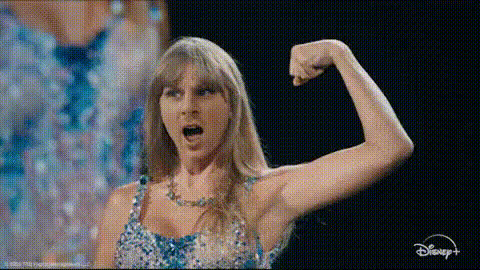
All Too Well - Taylor Swift
face-swap
Any aspect ratio
Tags
music video“All Too Well” Taylor Swift Face Swap Video Template
Turn Taylor Swift’s “All Too Well” Into Your Own Performance
Step into one of Taylor Swift’s most iconic performances with this “All Too Well” face swap video template. Using Magic Hour’s advanced AI face swap technology, you can seamlessly replace the original performer’s face with your own and create a highly shareable, emotionally charged clip inspired by the short film for “All Too Well (10 Minute Version) (Taylor’s Version).”
This template is designed for creators, marketers, and fans who want to:
- Recreate an ultra-recognizable scene with their own face
- Make fan content that feels cinematic and polished
- Test AI video workflows for UGC, campaigns, or social content
About “All Too Well” and Why It Works So Well in Video
“All Too Well” appears on Red (Taylor’s Version) (2021). The expanded 10-minute version became one of Taylor Swift’s most critically acclaimed songs, noted for its narrative depth, emotional detail, and long-form storytelling. The accompanying short film, written and directed by Swift and starring Sadie Sink and Dylan O’Brien, helped cement the song as a cultural reference point for cinematic breakup storytelling.
That combination—slow camera work, strong facial close-ups, and a narrative arc—is exactly what makes scenes inspired by “All Too Well” ideal for high‑quality AI face swaps and performance-style edits.
What This “All Too Well” Face Swap Template Does
This Magic Hour template uses the same core tech behind our main Face Swap Video product, optimized for close-up, emotional performance shots.
- High‑fidelity face swap: Your face is blended into the source video with realistic lighting, expressions, and head motion.
- Emotionally focused framing: The scenes are built around facial close‑ups and reaction shots so your expression carries the story.
- Social-ready output: Create compelling clips sized and structured for TikTok, Reels, YouTube Shorts, and fan edits.
- Remix‑friendly: You can adapt this template into your own series of music or storytelling templates using the same AI pipeline.
Under the hood, the template relies on the same families of techniques widely used in research and production-grade systems (face embedding, identity mapping, and frame‑by‑frame compositing), similar in spirit to approaches described in academic work such as “DeepFakes” and “First Order Motion Model for Image Animation.” Magic Hour wraps that complexity into a workflow that’s simple enough for non-technical creators while still useful for developers and growth teams testing AI content at scale.
How to Remix This Template in Magic Hour
You can either use this template as‑is or treat it as a starting point for your own “music video face swap” series. To build a similar template inside Magic Hour by remixing it:
- Start from Face Swap Video
Go to Face Swap Video. Use the “All Too Well” template as a base, or upload a performance-style video with clear facial close‑ups (your own footage, stock, or licensed material). - Add your source face
Upload a front-facing, well-lit image of the person you want to appear in the video (you, a character, or a brand persona). For best results, choose an image with a neutral or slightly expressive face and no heavy obstructions. - Generate your face swap
Run the face swap to create your first version of the clip. Review the output for expression matching, eye alignment, and mouth movement. - Refine your visual assets
If you want to push quality further:- Use the AI Image Upscaler to sharpen your source face image before swapping.
- Clean up or adjust your face photo in the AI Image Editor or AI Face Editor.
- Turn it into a repeatable template
Once you like the result, save the configuration as a reusable template. Now you (or your team) can drop in new faces and instantly generate “All Too Well”-style clips for campaigns, fan activations, or UGC experiments.
Best Practices for High‑Quality “All Too Well” Face Swaps
To get polished, believable results that hold up on social feeds and in campaigns:
- Use a strong base video: Choose footage with:
- Clear, front or ¾ view of the face
- Consistent lighting across the scene
- Minimal occlusions (no large sunglasses, hands over the face, etc.)
- Provide a clean reference face:
- Even, soft lighting (avoid harsh shadows or colored lights)
- High resolution (avoid compressed screenshots)
- Expression that roughly matches the emotional tone of the scene
- Plan for emotion: “All Too Well” is driven by micro‑expressions. Record or choose reference faces that show subtle emotion if you want the swap to feel convincing in close‑ups.
- Upscale and polish: If your final video will be used in paid campaigns or large displays, run it through the Video Upscaler to enhance clarity.
Extend Your “All Too Well” Concept With Other Magic Hour Tools
Once you’ve created your core face‑swap performance, you can build a richer storytelling or campaign flow with other Magic Hour tools:
- Make your character sing or speak:
- Use Lip Sync to sync your swapped face to lyrics, covers, or commentary.
- Pair with AI Voice Generator or AI Voice Cloner to create custom voiceovers or localized versions.
- Transform or stylize the video:
- Use Video-to-Video to restyle your “All Too Well” clip into animation, anime, or other visual styles.
- Generate animated variants with the Animation product or turn stills into short motion pieces using Image-to-Video.
- Create supporting visuals for the story:
- Design cover art, thumbnails, or promo creatives with the AI Image Generator or Thumbnail Maker.
- Build on‑brand avatars and characters with the Avatar Generator or AI Character Generator.
- Prepare content for social and distribution:
- Automatically caption your clip with the Auto Subtitle Generator for better accessibility and watch time.
- Create GIF moments from your favorite shots using the AI GIF Generator or Face Swap GIF.
Use Cases: Who This Template Is For
- Creators & influencers: Produce distinctive fan edits and narrative clips that stand out in SwiftTok, music fandoms, and storytelling niches.
- Marketers & growth teams: Rapidly prototype “put yourself in the story” campaigns, test engagement, and iterate on narrative formats without a full video production pipeline.
- Startups & product builders: Validate AI content and UGC workflows using a familiar, emotionally resonant reference point like “All Too Well.”
- Developers exploring AI video: Treat this template as a concrete example of what’s possible with modern face swap pipelines and content remixing.
Ethics, Rights, and Responsible Use
While face swap technology is powerful for creativity and experimentation, it should be used responsibly:
- Respect copyright and platform policies when you publish or monetize content inspired by commercial songs, films, or music videos.
- Obtain consent before using someone else’s likeness, especially for public or commercial use.
- Label AI‑generated or AI‑modified media clearly when context or regulations require it.
Create Your Own “All Too Well” Moment
The “All Too Well” Taylor Swift face swap template gives you a fast, practical way to step into a highly recognizable, emotionally rich scene—whether you’re a fan, a creator, or a team experimenting with AI-native campaigns.
Remix the template, plug it into your Magic Hour workflow, and start generating cinematic, shareable clips in minutes with Face Swap Video and the rest of the Magic Hour toolset.