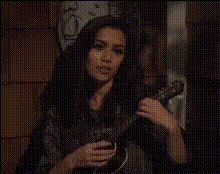
Girl Playing Civil War By Guns N Roses on Guitar
face-swap
Any aspect ratio
Tags
music videoGirl Playing “Civil War” by Guns N’ Roses – Face Swap Video Template
Turn an Iconic Guitar Performance into Your Own Face Swap Video
This template lets you drop yourself (or any face you choose) into a high‑energy guitar cover of “Civil War” by Guns N’ Roses using Magic Hour’s AI Face Swap technology. It’s designed for creators, musicians, and marketers who want studio‑quality, attention‑grabbing content in minutes—without learning video production.
You get a polished video of a girl playing “Civil War” on guitar. With Face Swap, you can instantly replace her face with yours, a friend’s, a character, or a brand persona and share the result anywhere: TikTok, Instagram Reels, YouTube Shorts, or your landing page.
What You Can Do with This Template
- Showcase yourself as the guitarist – Swap in your face to look like you’re playing the guitar solo from “Civil War.”
- Create character‑driven content – Use a brand mascot, VTuber persona, or AI‑generated character for music‑themed campaigns.
- Run social media experiments – Quickly A/B test different personas or thumbnails featuring different faces.
- Make personalized fan content – Create “you as the guitarist” clips for friends, clients, or community members.
- Prototype music video concepts fast – Test visuals, faces, and styles before investing in full production.
You can get started using Magic Hour’s Face Swap workflow here:
- Face Swap Video Template Library
- Face Swap Product Page
- Face Swap for GIFs if you want shorter, looping reactions or meme clips
How to Remix This Template in Magic Hour
You can recreate or remix this template inside Magic Hour in a few minutes:
-
Start from a Face Swap base
Go to the Face Swap Video creator. Pick this template if it’s available in your library, or choose a similar guitar performance video with a clear view of the performer’s face. -
Upload or choose your source face
Use a selfie, professional portrait, or avatar generated with tools like the Avatar Generator, AI Character Generator, or AI Headshot Generator to define the face you want in the video. -
Apply the face swap to the guitar performance
The AI maps your chosen face onto the guitarist, keeping the performance, timing, and camera movements while adapting to expressions and angles. -
Refine visuals (optional)
If you want to go beyond the base swap, you can:- Generate new backgrounds or scenes with the AI Image Editor or AI Background Generator.
- Create custom cover art or thumbnails using the Thumbnail Maker or Album Cover Generator.
-
Export for your channel
Download your final video and publish across TikTok, Instagram, YouTube, or embed it on a website or landing page.
About “Civil War” by Guns N’ Roses
“Civil War” is a protest song by Guns N’ Roses, released on the 1991 album Use Your Illusion II. It first appeared in 1990 on the charity compilation Nobody’s Child: Romanian Angel Appeal. The track reached number four on the U.S. Album Rock Tracks chart and charted internationally, including number one in Poland and number two in Spain.
The song is widely cited for its anti‑war lyrics and commentary on violence and social conflict. Axl Rose’s line, “What’s so civil about war, anyway?” has become one of the band’s most quoted lyrics. The intro samples Strother Martin’s speech from the 1967 film Cool Hand Luke, and the whistled melody echoes the American Civil War–era song “When Johnny Comes Marching Home.”
“Civil War” originated from jam sessions and soundchecks during the Appetite for Destruction tour, particularly in Japan. It debuted live at Farm Aid IV in 1990—the only performance featuring original drummer Steven Adler—and has remained a staple of Guns N’ Roses’ live set lists throughout the band’s career.
Use Cases for Creators, Marketers, and Teams
-
Music creators & educators
Present yourself as the on‑screen guitarist while you teach the song, then pair with:- Lip Sync for matching spoken or sung explanations to your face‑swapped persona.
- AI Talking Photo to create talking breakdowns using still images or diagrams.
-
Brands and agencies
Turn this template into a repeatable format: swap in different faces (influencers, ambassadors, fictional characters) to quickly localize or personalize content for different markets. -
Startups & product launches
Use the performance as a dynamic hero visual for a landing page or campaign—especially if your product intersects with music, gaming, or creative tools. -
Developers & technical teams
Prototype AI‑driven video experiences using consistent source material. Combine this face swap base with:- Text to Video for generating narrative or explainer segments.
- Image to Video to build transitions or intro sequences from static assets.
- Video Upscaler for high‑resolution outputs suitable for product demos or big‑screen events.
Advanced Remixes and Related Magic Hour Tools
If you want to go beyond a straightforward face swap, you can chain this template with other Magic Hour tools:
-
Turn the performance into a stylized animation
Use Video to Video or Animation to transform the footage into anime, comic‑book, or illustration styles, then distribute short loops with the AI GIF Generator. -
Create a fully fictional guitarist
Design a character with the AI Character Generator, AI Anime Generator, or Superhero Generator, and use that face as your swap source. -
Polish and enhance visuals
Clean up or restyle assets using:- AI Image Editor for shot‑specific tweaks.
- AI Image Upscaler and Unblur Image for sharper stills from your video.
- Remove Object from Photo and Watermark Remover to clean up background assets you own or have licensed.
-
Build a complete content package
Pair the video with on‑brand visuals:- Album Cover Generator for music‑style artwork.
- Book Cover Generator or AI Logo Generator for campaign or channel branding.
- Auto Subtitle Generator to make clips accessible and more engaging on mute.
Best Practices and Ethical Use
Face Swap is powerful, and responsible use matters:
- Use faces you have rights to – Your own face, consenting collaborators, or AI‑generated characters.
- Respect likeness and privacy – Avoid impersonation, misleading political content, or unauthorized use of public figures.
- Clarify when content is synthetic – Especially in marketing, education, or news‑adjacent contexts, label AI‑generated or face‑swapped content clearly.
- Respect music rights – If you export and share content containing recognizable music, ensure your use complies with relevant copyright and platform policies. This template is for creative experimentation and prototyping; always check licensing for commercial use.
Why Use Magic Hour for Face Swap Music Videos?
- Creator‑friendly workflows – Built for people shipping content daily: marketers, founders, solo creators, agencies.
- High‑quality face mapping – Natural expressions and head movement that match the original performance.
- Rich ecosystem of tools – From AI Voice Generator and AI Voice Cloner to AI Talking Photo and AI Meme Generator, you can build entire campaigns around a single template.
Get Started
To create your own “Girl Playing ‘Civil War’ by Guns N’ Roses on Guitar” face swap video:
- Open the Face Swap Video creator.
- Select this guitar performance (or a similar guitar template).
- Upload or choose your face or character.
- Generate, review, and export for your preferred platforms.
From there, you can iterate—try different faces, styles, or remixes—and build a repeatable content engine around a single, high‑impact musical performance.