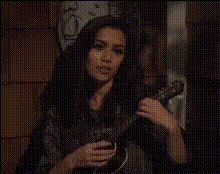
woman-singing-with-guitar
Overview
Transform your music video projects with the Woman Singing with Guitar template. This Video Face Swap tool allows you to feature yourself or others in a dynamic performance setting, swapping faces seamlessly onto a performer playing guitar and singing. Perfect for musicians looking to innovate their visual content or anyone seeking to create captivating video edits.
What It Does
This template leverages advanced AI Video Generator technology to replace the face of the original performer with that of your choice. It maintains natural head and mouth movements for utmost realism, synchronizing to the music as the video plays. Compatible with multiple video formats, users can take advantage of powerful AI-driven face transformation.
Who It's For
Whether you're a musician, content creator, or part of an agency, this tool is designed for you. Individuals looking to craft personalized personalized video ads or those in need of engaging ways to present musical content will find this template invaluable. It suits creators aiming to enhance their social media presence or produce engaging clips for various platforms.
Summary
In summary, the Woman Singing with Guitar face swap template offers a unique opportunity to integrate yourself into professional-quality music videos. With seamless integration of faces into the video track, it elevates content production across projects like promotional videos, ad campaigns, and creative content for platforms such as TikTok and YouTube. Explore more options with our various templates today.
How-To
Choose Your Template

Customize Your Video

Generate and Share

Use Cases
Music Video Production
- Highlight individual artists or band members.
- Personalize fan experiences.
Social Media Content
- Perfect for Instagram Reels or TikTok performance posts.
- Craft unique video greetings or messages.
Promotional Campaigns
- Engage audiences with dynamic video content.
- Enhance product launch presentations.
Best Practices
Align Faces Correctly
Spend some time aligning the face to the template for natural motion matching during playback.Optimize Lighting
Match the lighting conditions of the source image and video to ensure consistency and realism.Check Audio Sync
Ensure audio syncs well with the video once produced. Use editing tools if adjustments are necessary.