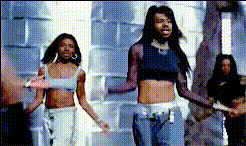
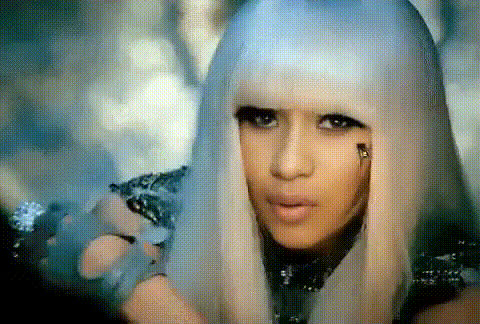
Famous Female Music Videos
face-swap
Any aspect ratio
Tags
music videoFamous Female Music Videos – Face Swap Template
Recreate iconic female music videos with your own face (or anyone’s you have permission to use) using Magic Hour’s Face Swap technology. This template is built for marketers, creators, musicians, and startup teams who want fast, high-impact video content without a full production crew.
Powered by Magic Hour’s AI Face Swap, this template lets you drop a face into legendary music video moments in just a few steps. Use it for social campaigns, fan content, UGC ads, pitch videos, or internal culture clips.
What You Can Create With This Template
- Social-ready music video clips: Turn famous female performances into short, shareable videos for TikTok, Reels, YouTube Shorts, or X.
- UGC-style ads: Place your founder, customer, or influencer into an instantly recognizable music moment.
- Fan tributes and celebrations: Make birthday, anniversary, or “thank you” videos featuring friends or teammates as pop icons.
- Educational or editorial content: Show the evolution of female artists across decades, with face swaps illustrating eras, genres, or aesthetics.
- Concept tests & moodboards: Quickly validate creative concepts for campaigns before investing in full productions.
Key Features
High-Quality Face Swap for Music Videos
This template is built on Magic Hour’s advanced Face Swap pipeline, designed specifically for moving video:
- Frame-consistent mapping: The face remains stable and expressive across movement, lighting changes, and camera angles.
- Expression-aware generation: The swap adapts to smiles, lip-sync, and facial gestures for more believable performances.
- Natural blending: Skin tones, shadows, and lighting are blended to match the original footage for a cohesive look.
For GIF-only content, you can also explore Face Swap for GIFs to generate shorter looping reactions, memes, or banners.
Iconic Female Music Video Aesthetics
This template is inspired by some of the most influential female performers and music video styles, such as:
- Stevie Nicks – Dreamy, cinematic rock visuals and flowing motion.
- Madonna – 80s–90s pop spectacle, choreography, and bold fashion.
- Beyoncé – High-production, performance-heavy visuals and powerful stage presence.
- Lady Gaga – Avant-garde styling, strong concepts, and performance art influences.
Use these visual references to guide how you position your brand, creator identity, or character. For additional creative starting points, you can also generate imagery with tools like the AI Image Generator, AI Art Generator, or AI Anime Generator and bring that aesthetic into your video content strategy.
Flexible Customization
Once you’ve swapped faces, you can remix and extend the output with other Magic Hour tools:
- Turn stills into motion: Use Image to Video to animate cover images or key art that matches the video’s visual style.
- Create animated thumbnails & posters: Design cover art using the Thumbnail Maker, Album Cover Generator, or Book Cover Generator.
- Enhance video quality: Upscale and clean up your finished clips using the Video Upscaler or sharpen associated images with the Unblur Image and AI Image Upscaler.
- Add voice and dialogue: If you’re creating story-driven or ad-style videos, use AI Voice Generator or AI Voice Cloner for narration or character voices.
How to Remix This Template in Magic Hour
You can build your own version of this “Famous Female Music Videos” template entirely inside Magic Hour by combining the Face Swap workflow with other creation tools.
1. Start with Face Swap Video
- Go to the Face Swap Video creation page.
- Upload or select a music performance video you have rights to use (public domain, licensed, original footage, or stock).
- Upload the face you want to insert (your own, a teammate, or a character you’ve generated with tools like the Avatar Generator, AI Character Generator, or AI Face Generator).
- Generate your face-swapped performance and download or save it in your Magic Hour workspace.
2. Add Movement, Lip-Sync, or Extra Animation
To push the realism or creativity further, you can chain multiple Magic Hour tools together:
- Animate still images into performances: If you start with a single performance frame or promotional image, use AI Talking Photo or Video-to-Video to turn it into a moving, stylized clip.
- Sync lips to your audio: After swapping faces, align the performance to your song, dialogue, or VO using the Lip Sync tool.
- Stylize the performance: Apply creative transformations, character styles, or animation effects with Video-to-Video or Animation for comic, anime, or stylized looks.
3. Build a Series or Multi-Scene Edit
For campaigns or narrative content, you can structure multiple clips into a larger concept:
- Create separate face-swapped segments for different eras (80s, 90s, 2000s, 2010s) using different performance references.
- Use generated assets from the AI Background Generator, AI Fashion Generator, or AI Clothes Changer to maintain a consistent visual theme across scenes.
- Export each clip from Magic Hour, then assemble and fine-tune them in your preferred video editor.
Use Cases for Creators, Marketers, and Teams
Marketing & Growth
- Creative hooks for ads: Open an ad with a recognizable music-video-style shot featuring your founder, mascot, or customer avatar.
- Brand collabs & sponsorship decks: Show how your product fits into music culture, fan communities, or creator ecosystems via quick concept demos generated with this template.
- Experiment with personas: Use face-swapped performances to test different audience personas and creative angles before running large campaigns.
Creators & Influencers
- Fan content within rights: Reinterpret classic looks or choreographies while keeping ownership and licensing in mind.
- Channel intros & interludes: Turn a short performance clip into a branded opener, stinger, or transition.
- Patreon / membership rewards: Offer personalized “as your favorite pop star” clips to top supporters.
Education & Culture
- Music history explainers: Pair short face-swapped segments with on-screen annotations about the artist, era, and visual style.
- Media literacy & AI demos: Use this template to show students or teams how synthetic media works, along with its ethical implications.
- Internal training or culture videos: Turn team members into icons for fun but clearly-labeled internal videos.
Best Practices & Ethical Considerations
AI face swap can be powerful and sensitive. To use this template responsibly:
- Get consent: Only swap in faces of people who have agreed to be included, especially for public or commercial use.
- Respect copyrights: Use footage you own, have licensed, or that is clearly permissible under applicable law.
- Be clear when content is synthetic: If the context might confuse viewers, label the video as AI-generated or edited.
- Avoid misuse: Do not use face swaps for harassment, impersonation, misinformation, or any deceptive or harmful purpose.
Major AI research and policy organizations (such as the Partnership on AI and initiatives like the Content Authenticity Initiative) emphasize consent, transparency, and context when working with synthetic media. Following those principles keeps your creative work sustainable and trust-building.
Level Up Your Template With Other Magic Hour Tools
To extend this “Famous Female Music Videos” template into a full creative workflow, consider combining it with:
- Character and avatar design: AI Face Generator, Avatar Generator, Animated Characters Generator, Full Body Generator
- Visual styling and art direction: AI Image Editor, AI Background Generator, AI Fashion Generator, AI Logo Generator
- Support visuals and social assets: Thumbnail Maker, AI Meme Generator, AI GIF Generator, AI QR Code Generator
- Polish and post-production: Auto Subtitle Generator, Image Background Remover, Watermark Remover, Remove Object from Photo
How to Get Started
- Open the Face Swap Video tool: Visit Face Swap Video.
- Select or upload your performance clip: Use licensed or original music video footage that fits the mood (80s pop, 2000s R&B, modern dance, etc.).
- Add your face source: Upload a portrait, headshot, or AI-generated character image from tools like the AI Headshot Generator or AI Selfie Generator.
- Generate and review: Create the face-swapped clip, check expressions, timing, and visual coherence.
- Refine and repurpose: Optionally run the output through Lip Sync, Video-to-Video, or Animation for extra realism or stylization.
- Export and publish: Download your final video, then upload to your chosen platforms, embed in landing pages, or send to your community.
This “Famous Female Music Videos” Face Swap template is a starting point, not a constraint. Remix it, chain it with other Magic Hour tools, and turn classic pop culture visuals into flexible building blocks for your campaigns, channels, and creative experiments.