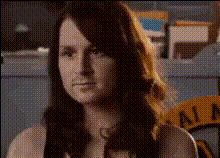
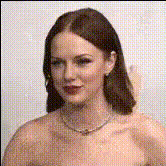
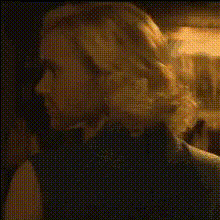
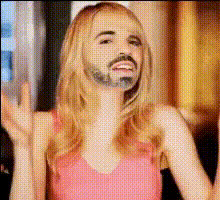
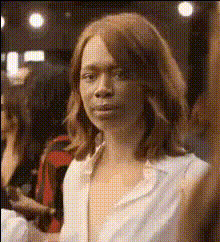
Emma Stone dancing in ‘Kinds of Kindness’

face-swap

1 clip
6 uses

Any aspect ratio

Tags

movies

Emma Stone “Kinds of Kindness” Dance – Face Swap Video Template

Overview

Step into Emma Stone’s viral dance from Yorgos Lanthimos’s Kinds of Kindness with this Face Swap video template on Magic Hour. In a few clicks, you can replace Emma’s face with your own and generate a polished, share‑ready clip that looks like you’re the one dancing in the scene.

This template is built on Magic Hour’s AI Face Swap technology and can be easily remixed, customized, and combined with other Magic Hour tools to create content for social media, campaigns, and fan edits.

What This Template Does

  • AI face replacement: Automatically swaps Emma Stone’s face with yours (or any portrait you upload) while preserving lighting, angle, and expressions.
  • Scene-accurate motion: The original choreography, camera movement, and timing from the Kinds of Kindness dance remain intact—only the face changes.
  • High‑quality output: Generate a video that’s ready to post to TikTok, Instagram Reels, YouTube Shorts, or export into your editing pipeline.
  • Remixable: Duplicate this template in Magic Hour, swap source faces, or pair it with tools like Lip Sync, Video to Video, or AI Talking Photo for more advanced edits.

Inspiration: Emma Stone, Yorgos Lanthimos & the Dance

Emma Stone’s dance in Kinds of Kindness quickly became one of the film’s most talked‑about moments. In interviews around the film’s release, Stone and director Yorgos Lanthimos have discussed how their collaboration on movement and physical performance began during Poor Things, where she experimented with dance and physical comedy on set and in test footage. That spirit of experimentation carries directly into the off‑beat, “weird” dance you see in the Kinds of Kindness teaser and clips circulated online.

The scene stands out because it blends Lanthimos’s surreal tone with Stone’s willingness to lean into awkward, playful physicality—making it perfect material for AI‑driven fan edits, meme formats, and creative remixes.

Why Use AI Face Swap for This Scene?

Face swapping a dance sequence is a high‑leverage use of generative video. Instead of manually masking and tracking a face frame‑by‑frame, AI handles:

  • Head pose & motion: Matching tilts, turns, and micro‑movements.
  • Lighting & color: Blending your face into the scene’s existing lighting and grading.
  • Expressions: Transferring smiles, eye movements, and subtle expressions from the original performance.

This makes the Emma Stone dance clip an ideal “base plate” for creators who want to prototype character concepts, test fan engagement, or generate social content with minimal production time.

How to Use This Template in Magic Hour

  1. Open the Face Swap Video tool
    Go to the Face Swap Video creator. The Emma Stone dance template will load with the source dance clip already in place.
  2. Add your face (or another character)
    Upload a clear front‑facing photo or headshot. For consistent results across multiple videos, you can generate or refine a headshot first using the AI Headshot Generator or Avatar Generator.
  3. Generate your face‑swapped video
    Let Magic Hour process the clip. The system will align your face with Emma Stone’s performance, maintaining the original movements and timing.
  4. Remix and extend
    - Use Lip Sync if you want her (now your) mouth to match a specific song or voiceover.
    - Pass the output into Video Upscaler to enhance detail for large screens or campaigns.
    - If you want to animate a still image instead of this clip, try Image to Video.
  5. Download and publish
    Export your finished clip and post it across TikTok, Instagram, X, YouTube Shorts, or embed it into larger edits in your NLE.

How to Remix This Template for Your Own Concepts

You can treat this Emma Stone dance template as a starting point for more advanced AI video workflows:

Creative Use Cases

  • Creators & influencers: Rapidly prototype new character personas, reaction formats, or ongoing series where “you” appear in famous or distinctive scenes.
  • Marketers & growth teams: A/B test different faces or character archetypes in the same dance format to see what drives the most engagement and watch‑time.
  • Filmmakers & developers: Use the template as a testbed for choreography, character design, or pre‑visualization without booking a stage or a performer.
  • Fan edits & cinephile content: Explore “what if” casting—what if another actor, a stylized avatar, or even a brand mascot performed this now‑iconic Lanthimos dance.

Quality & Best Practices

  • Use high‑quality source faces: Sharp, well‑lit photos with a clear view of the face give the most realistic swaps. You can improve low‑res selfies with the AI Image Upscaler or Unblur Image tool.
  • Match the vibe: For believable results, choose faces whose age, style, and expression roughly match the energy of Emma Stone’s performance.
  • Polish your frame: If you need to remove logos, artifacts, or background distractions in stills you’re using, try the AI Remover or Remove Object from Photo.
  • Respect rights & likeness: Use your own face, licensed assets, or faces you have permission to use. For commercial campaigns, avoid impersonation or misleading representations of real people.

Related Magic Hour Tools and Templates

If you like this Emma Stone dance template, explore adjacent workflows:

  • Face Swap – general‑purpose face swapping for images and video.
  • Face Swap GIF – create looping reaction GIFs with your face in iconic moments.
  • Animation Templates – drop your character into pre‑built animated sequences.
  • AI GIF Generator – turn short segments of this dance into shareable GIFs.
  • Text to Video – generate entirely new scenes from prompts, then apply Face Swap to them.
  • Auto Subtitle Generator – add clean captions for higher retention and accessibility.

Tags

  • Emma Stone
  • Kinds of Kindness
  • Yorgos Lanthimos
  • Face Swap Video
  • AI Video Editing
  • Dance Meme Template
  • Fan Edit

Use this Emma Stone Kinds of Kindness Face Swap template as a fast, flexible way to test ideas, prototype characters, and ship high‑impact video content with minimal production overhead.

More Like This