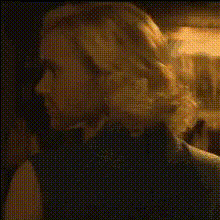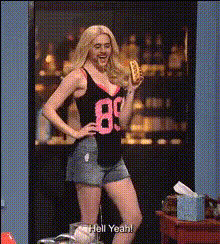
Emma Stone In Easy A
Overview
The Emma Stone In Easy A template lets you swap faces in videos using advanced AI technology. Whether you're looking to recreate scenes or add humor to your projects, this tool makes it possible to integrate seamlessly with your existing workflow, accommodating popular video formats like .mp4 and .mov.
What It Does
This template specializes in face swapping within video clips, allowing users to replace a face in key moments of Easy A with their own or another person's likeness. It works effectively with both pre-recorded videos and content shot specifically for this purpose.
By leveraging the core technology of our Face Swap product, this template ensures accurate mapping and blending, maintaining natural lighting and expressions for a convincing result.
Who It's For
This tool is ideal for creators, influencers, and marketers seeking to infuse creativity and personalization in their videos. It's especially useful for those involved in social media content creation, promotional activities, and comedic or satirical productions.
Additionally, it serves social media ads and explainer videos by enhancing audience engagement through customized storytelling.
Summary
Explore the potential of video editing with the Emma Stone In Easy A video face swap template. Designed for versatility and fun, this tool supports various creative pursuits while ensuring quality and ease of use.
Incorporate it into your next project and see the difference it can make. Discover more about the technology with our Image to Video and AI Talking Photo tools.
How To
Choose Your Template

Customize Your Inputs

Generate and Download

Use Cases
Social Media Content
- Create engaging TikTok videos
- Add a twist to Instagram Reels
- Craft memes for viral potential
Marketing Campaigns
- Personalized product demos
- Dynamic social media ads
Entertainment Productions
- Add humor to parody skits
- Educational videos with a fun twist
Best Practices
Choose High-Quality Videos
For the best results, use high-resolution video files to maintain clarity and seamless integration.Alignment Matters
Ensure that the faces align accurately for a natural look; small adjustments can maximize realism.Experiment with Different Scenarios
Try swapping faces in various scenes to explore the depth of the AI's capabilities.