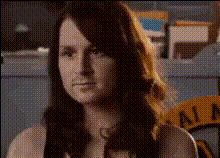
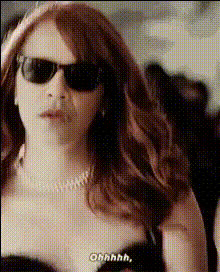
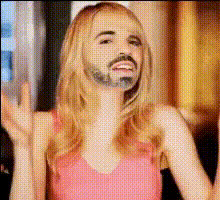
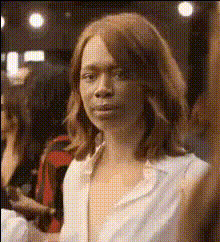
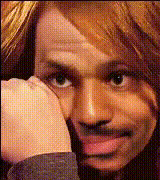
Emma Stone Dancing in Parking Lot

face-swap

1 clip
2 uses

Any aspect ratio

Tags

movies

Emma Stone Dancing in Parking Lot – Face Swap Video Template

Turn Emma Stone’s Viral Parking Lot Dance into Your Own Face Swap Video

This template lets you drop your own face (or any face you have the rights to use) into Emma Stone’s now-iconic parking lot dance from Yorgos Lanthimos’ film Kindred. Built on Magic Hour’s advanced AI Face Swap technology, it’s designed for creators, marketers, and studios who want fast, realistic results without complex VFX.

Use it to create short-form social content, campaign assets, memes, or concept tests in minutes—directly in your browser.

What This Template Does

The “Emma Stone Dancing in Parking Lot” template is a pre-configured Face Swap Video scene based on a dance sequence from Kindred, directed by Yorgos Lanthimos and filmed in New Orleans. The original clip features Emma Stone performing an offbeat, high-energy freestyle routine in an empty parking lot—perfect for expressive facial performance and body motion.

With this template, Magic Hour automatically:

  • Detects Emma Stone’s face across the full sequence
  • Replaces it with your chosen face while preserving expressions, lighting, and movement
  • Outputs a ready-to-share video optimized for social platforms, reels, and short-form content

Who This Template Is For

  • Creators & influencers testing character-driven content, memes, and fan edits
  • Marketers & agencies prototyping campaign concepts using recognizable choreography
  • Filmmakers & studios exploring quick previz, stunt/stand-in visualization, or mood pieces
  • Product teams & startups using AI video to validate creative directions before full production

How to Remix This Template in Magic Hour

You can either use this preset as-is or treat it as a starting point and remix it into your own variant. The general workflow:

  1. Open Face Swap Video
    Go to Face Swap Video. This is where all video-based face swaps are created and remixed.
  2. Load the Emma Stone Parking Lot Template
    Select the “Emma Stone Dancing in Parking Lot” template from the template library. This preloads the parking lot dance clip and a face-swap-ready configuration.
  3. Upload Your Source Face
    Add a clear photo or video of the face you want to appear in the scene. For best results, use:
    • High-resolution images with good lighting
    • Neutral or natural expressions
    • Frontal or slightly angled views
  4. Generate the Face Swap
    Run the swap and preview the full dance sequence with your new face applied. Magic Hour automatically handles tracking, blending, and expression transfer.
  5. Export & Share
    Download your final video and post it to TikTok, Instagram Reels, YouTube Shorts, or use it inside a broader edit.

You can repeat this flow with different faces to rapidly A/B test concepts or create variations for campaigns.

How to Create Your Own Version from Scratch (Remix Ideas)

If you want to build a custom “Emma-style” dance template or a similar concept:

  1. Start with a dance or motion base
    Record a subject dancing in a similar wide shot (parking lot, rooftop, studio) with stable framing. Then bring that clip into Face Swap Video to turn it into your own reusable template.
  2. Turn it into a reusable template for your brand or character
    Once you have a dance base that works, you can keep swapping different faces: founders, influencers, fictional characters, mascots, etc.
  3. Combine with other Magic Hour workflows
    • Use AI Image Generator or AI Character Generator to design stylized faces or characters, then swap them into the dance.
    • Turn still images into motion using Image to Video, then layer face swap on top for surreal or stylized sequences.
    • If you have animated or stylized footage already, you can adapt it with Video-to-Video and then perform face swaps on the final result.

Creative Use Cases

  • Social media campaigns
    Put your brand ambassador, founder, or customer persona into the Emma-style parking lot dance to announce launches, sales, or feature drops.
  • Fan edits & entertainment content
    Swap your own face or your friends’ faces into the clip for reaction content, watch parties, or fan communities—always respecting platform policies and likeness rights.
  • Meme & trend experiments
    When a dance or shot composition becomes a meme format, you can quickly re-theme it by swapping faces and editing in text overlays or captions.
  • Concept testing for filmmakers
    Prototype how different characters or casting options would look in the same scene without reshooting choreography.

Advanced Ideas for Power Users

  • Combine Face Swap with lip-sync or talking-photo tools
    After generating your dance clip, you can add dialogue or synced vocals using:
    • Lip Sync – align mouth movement with custom audio.
    • AI Talking Photo – turn portraits into speaking characters for companion content or promos.
  • Build full character systems
    Use the same face assets across: Then unify them with this dance template as a recurring visual motif.
  • Stylize the background or overall look
    Pair this template with tools like:

Quality & Ethics Considerations

Magic Hour’s Face Swap pipeline is designed to preserve lighting, expressions, and motion for high visual realism. For professional use, consider:

  • Likeness rights: Always ensure you have permission to use another person’s face, especially for commercial or promotional work.
  • Context & transparency: In marketing or editorial contexts, it’s often best practice to disclose that an asset uses AI face replacement.
  • Source quality: Higher-resolution, well-lit source faces will produce more convincing swaps and reduce artifacts.

Related Magic Hour Tools You Can Chain with This Template

  • Face Swap GIF – convert short loops of the dance into GIFs for social or chat.
  • Video Upscaler – enhance resolution for higher-end use cases or larger screens.
  • Auto Subtitle Generator – add captions if you combine the dance with VO or dialogue.
  • Text to Video – rapidly prototype other surreal or abstract scenes that can then be paired with the same character or face.
  • AI Voice Generator or AI Voice Cloner – create matching voiceovers for your character across different videos.

How This Template Fits into the Emma Stone / Yorgos Lanthimos Context

Emma Stone’s collaboration with director Yorgos Lanthimos (including films like The Favourite, Poor Things, and Kindred) is known for surreal, emotionally charged performances and visually distinctive scenes. The parking lot dance captured in this template reflects that style: awkward, confident, and expressive all at once—making it an ideal candidate for expressive face-swapped performances.

Using this template, you’re not just pasting a face onto a random clip—you’re tapping into a recognizable cinematic moment and repurposing it for your own creative or commercial goals.

Start Creating

Open the “Emma Stone Dancing in Parking Lot” template in Face Swap Video, upload your source face, and generate your first version. From there, remix, iterate, and chain it with other Magic Hour tools to build entire character-driven campaigns, memes, or narrative experiments in a fraction of the time traditional production would require.

More Like This