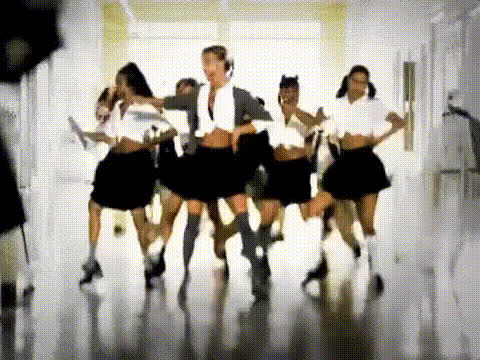
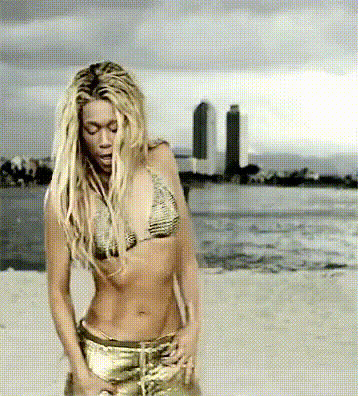
Britney Edit

Magic Hour Profile Picture
by kpop_stan

face-swap

1 clip
353 uses

Any aspect ratio

Tags

music video

Britney Edit Face Swap Video Template

Overview

The Britney Edit Face Swap template lets you drop yourself (or anyone) into an instantly recognizable late‑’90s / early‑2000s pop video moment using AI face swap. Built on Magic Hour’s Face Swap Video pipeline, this template is ideal for:

  • Short-form edits for TikTok, Reels, and YouTube Shorts
  • Music video parodies and fan edits
  • Marketing, memes, and culture-driven social campaigns

Instead of editing from scratch, you start from a pre‑timed, pre‑structured sequence and only swap in faces and visuals—so you can ship on‑trend content in minutes, not hours.

What This Template Does

  • AI Face Swap with a “Britney‑style” look
    Automatically replace the performer’s face in the video with your own or any source face using Magic Hour’s AI Face Swap engine. The template is tuned for expressive, close‑up shots typical of pop music videos.
  • Pop‑video pacing, ready for social
    The cut is structured like a classic pop video: quick, dynamic shots that work well for memes, lip‑syncs, and reaction edits. You focus on who appears; the template handles the rhythm and pacing.
  • Flexible for any platform
    The template is optimized for modern feeds and can be adapted for vertical, square, or horizontal formats, making it suitable for TikTok, Instagram, YouTube, and more.

How to Remix This Template in Magic Hour

You don’t need to be a video editor to customize this Britney‑style edit. You can either start directly from this template in Magic Hour or build your own variant by combining Magic Hour tools:

  1. Start with Face Swap Video
    Open Face Swap Video. Upload the base Britney‑style clip (or any pop‑style performance footage you own rights to). This will be your performance layer.
  2. Upload your source face
    Provide a clear reference image (or multiple) of the face you want to appear in the video—your own, a character, a brand mascot, or a generated avatar. For best results, use:
    • Good lighting and minimal motion blur
    • Frontal or near‑frontal face angle
    Magic Hour’s Avatar Generator and AI Character Generator are useful if you want a stylized or fictional persona instead of a real face.
  3. Run the face swap
    Apply AI face swap to the video and generate a first pass. This gives you a fully swapped Britney‑style performance with your chosen identity.
  4. Enhance or restyle the footage (optional)
    To extend or enhance the template, you can chain other Magic Hour tools:
    • Video to Video – Restyle the swapped clip into different aesthetics (anime, comic, stylized pop art) without re‑shooting.
    • AI Image Editor – Polish any still keyframes or thumbnails used for cover art.
    • Video Upscaler – Improve resolution and sharpness for high‑quality uploads.
  5. Create derivative templates for your brand or channel
    Once you have a version you like, you can reuse that video as a new “master”:

Advanced Use Cases for Creators & Teams

  • Marketing & growth
    Launch culture‑aware campaigns quickly by placing your founders, team, or community members into nostalgic pop‑style edits. Combine with:
  • Creators and meme accounts
    Turn trending audio and nostalgic aesthetics into recurring formats:
    • Run weekly “Britney‑style” edits with different guests or characters.
    • Pair with AI Meme Generator to generate text overlays and captions that match each drop.
    • Export short loops as GIFs with AI GIF Generator for Discord, Twitter, and community chats.
  • Developers & product teams
    Use this template as a reference pattern for:
    • Onboarding flows that teach users how face swap works via a recognizable, fun scene.
    • Rapid A/B testing of characters, faces, and visual styles in marketing creatives.
    • Internal culture content—turn all‑hands updates or product launches into quick, shareable clips.

Best Practices for High‑Quality Face Swaps

  • Choose strong source faces
    Use crisp, well‑lit photos or AI‑generated portraits (via AI Photo Generator, AI Headshot Generator, or AI Selfie Generator) to improve realism.
  • Match vibe and expression
    A “Britney‑style” performance is expressive, with strong eye contact and dynamic movement. Try to use source faces that have similar angles and lighting to the target footage for more coherent swaps.
  • Polish for distribution
    Before publishing, consider:

Responsible & Legal Use

Face swap is powerful and should be used thoughtfully. When using the Britney Edit style:

  • Only upload faces and footage you have rights and permission to use.
  • Avoid misleading or harmful deepfakes; label parody or transformative content clearly.
  • Follow platform guidelines (TikTok, Instagram, YouTube) on synthetic media and likeness rights.

For more general‑purpose face editing and experimentation, you can explore AI Face Editor, AI Face Generator, and Gender Swap.

Related Magic Hour Tools for Pop‑Style Edits

Who This Template Is For

  • Creators & editors who need culture‑aware, recognizable formats they can customize in minutes.
  • Marketers & growth teams running rapid‑iteration campaigns around nostalgia, music, or celebrity‑style aesthetics.
  • Startups & agencies building playbooks of reusable video formats that can be re‑skinned with different faces, brands, or languages.

Use this Britney Edit Face Swap template as a starting point, then remix it with Magic Hour’s broader toolset to build your own library of reusable, on‑brand, pop‑inspired video formats.

More Like This