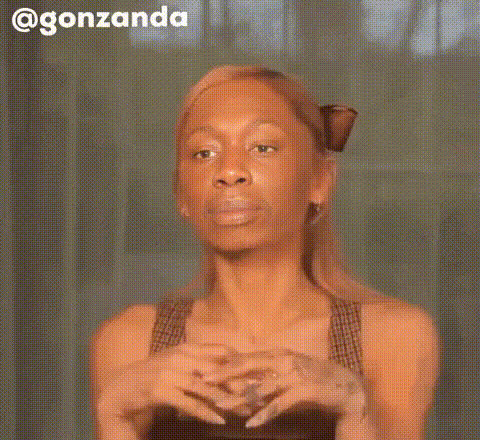
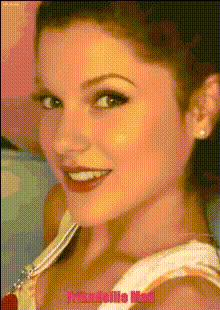
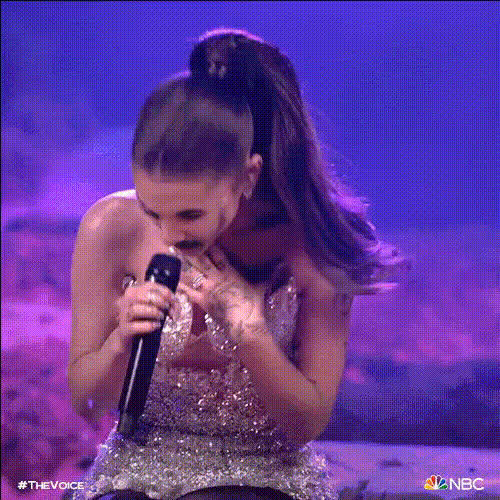
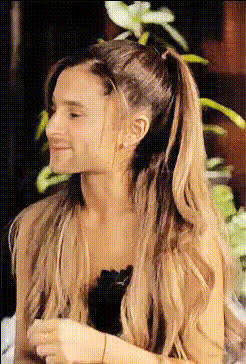
Ariana Grande Edit

Magic Hour Profile Picture
by kpop_stan

face-swap

1 clip
166 uses

Any aspect ratio

Tags

music video

Ariana Grande Edit – AI Video Face Swap Template

Turn Any Clip into an Ariana Grande-Style Edit

The Ariana Grande Edit – Video Face Swap Template lets you drop yourself (or any face) into an Ariana-style music video moment in a few clicks. Built on Magic Hour’s production‑grade AI Face Swap technology, this template is ideal for:

  • Creators and editors making short‑form TikTok, Reels, or Shorts
  • Marketing teams testing pop‑culture‑driven creatives
  • Developers and founders prototyping AI video products and workflows

You get a ready‑to‑remix base clip and a fully automated face swap pipeline—no video editing background required.

What This Template Does

This template takes a pre‑built Ariana‑inspired video and swaps in any face you provide, preserving:

  • Expressions and movement – facial motion tracks to the original performance
  • Lighting and angles – the new face adapts to the original camera, shadows, and scene
  • Video quality – outputs are suitable for social media, content tests, and concept work

You can use a selfie, a portrait, or a brand character, and the model will reconstruct a new version of the edit featuring that identity.

Key Features

  • State‑of‑the‑art AI Face Swap
    Built on the same core engine as Magic Hour’s Face Swap and Face Swap GIF tools, optimized for natural skin tones, eye alignment, and lip regions so the swap feels like part of the original shoot.
  • Social‑ready formats
    Designed to look good in vertical feeds (TikTok, Instagram Reels, YouTube Shorts), story formats, and standard video posts. You can also adapt it into longer edits using the same workflow.
  • Creator‑friendly workflow
    No timeline editing required. Upload a face, select the template, and generate. You can then fine‑tune with other Magic Hour tools if needed.
  • Works with multiple AI pipelines
    Combine this template with Lip Sync, Video‑to‑Video, or AI Talking Photo for more advanced music edits, character performances, or narrative sequences.

How to Remix This Template in Magic Hour

You don’t need to code or build a workflow from scratch. To create your own version of this Ariana Grande style template:

  1. Start from the Face Swap video flow
    Open Face Swap Video. This is the base product used under the hood for this template.
  2. Pick or upload your base clip
    Use:
    • The provided Ariana‑style edit from the template (ideal if you’re using the one‑click version), or
    • Your own music‑video‑style footage (close‑ups, mid‑shots, clear face, well‑lit).
  3. Add your face source
    Upload a selfie, a portrait, or a headshot. Higher‑resolution, front‑facing photos with neutral expressions tend to produce the most consistent swaps. Magic Hour’s engine will map this face onto the target in the video.

  4. Run the swap and preview the output. If you need sharper detail, you can enhance frames later with the AI Image Upscaler or upgrade the final video with the Video Upscaler.
  5. Export and publish
    Download your video and post it to TikTok, Instagram, YouTube Shorts, or wherever you distribute content.

Advanced Remix Ideas for Creators & Teams

Once you’re comfortable with the base Ariana Grande Edit, you can turn it into a reusable creative system:

Best Practices for Realistic Face Swaps

For cleaner, more production‑ready Ariana edits:

  • Use clear, well‑lit face sources
    Even, front‑facing lighting and minimal obstruction (no big sunglasses, heavy motion blur, or extreme shadows) give the AI more data to work with and reduce artifacts.
  • Match angles where possible
    If your base video has a lot of profile shots or camera movement, use a source face that includes similar angles. This helps preserve identity under motion.
  • Clean up supporting assets
    If you’re building composites or thumbnails around your video, tools like Image Background Remover, Remove Object from Photo, or Unblur Image can keep your visuals on‑brand.
  • Keep audio and rights in mind
    For public posts or commercial use, always respect platform music policies and copyright. Pair your Ariana‑style visuals with properly licensed audio or platform‑approved tracks.

Example Use Cases

  • Creators & influencers – turn trending Ariana concepts into personalized edits, reaction content, or fan‑style videos without a full production crew.
  • Marketing & growth teams – prototype “pop‑star‑style” creative angles for campaigns, then iterate quickly with different faces, outfits, and backgrounds.
  • Product builders – validate user interest in celebrity‑style face swap features by mocking up flows with this template before investing in custom infrastructure.

Related Magic Hour Tools to Explore

To go beyond this single template and build a richer AI video stack, you may want to explore:

Ethical & Legal Considerations

Face swap technology is powerful. When using celebrity‑style templates:

  • Respect platform policies and local laws around likeness, privacy, and impersonation.
  • Use content responsibly—avoid misleading, defamatory, or deceptive uses.
  • Get consent when swapping other people’s faces, especially for public or commercial work.

Magic Hour provides the tools; how you apply them should align with legal and ethical best practices in your region.

Start Your Ariana Grande Edit

To build your own Ariana‑style face swap video, open the Face Swap Video flow, upload your base clip and face source, and generate. Remix, test, and iterate until you have a version that fits your audience, brand, or experiment.

Once you’ve dialed in a version you like, you can reuse this workflow as a repeatable template for future celebrity‑style or character‑driven edits across campaigns and channels.

More Like This